Fence title at bottom on SOME fences, how to change?

Fences was working just fine for me with v3 but after upgrading to v4 recently, now of the 3 fences on my desktop, 1 fence is working as it should (fence title at top), 1 fence has NO title, and 1 fence has the title at the bottom of that fence. I've spent way more time than I should have trying to fix this with no success, where I am considering uninstalling Fences totally due to this disorderly behavior. I logged a suport ticket where the response was to ask my question here. Is there a solution for this? It appears I cannot even MOVE any of my fences?
 

5,680 views 4 replies
Reply #1 Top

Hello,

Sorry to hear you are having issues.

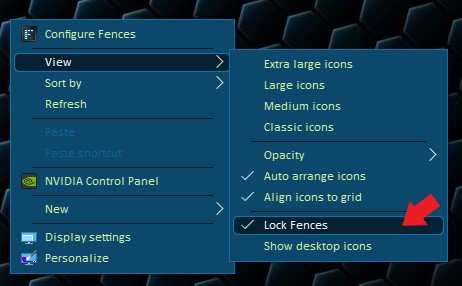
1st . to unlock Fences to move or delete click on desktop to View

scroll down to lock Fences and un check if it's checked .

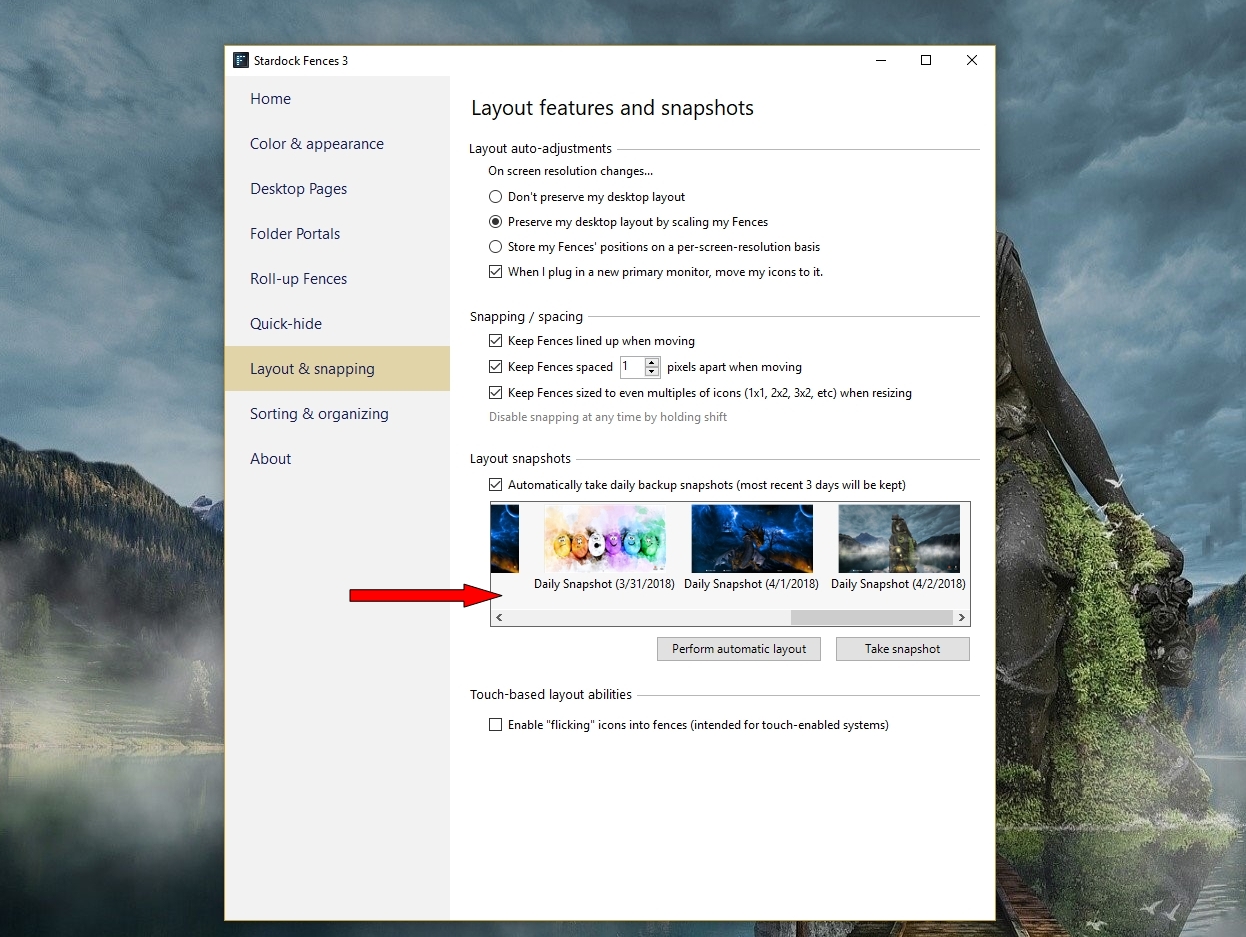
2nd . Try restoring from one of your Snapshots and see if that brings

your fences back as they were titled properly .


AzDude
Stardock Community Assistant

Reply #2 Top

How do you unlock Fences?  I brought up the Fences interface and have searched thoroughly but do not see that option, and have never had to use it in the past, so I couldn't even tell you if my fences are locked or unlocked.

Double clicking within a fence or on the fence title does nothing.


Reply #3 Top

Hello,
Sorry to hear you are having issues. To unlock/lock Fences, right click on any blank area on your Desktop->View->Lock Fences. (Windows 10)

Thanks
Basj,
Stardock Community Assistant.

Reply #4 Top

Got it, all now cool.  Still puzzling over why this aspect changed between v3 and v4 but no matter, it's cool now, thanks.