StartMenu11

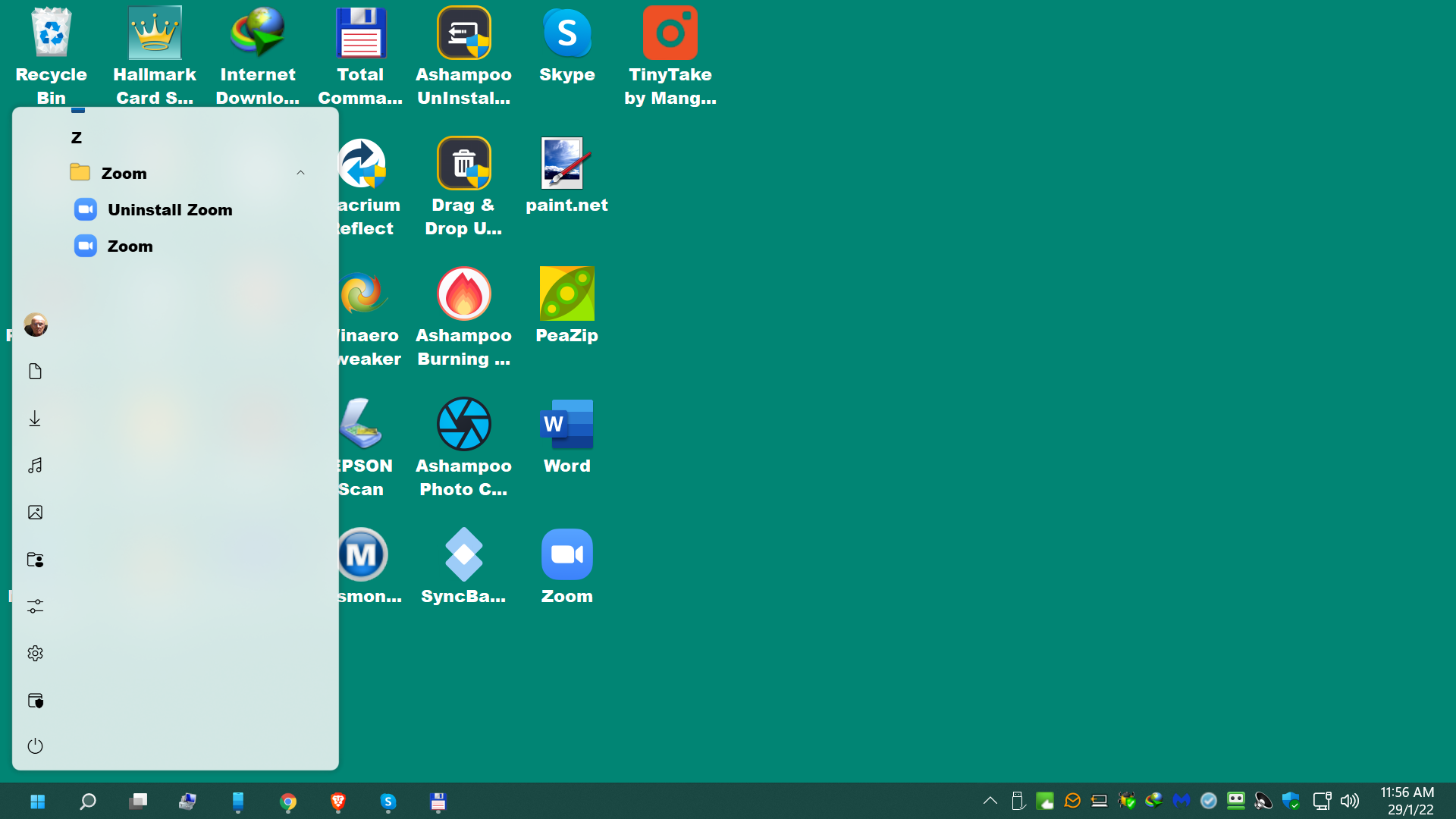
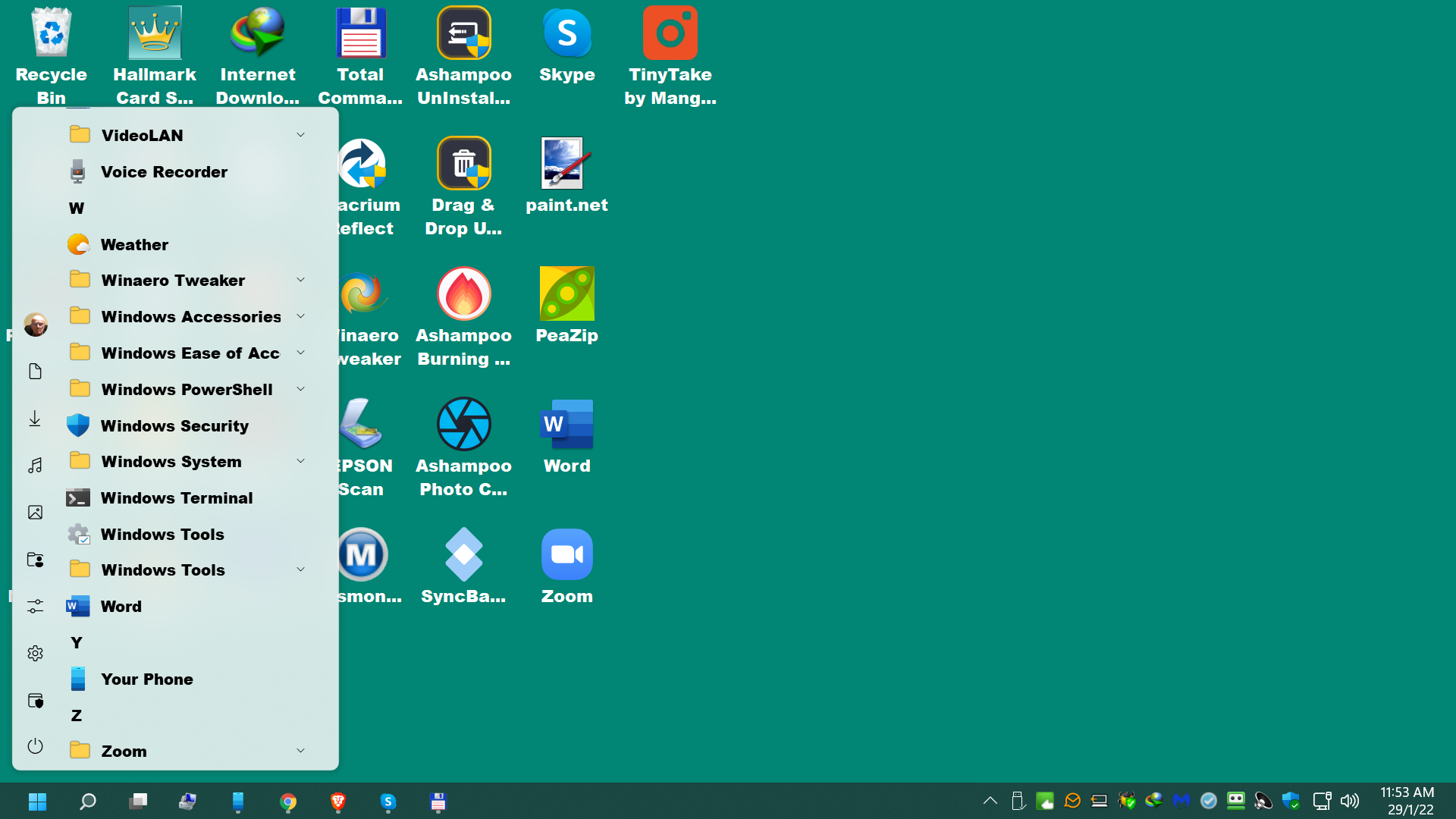
I have win 11 v.21H2; am using StartMenu11 v.1.01 with Win 10 style menu; left click on windows menu and it opens  with last entry under Z (Zoom) which has 2 sub folders and the main folder refuses to expand to either of these, even when I change to one of the 3 other styles in your options. Is this a bug? Advice please.

4,303 views 19 replies
Reply #1 Top

Hello,
Sorry to hear you are having issues. Could you post a video on this issue.

Thanks
Basj,
Stardock Community Assistant.

Reply #2 Top

Thank you for the quick response, but sorry I do not have the means of sending videos. The menu fits in nicely on my screen with small gap to top & bottom of my screen - the last item on the menu is Zoom, showing the reversible arrow indicating there are other folders, but when clicking on the parent folder, whilst the arrow changes, nothing shows. If I click on the letter Z of the menu, the Zoom folder jumps to the top of the screen as the only entry and the 2 sub folders are available. Over to you please.

Reply #3 Top

No, sorry, I can't imagine it. Anyway, I have forward your problem/question to Stardock Support Team for their assistance. Please keep an eye on this thread for any updates. We appreciate your feedback and patience.

Basj,
Stardock Community Assistant

Reply #5 Top

I don't think there is any development until we understand the issue and can reproduce it on our side. Can you capture a video of it and post it on youtube or somewhere that host videos. Than post the link here. Also please try the latest version of Start11 V1.11 Beta.

Thank you,

Basj,
Stardock Community Assistant

Reply #7 Top

For Beta please there is a guide on how to obtaining the Beta, in this thread : https://forums.stardock.com/509537

Thank you,

Basj,
Stardock Community Assistant


Reply #8 Top

For video, not sure why you can't do it. For me it is quite easy. I just use this free video capture application : TinyTake By MangoApp or any video capture application. Capture it save it and upload to any video sharing site like Youtube. And post its link here.

Thank you,

Basj,
Stardock Community Assistant

Reply #9 Top

You can hold the window key and then press the prt Sc to take a screen shot. that may be enough

Reply #13 Top

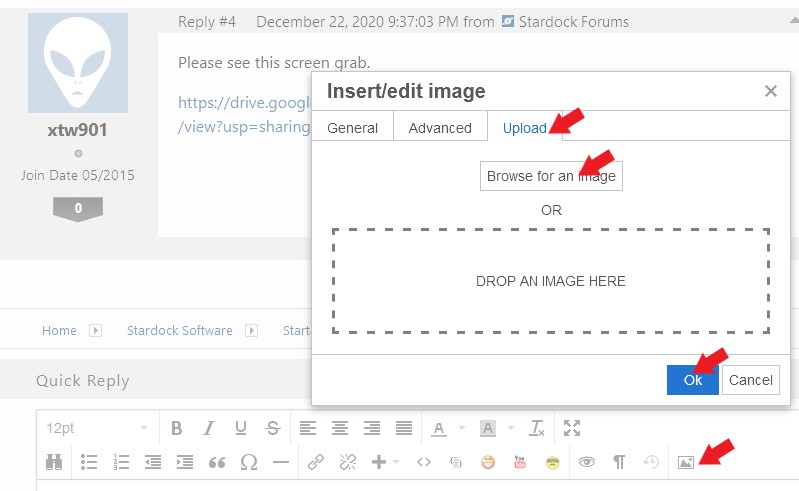
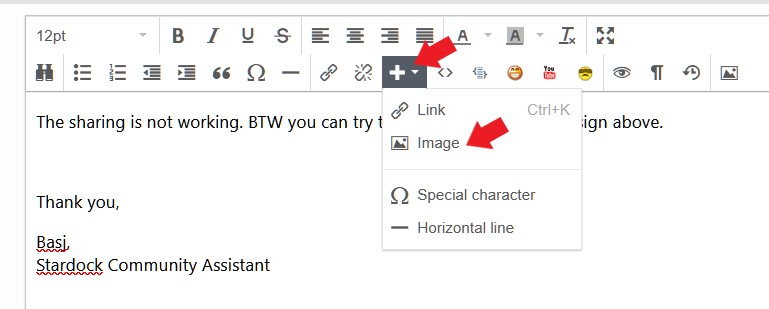
You can add image files by using this icons if it available to you.

or

Thank you,

Basj,
Stardock Community Assistant

Reply #16 Top

That does make a lot more sense to me with the screen shots. It may be a bug, but I do not have a drop down folder as my last entry so I can not confirm. A short term fix would be to access the zoom app a different way. You could either just pin it to your start menu or simply type "z" on your keyboard while the start menu is open and the zoom app should show that way as well.

Reply #17 Top

Hello,

Thanks for posting the images, but, I can't reproduce your issue on my system. I did install Zoom just to make sure we having same thing as yours. But. When pressing the down arrow. It open up that Zoom sub folder. Just need to scroll up a little to reveal it. Does it do not do this on your side?

Thank you,

Basj,
Stardock Community Assistant

Reply #18 Top

Dear basj & PhoenixRising1, 

Many thanks for for your time & patience. Because the Zoom folder did not open on being pressed,  I am ashamed to say that it never occurred to me to scroll down, which does work!!! I can only apologise for being so stupid - I must be getting senile! So again my thanks and I will hesitate to bother you again. Yours shamefully. 

Reply #19 Top

Great, really glad it worked out for you.

Thank you,

Basj,
Stardock Community Assistant