Cannot change start menu icon

I am unable to change the start menu icon with Start11. I can select one, but it doesn't change, even after a restart.
2,901 views 4 replies
Reply #1 Top

Hello,

Sorry to hear you are having issues.

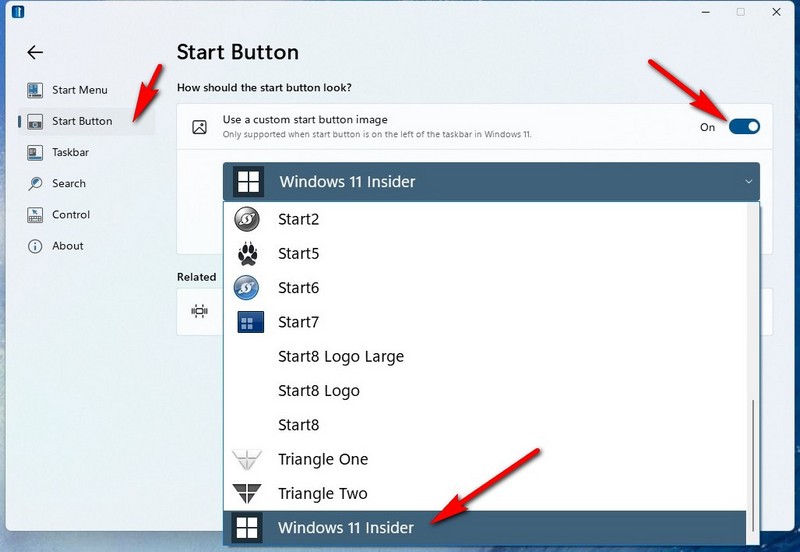
Set up to change Icons :

Should change without a reboot ..

If yours doesn't try uninstall and Reinstall with the latest version from your account https://store.stardock.com/myaccount/products/


AzDude
Stardock Community Assistant

Reply #2 Top

I did as you suggested. Now my start button is just a black square, and my start menu is at the top of the screen!

Reply #3 Top

I uninstalled the beta version and reinstalled the version I had (which I download very early this morning). Now my start menu is in the correct place (bottom left), but I have no start button at all, still just a black spot.

Reply #4 Top

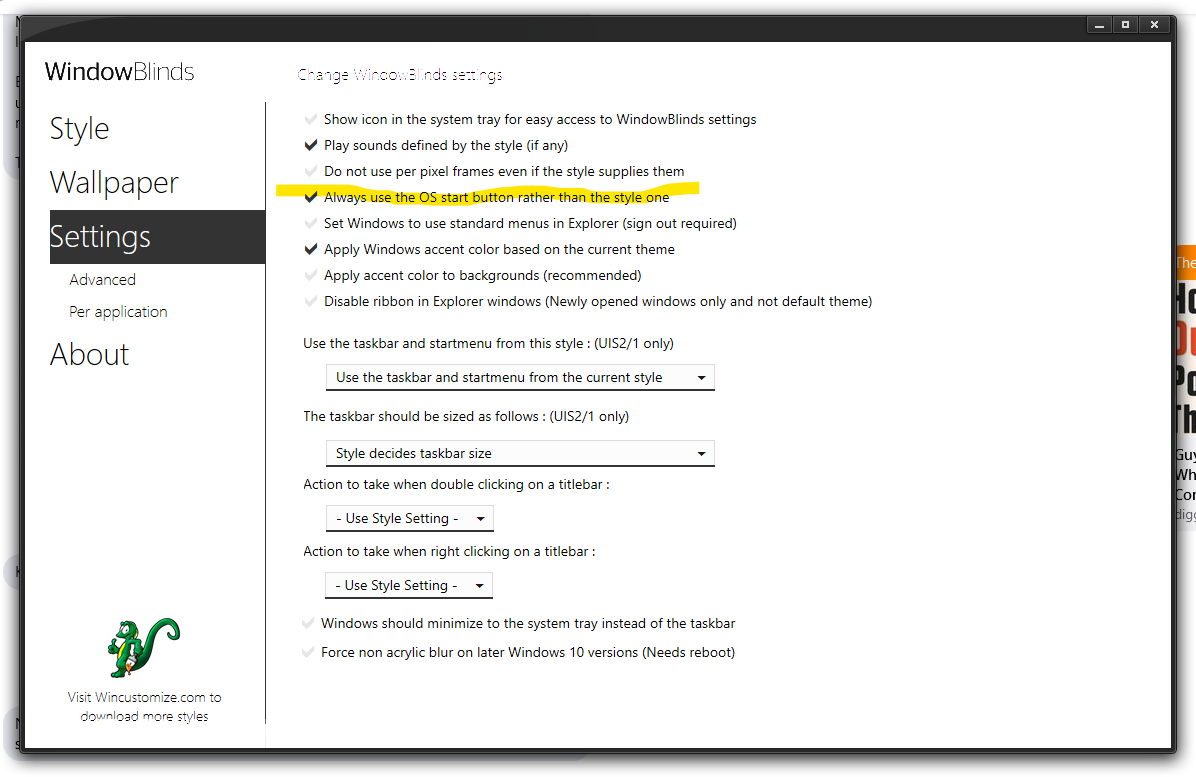
Solved the problem. It's a clash between Start11 and WindowBlinds 10. You have to tell WindowBlinds to always use the OS start button rather than the style on. Checking that box fixed the problem.