Start 11
Quick Launch
 Stardock Forums
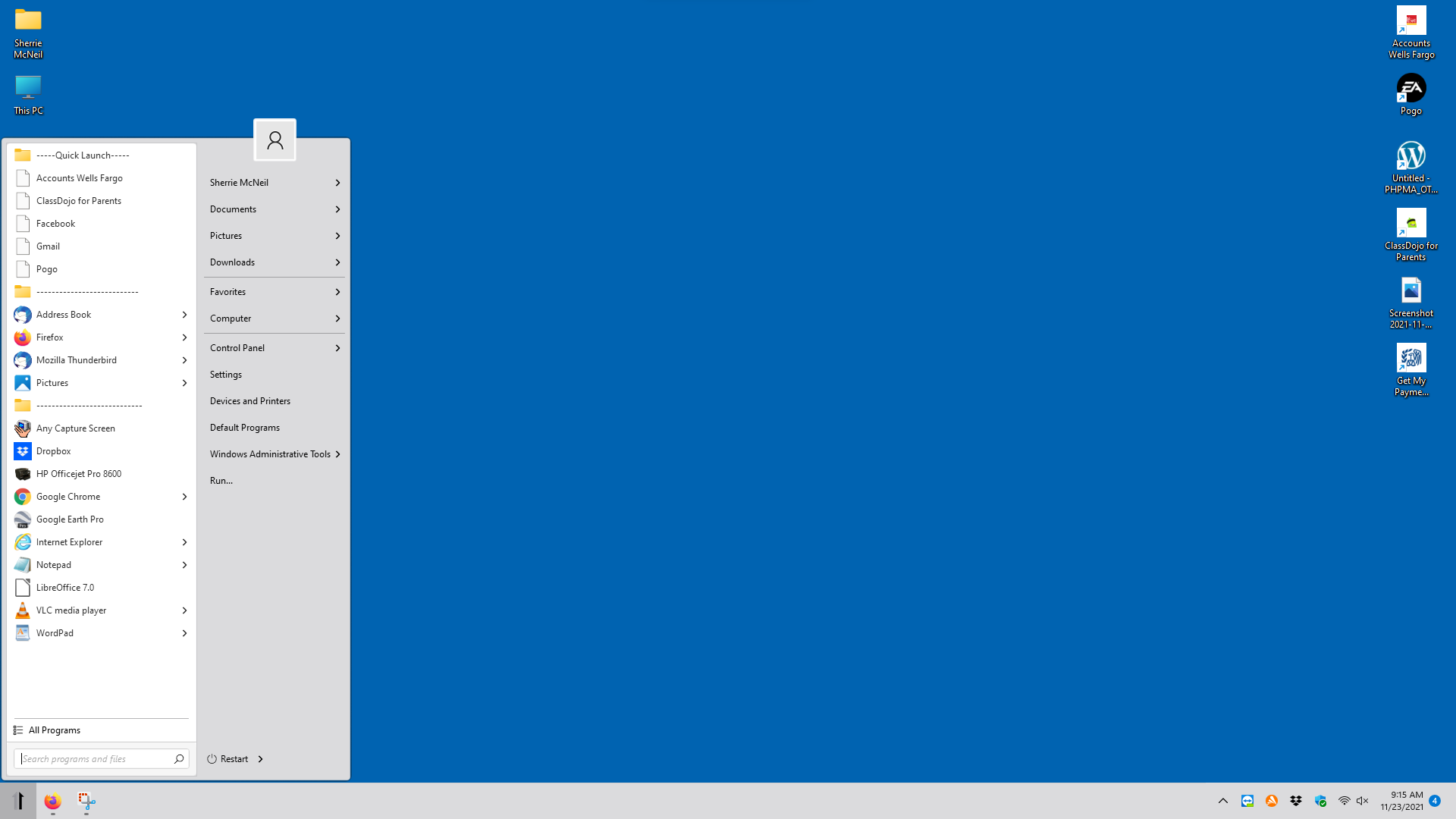
Love the new Start11 because it was something that Microsoft removed that the users wanted. Another missing part of Windows11 was "Quick Launch" which added programs, shortcuts, & web links to the taskbar. On Windows11 it no longer works. It was a collection of one click links of the most used programs, shortcuts & web links. Here is a solution that Stardock should make part of their Start11. A "Quick Launch" section added to the Start11 menu on the left side in the shortcuts and pinned items, sectioned off at the top of the list. I used a Desktop Short cut named -------- Quick Launch ------- and another with at the bottom for seperating seldom used items that are right clicked and held, then dragged into the Start11 Menu. It works and looks OK but the icons are lost.
Suggest Stardock modify the Start11 with a Setting similar to the "Most used Applications" found in the "Left Hand side Shortcut settings" for Start11.
Till that happens here is the solution for the lost feature "Quick Launch". Screen dump of the Start11 menu with my suggestion.
.