Multiple monitor issue

Running Fences 3.1.33 I have an issue with multiple monitors.


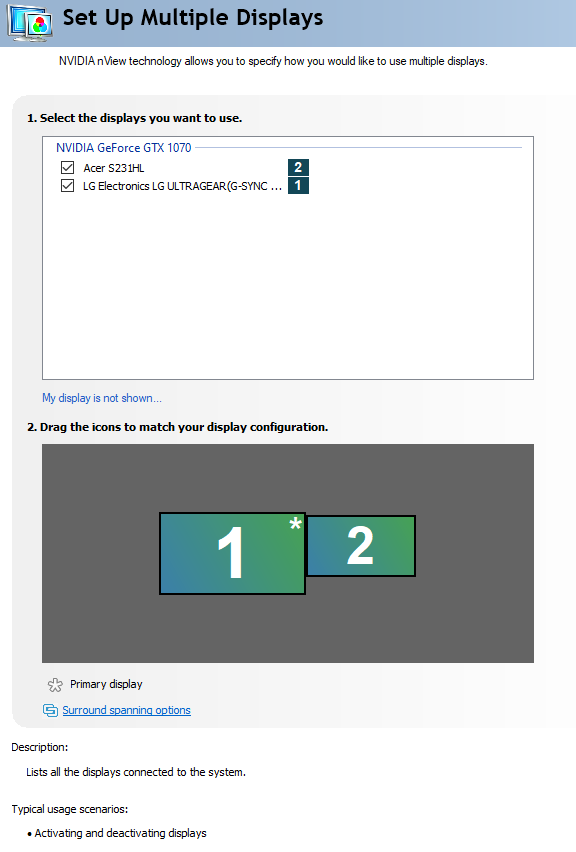
Main monitor is a LG 27GL850-B connected via DisplayPort, second monitor is an Acer connected via HDMI. Sometimes after a reboot Fences will flip where the layout items are; i.e. all the fences and icons that are supposed to be on my main screen (Left  screen, right in front of me) will all be on the 2nd screen, to the right of me, and all the fences/icons that are supposed to be on the 2nd screen and on my main screen.


Looking at my display control panel in Windows, the monitors are still laid out properly, and no matter how many times I try to restore the layout from the saved Fences layout, they keep restoring with the items on the wrong screen. It's as if Fences thinks the monitors are flip flopped and my main monitor is actually the 2nd monitor and vice versa.


Any idea why?
3,701 views 2 replies
Reply #1 Top

Hello,
Sorry to hear you are having issues. You're on Fences 3? If yes, please refer to this guide on multi monitors :

  1. https://forums.stardock.com/486084/fences-support-faq#shortcutswrongmonitor
  2. https://forums.stardock.com/486084/fences-support-faq#multimonitor

Thanks

Basj,
Stardock Community Assistant.

Reply #2 Top

thank you for the assistance. I triple checked my display settings and they are correct:


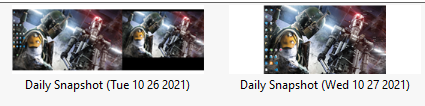
Odd thing in the fences settings though; when it auto saves a layout, it's only saving Display2 (far right thumbnail. Left thumbnail shows that there're normally 2 displays):


I followed your links and looked into the registry, and PrimaryMonitorLast was set to Display2. I set it to Display1, but nothing happened (is it supposed to happen immediately? Or after a reboot?). Also after changing that key and trying another layout restore (no reboot), it still restored improperly.