Problem with Colours in the new Version of Start11

Hello, I just bought the upgrade license of Star11.

In the menus and at the bottom of the taskbar, even the clock display is in black color.

I would like to have the font in white.

How and where can I change this ?

Please explain this to me exactly !!!

Thanks 

3,562 views 11 replies
Reply #1 Top

Hello,
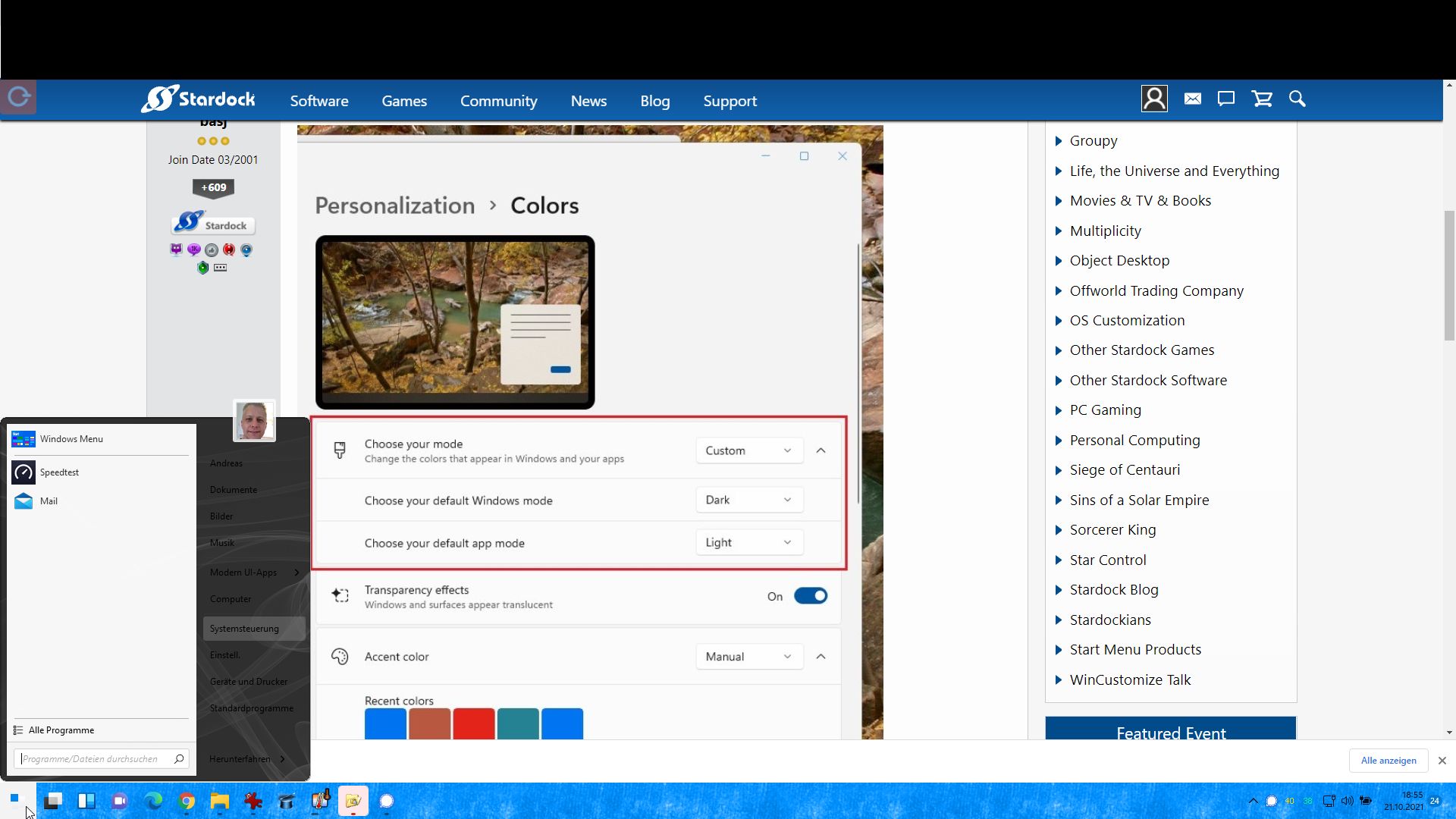
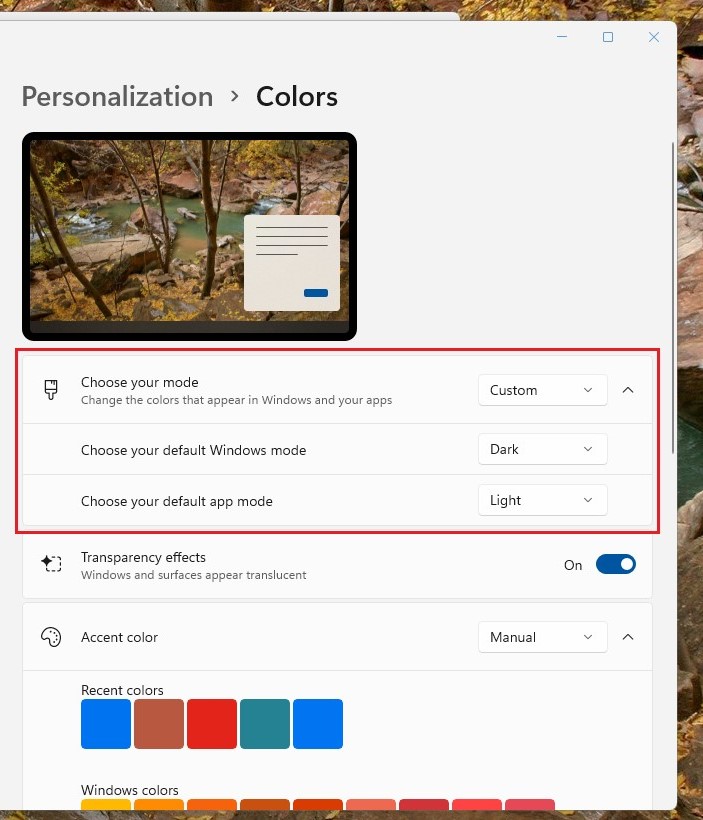
Sorry to hear you are having issues. Please post few screenshot on your taskbar. Also screenshot showing us what is your Windows Personalization Colors setting. Something like as screenshot below.

Thanks
Basj,
Stardock Community Assistant.

Reply #2 Top

From what did you take the picture ?

How do I get to the setting ?

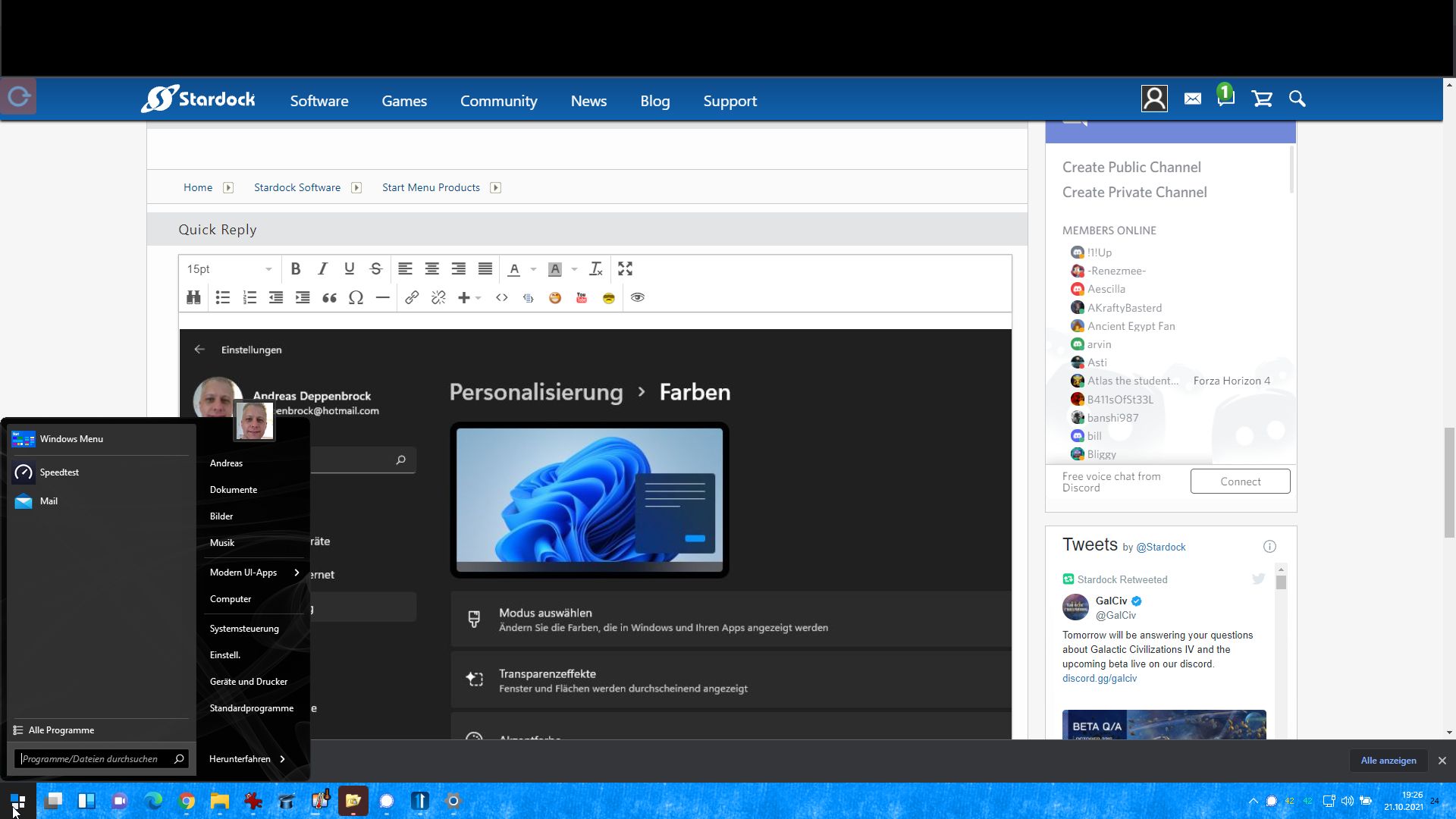
Attached screenshot of the start menu where the right part is black and barely readable !

Dark

Reply #3 Top

Hello,

Sorry to hear you are having issues.

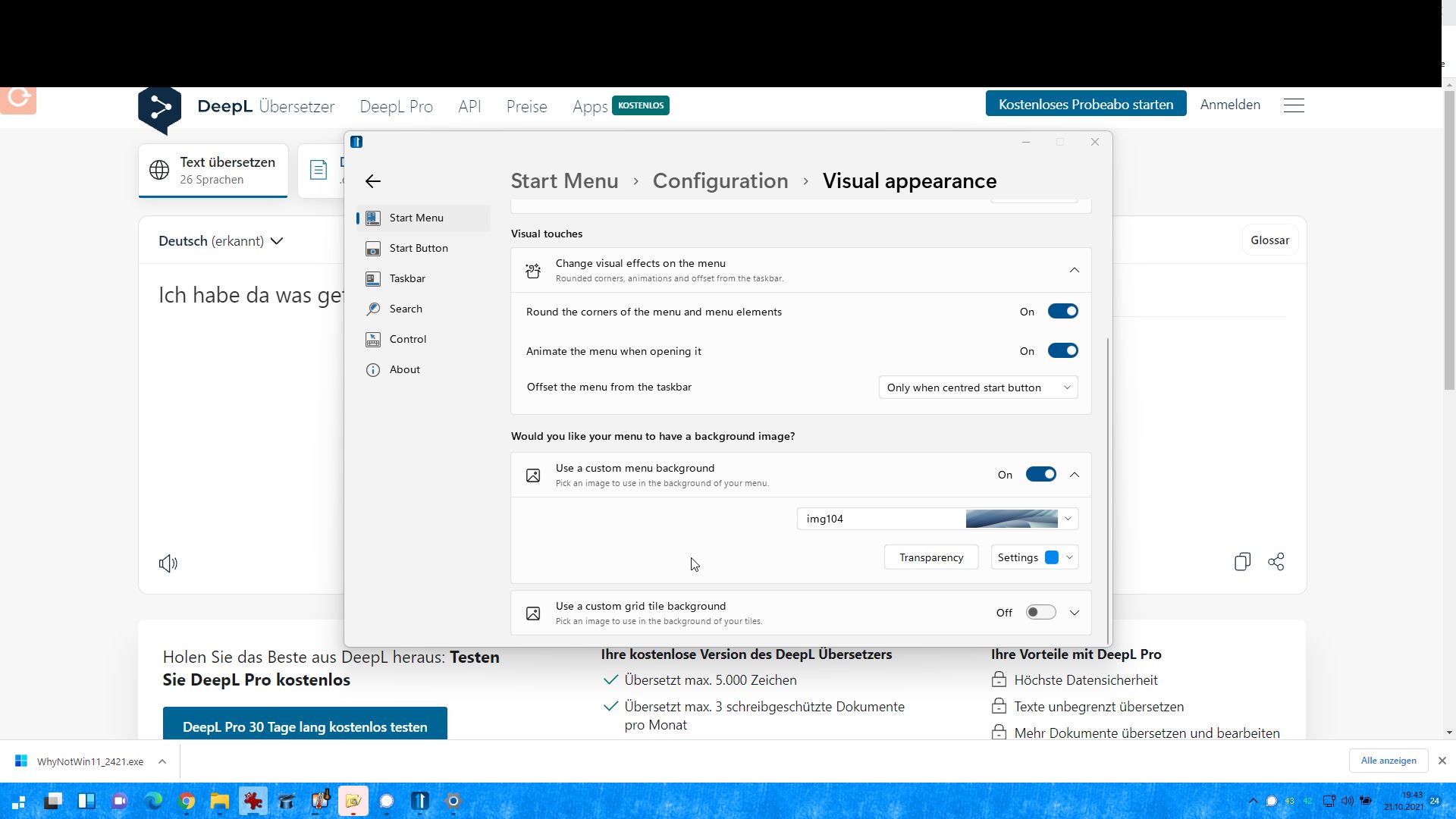
My set up is your use Start11 menu set to on ?


AzDude
Stardock Community Assistant

Reply #5 Top

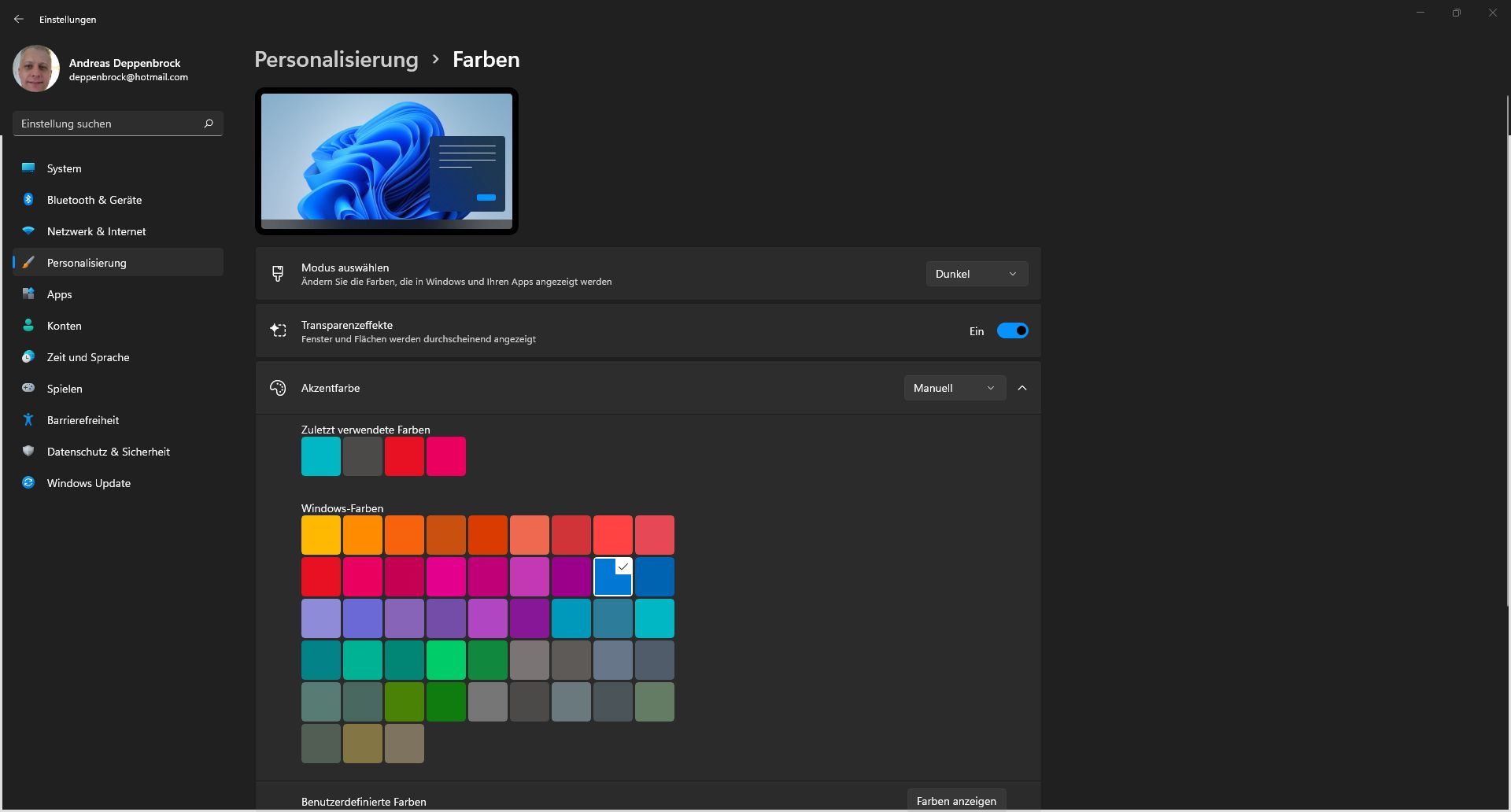
I set it to dark in the Windows 11 settings.

Now I can see in the start menu on the right but again the settings and control panel.


But that can not be it.


But I don't want to use the dark mode permanently.


What do you suggest ?

Reply #7 Top

Hello,

Actually, what my screenshot show is on Windows Personalization->Colors-> Click on the dropdown menu on "Choose your mode" and select custom or set the setting as in my screenshot. Set Windows mode to dark but application to light. This will make your font to be light while your taskbar will be dark, yet your explorer will be in light mode.

Thank you,

Basj,
Stardock Community Assistant

Reply #9 Top

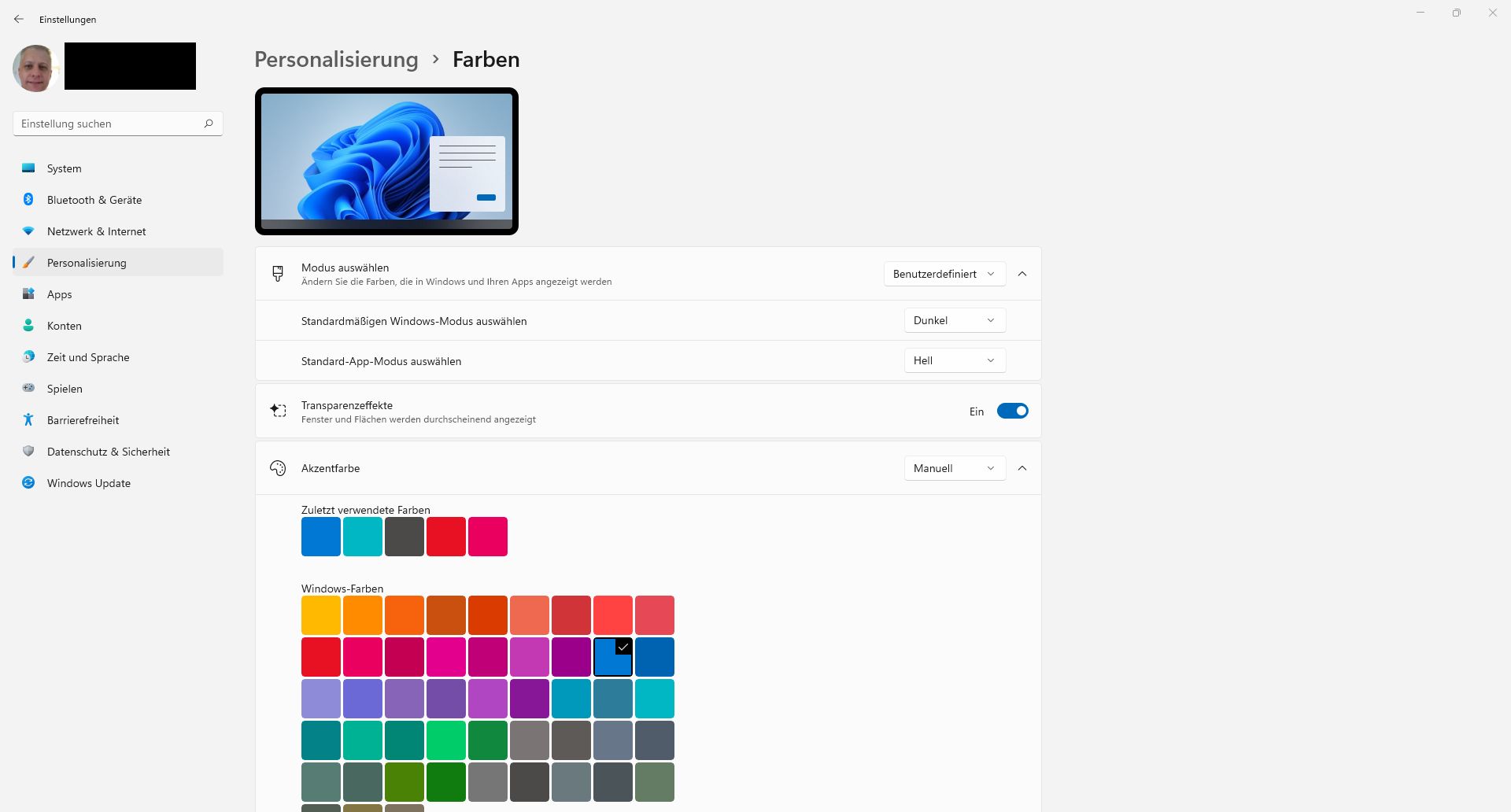
I can't read German, I just assume is the same as my setting, so do you still have your original issue?

Thank you,

Basj,
Stardock Community Assistant

Reply #10 Top

But I can read and understand English.

It is the same as with you.


Now everything is fine again.


Thanks for the support 

Reply #11 Top

Great, glad it worked out.

Thank you,

Basj,
Stardock Community Assistant