Fences 3.1.3.3 stops working after creating a "folder portal" of a hidden folder
Solved via this workaround, but it is a critical bug indeed
 Stardock Forums
Sometimes we don't want to see too many folders in the desktop, so we tell windows to hide it. From this action, Fences stops running and no matter what you do, the only option is to go back from a screenshot to make fences working again.
winver: Windows 11 Pro 21H2, compilation SO 22000.194
This bug also affects windows 10.
Please recreate this bug so you can fix this issue:
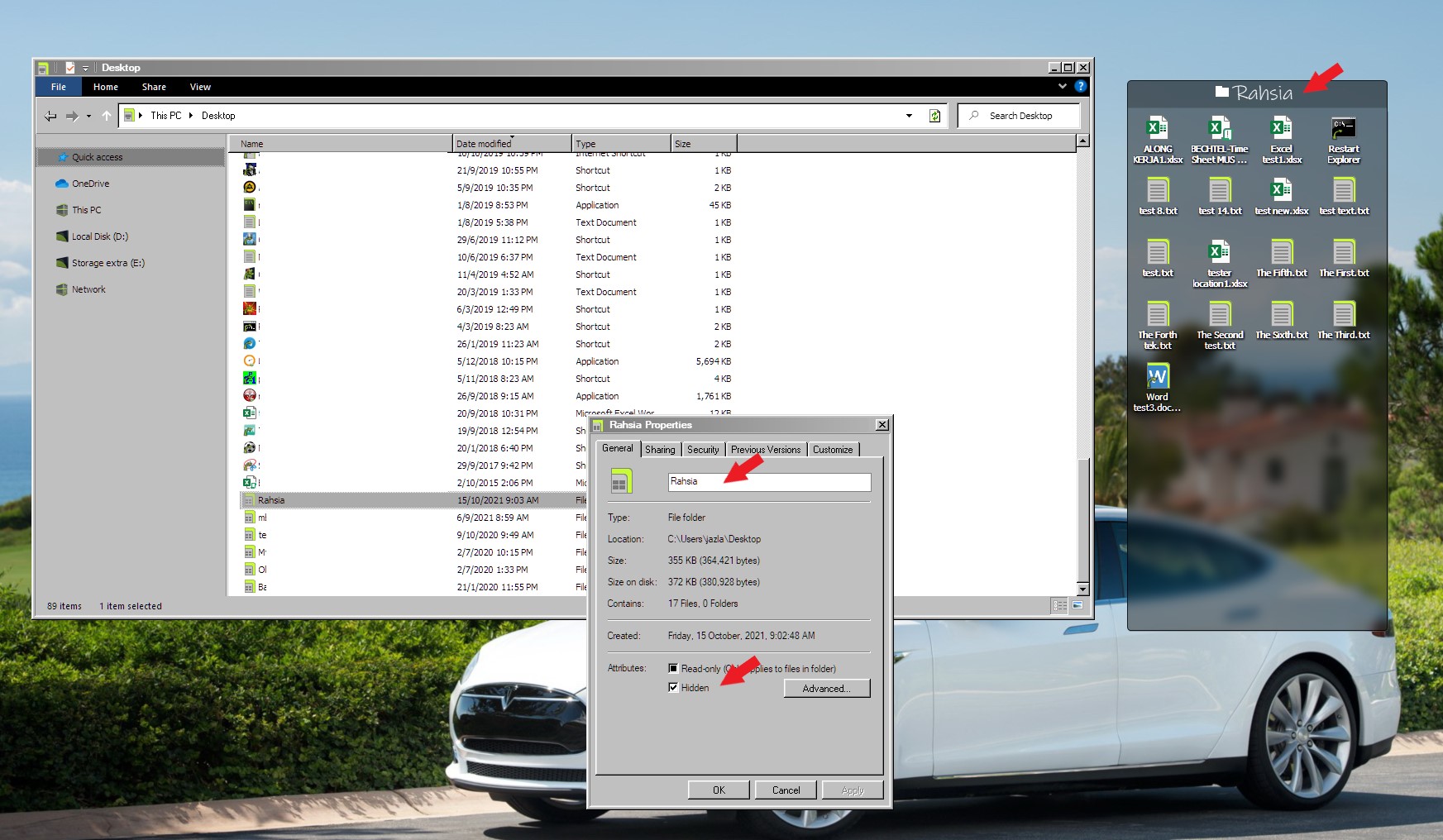
1. Put some documents in a folder and place it in the desktop. In this case, it is "Archivos de escritorio" that is in the PC fence.
2. Tell Fences to create a folder portal that directs to that folder, that is "Archivos de escritorio"
It should now look like this:

3. Now, tell windows to hide that folder in special:

4. Reboot your system. Now fences will stop working constantly - and all your icons will be shown "sorted" in your dekstop

This bug also dissables the windows bar and makes the sistem hard to use. The sniping tool, as well as windows commands - like win+d - are dissabled.
The only way to make fences work - as well as making windows working - is to restore a snapshot. Unhiding "Archivos de escritorio" folder doesn't work in my case.

Even after restoring the snapshot, note that windows bar is not working at all.

Use task manager to log out and log in. If it fails, restart your PC.
Please fix this critical issue. Thank you.