Error Trying to Update

Sharing violation

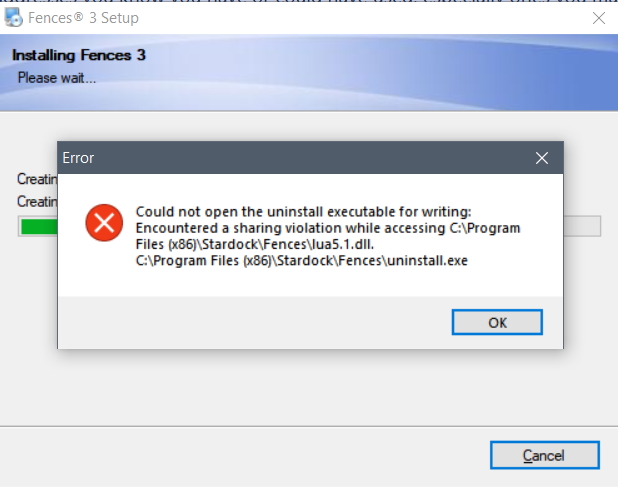
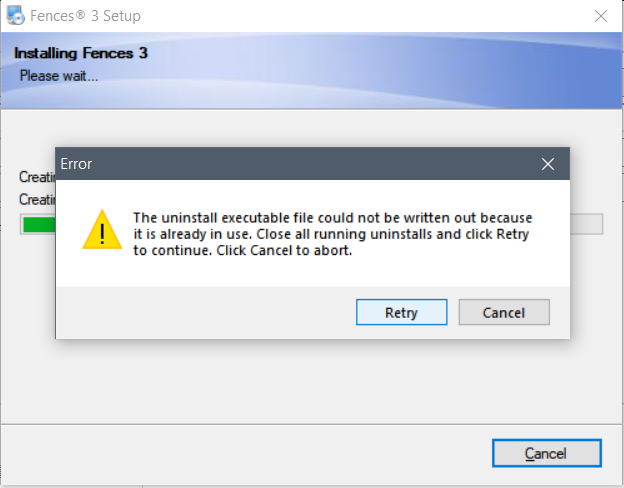
I am getting a pop-up every week or so asking me to update, but when I try to do so I get an error message saying the
"uninstall executable is already in use" and then another saying I "encountered a sharing violation." I've already tried completely uninstalling and reinstalling, clearing cache and cookies, restarting computer, etc. Suggestions?



7,020 views 3 replies
Reply #1 Top

Hello,

Sorry to hear you are having issues.

Next time it comes up DO the update and  immediately Reboot

That should fix it from asking again.

Report back if you still have issues ...


AzDude
Stardock Community Assistant

Reply #2 Top

It won't let me -- it doesn't give me that option. After I hit Download and Install, it loads the 10.3 MB file, then gives me an error message where my only options are Retry and Cancel. Clicking Retry does nothing; clicking Cancel takes me to a dialog box that asks if I want to go to the online FAQ; and clicking No takes me to the third error message where I can only click OK. See screenshots above.

It's similar to the problems this person had https://forums.stardock.com/486268/page/1/#3697072 but in my case, running the Purge_Fences.bat file several times -- uninstalling and reinstalling -- does not fix the problem.

Reply #3 Top

Hello,
Sorry to hear you are having issues. That link was from 2017, and Fences has changed a lot since than. Anyway. Need to know more on your system.

  1. Windows version, please use Windows Winver.exe for full Windows version numbers.
  2. Fences installed version numbers.
  3. When you do the purge and reinstall steps, did you go to your product account and download from there [Link]? If not please try again, purge and reinstall steps as mentioned here: [link]. Just make sure to re download the latest version from your account. Reboot after the purged. Reinstall, and Reboot again immediately after the installation. Retest it. Report back here.


Basj,
Stardock Community Assistant.