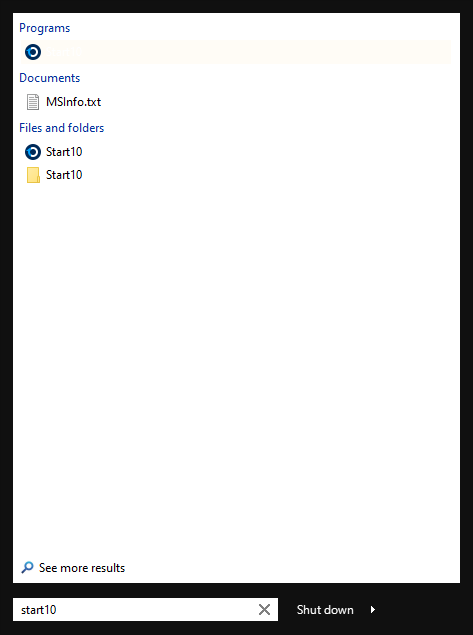
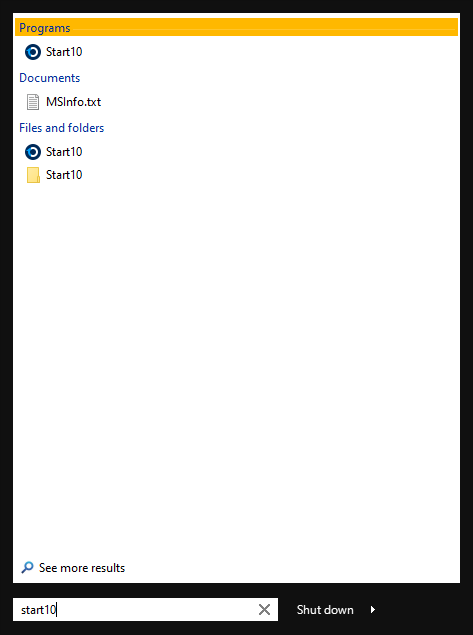
Start 10 Search results highlighted white, making the selected result invisibile.

Hi all,

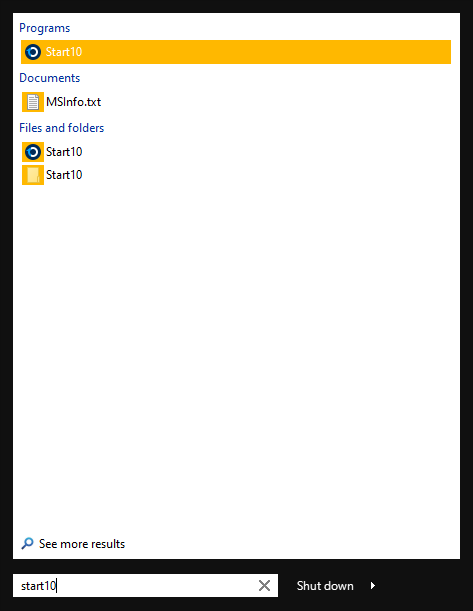
I'm having an issue where the Start 10 Search results are being highlighted in white, against a white background, making the selected result invisible. If I select "Paint solid Colour behind icon" option, the highlight turns to my theme colour and is able to be read, however, I find the massive block highlight behind icons visually jarring.

I have moved to using Cortana search in the meantime and it sometimes yields better results (add or remove programs, I'm looking at you), but it sometimes misses the first letter of input, which is quite annoying.


Thanks
2,119 views 4 replies
Reply #1 Top

Hello,
Sorry to hear you are having issues. Need more information on your system.

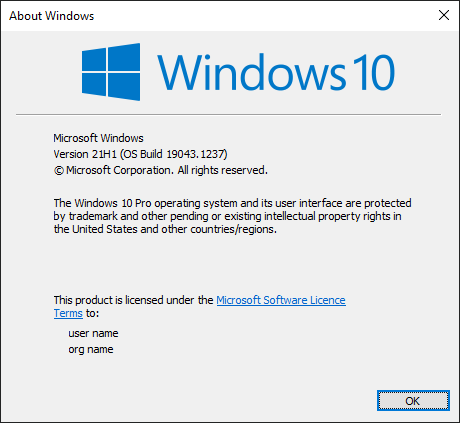
  1. Windows version numbers. Please use Windows "Winver.exe" for full Windows version numbers.
  2. Start10 version.
  3. If you have WindowBlinds install what is the version for WB and what theme you're using.
  4. A screenshot or a video of your issue will help us understand it better.

Thanks
Basj,
Stardock Community Assistant.

Reply #2 Top

Sure thing, thanks for the swift response!

Windows Version 21H1 (OS Build 19043.1237):

Start10 Version 1.97:

Search result highlighted white and Heading highlighted correctly for chosen theme colour:


Search result highlighted correctly with "Paint solid colour background behind icons" option enabled:


Hope this helps, thanks again

Reply #3 Top

Ok, I see it. I have forward your problem/question to Stardock Support Team for their assistance. Please keep an eye on this thread for any updates. We appreciate your feedback and patience.

Basj,
Stardock Community Assistant

Reply #4 Top

Hello,

I have logged an internal ticket to have it looked at.

Internal ref: ODNT-2472

Thanks for the report.

Sean Drohan
Stardock Support Manager