Text color set too dark in folder portals.
I cant find a setting to adjust text color inside either folder portals OR regular fences. (Other than titles, which isn't my issue.)
Hello,
Sorry to hear you are having issues.
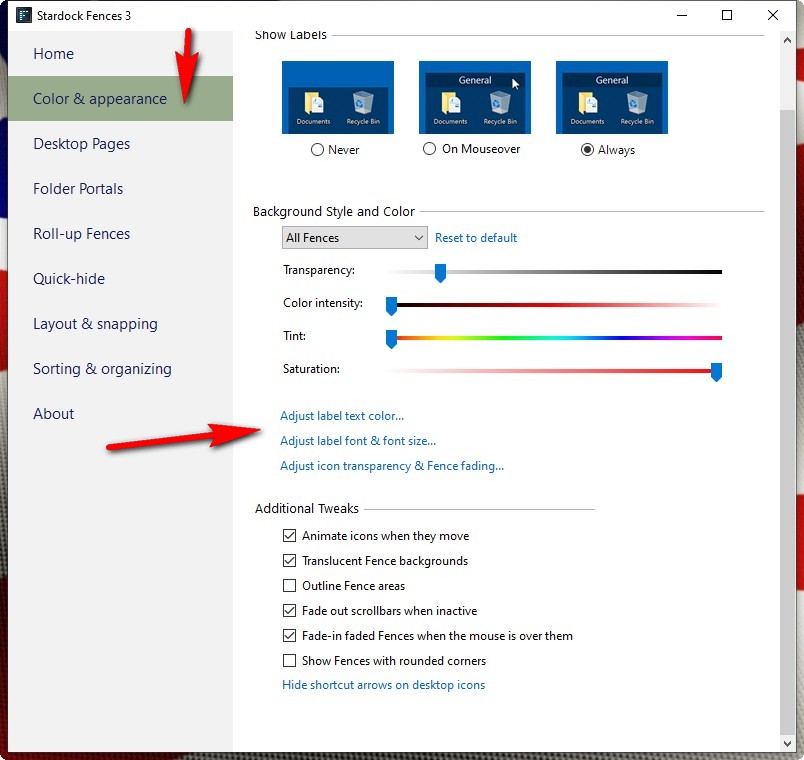
see if this works for you Config. Fences App

AzDude
Stardock Community Assistant
That just sets the LABEL color and font size. (Not the ICON text INSIDE the portal)
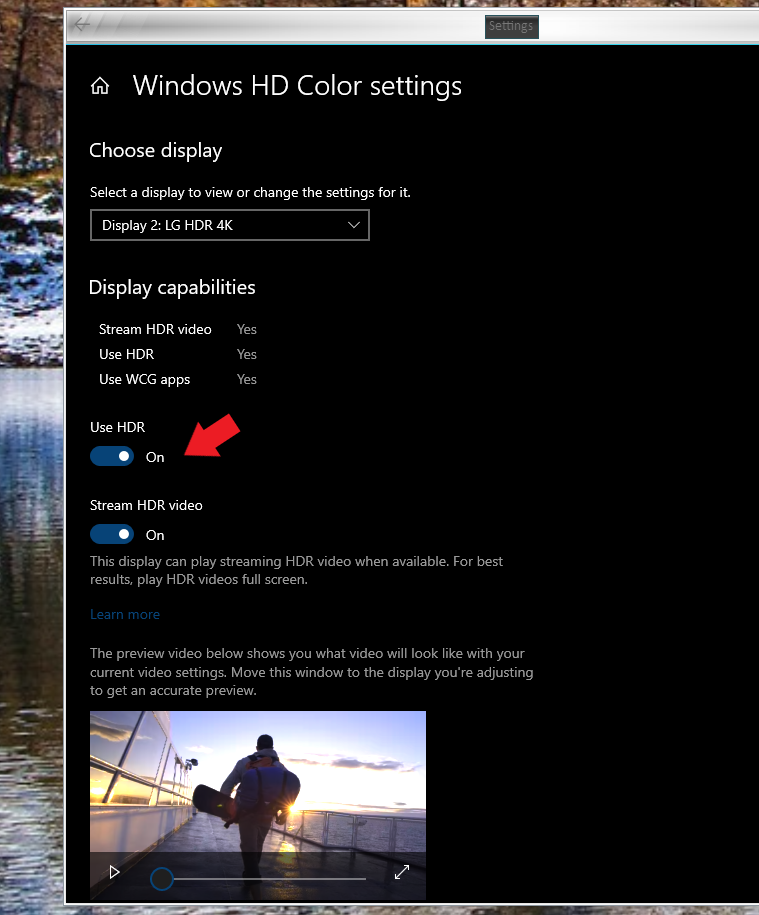
Sounds like the HDR bug, either turn off HDR or revert back to an older version of Fences like 3.09
Hello,
Sorry to hear you are having issues. But, I don't think you can set the icons text colors in Fences. But, if you see that the icons text can not been seen properly, that most probably, like Garrett42 mentioned above this, its the HDR issue. Its a known issue, please try to turn "off" the HDR and see if it is fix.

Basj,
Stardock Community Assistant.
That's exactly what it was. OMG. This has been driving me crazy for nearly 3 months! I assume there's a fix in the works for this? In the meantime where do I find an installer with an older version?
Just FYI now I'm having another problem. Now when I make a new text file it puts it on the desktop AND in my Desktop portal simultaneously. (I have windows set to hide icons) Why is it doing this I only want my new icons to show in the Desktop Portal.
Ok ok so this is even stranger. I realized if I set it to SHOW desktop icons in windows it only shows NEW icons. All the icons that used to show up on the desktop (when set to be visible) no longer show up. (File explorer shows them when I go to the desktop folder/directory) When I double click to only see the desktop folder portal that works perfectly now. It's just.... why are none of my icons visible on the desktop when I have "show desktop icons" active in windows? (Or is this the new behavior of Fences or something?)
Hello,
Sorry to hear you are having issues.
see if this link helps https://forums.stardock.com/486084/fences-support-faq#iconsmissing
AzDude
Stardock Community Assistant
Welcome Guest! Please take the time to register with us.