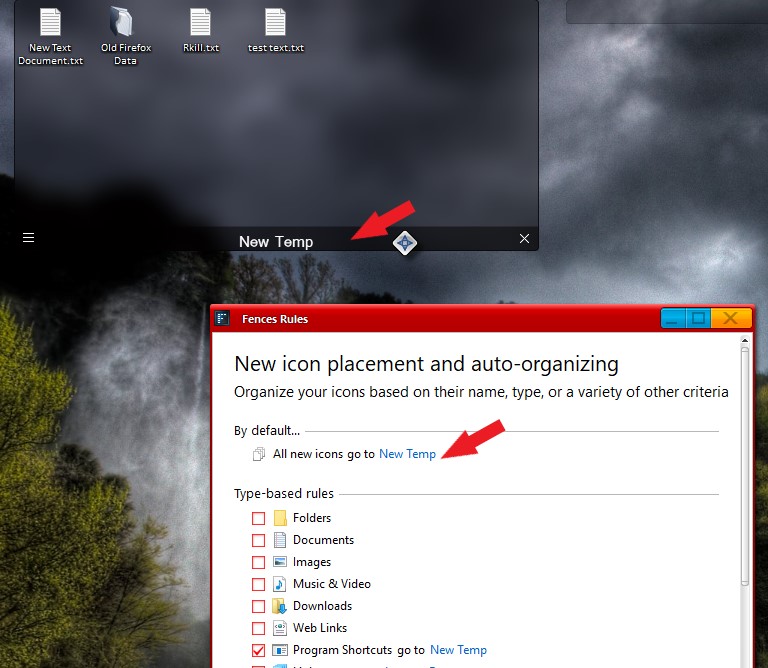
Fences V3.1.3.3 Items saved to desktop are positioned under a fence and only partially viible

Items created on the desktop are "hidden" under a fence. See example
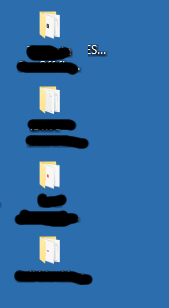
 

This fence is the right most fence on the left side of my screen, the icons should be here
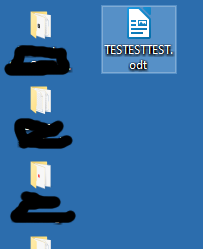
This appears to be happening with all applications saving to the desktop but not all the time

4,264 views 4 replies
Reply #1 Top

Hello,
Sorry to hear you are having issues. Need more information on your system and issues.

  1. Windows version, please use Windows Winver.exe to get full version numbers.
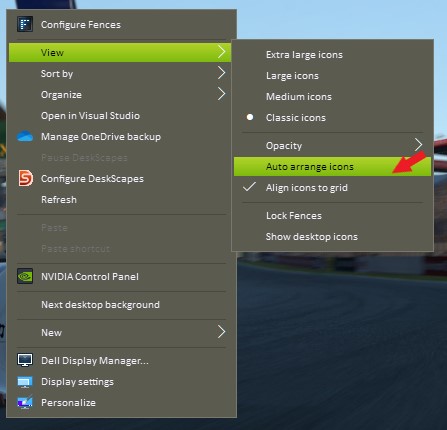
  2. Please try to disable the "Auto arrange icons" setting, since if this is on, Windows will always arrange your desktop icons starting from the top left of your monitors. If you put your fences there than it will be overlaps with these fences.


Basj,
Stardock Community Assistant.

Reply #2 Top

Hi Basj,

Auto arreange was off but Align icons to grid was ticked. I turned that off as well and created another openoffice test file on the desktop. This looks to be correctly placed. I will try more tests and confirm results. Windows version is

OS Name    Microsoft Windows 10 Pro   
Version    10.0.19043 Build 19043   

Rob

Reply #3 Top

If you wish a better placement of newly create icons on desktop. You can create a special fence and set a rule for that fence so all new icons put on your desktop will automatically move into that Fence.

Thank you,

Basj,
Stardock Community Assistant

Reply #4 Top

That's an excellent idea and something I was not aware of. I have always had problems with new icons accasionally being added to my second screen which normally has a full screen web browser open on it and then me having to play "hunt the icon" to find it. I will give your solution a try.

I created  a few more LibreOffice test files on the desktop with the "Auto Arrange" and "Align icons to grid" options off and have not seen any problems but your solution is much better anyway.

Thanks, Rob