Desktop Wallpaper disappearing when switching desktop pages.

There are different versions of my problem,

1. like the title said

2. sometimes it's reverse; the desktop wallpaper is gone and will only show during/while switching desktop pages (while mouse1 is pressed specifically)

3. sometimes the wallpaper is just completely gone


I am using a regular wallpaper. no screensaver.

The problem occurs randomly, on startup or after I've been using my pc for a couple of hours.

the only way I know how to fix it myself is by restarting my pc, but will eventually just happened again.

I haven't tried removing/adding pages as I don't want to ruin my setup.

my license is very recent and was updated to the latest version a few days after activating.

version 3.1.3.3

3,834 views 5 replies
Reply #1 Top

Hello,
Sorry to hear you are having issues. Need to know more on your system.

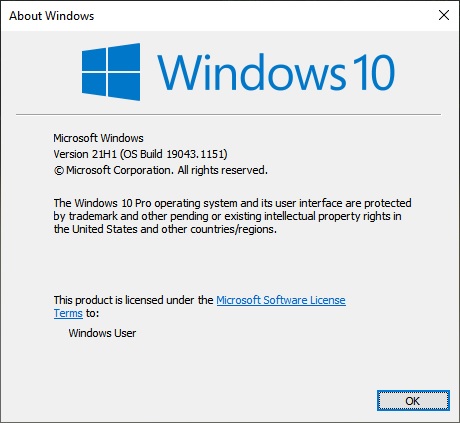
  1. Windows 10 version, please use Windows "Winver.exe" to get full Windows version numbers.
  2. Please also post a video showing this issue so we can understand it better.

Thanks
Basj,
Stardock Community Assistant.

Reply #3 Top

Hello,
Thank you for the quick feedback. Please try purge and reinstall steps as mentioned here: https://forums.stardock.com/486084/fences-support-faq#reinstalling. Just make sure to re-download the latest version from your account. Reboot after the purged. Reinstall, and Reboot again after the installation. Retest it. Report back here.

Thank you,

Basj,
Stardock Community Assistant

Reply #5 Top

Purge and reinstall should not delete your saved layout snapshot. But, to be sure, you can backup your layout snapshot using this guide : https://forums.stardock.com/486084/fences-support-faq#backupsnapshots

Thank you,

Basj,
Stardock Community Assistant