
Keybind Tracking across both PCs

Is there a way to have key binds work across both PCs? For example if I hit a keybind, lets say "ctrl" can it apply that keybind on both PCs at once? Or at least from one PC to the other. I don't see anything but the hotkeys section which seems to be the perfect place for this feature but instead its just a giant section with 1 use. Seems like a giant oversight. Even any manual work arounds that someone could think of would be great or potentially news on an update soon? I've spent many hours looking for a replacement for Multiplicity due to this issue and several competitors have this option but they are too shit in other important features.
6,167 views 8 replies
Reply #1 Top

Hello,
I have forward your problem/question to Stardock Support Team for their assistance. Please keep an eye on this thread for any updates. We appreciate your feedback and patience.

Basj,
Stardock Community Assistant

Reply #2 Top

Hello,

Sorry to hear you are having trouble.

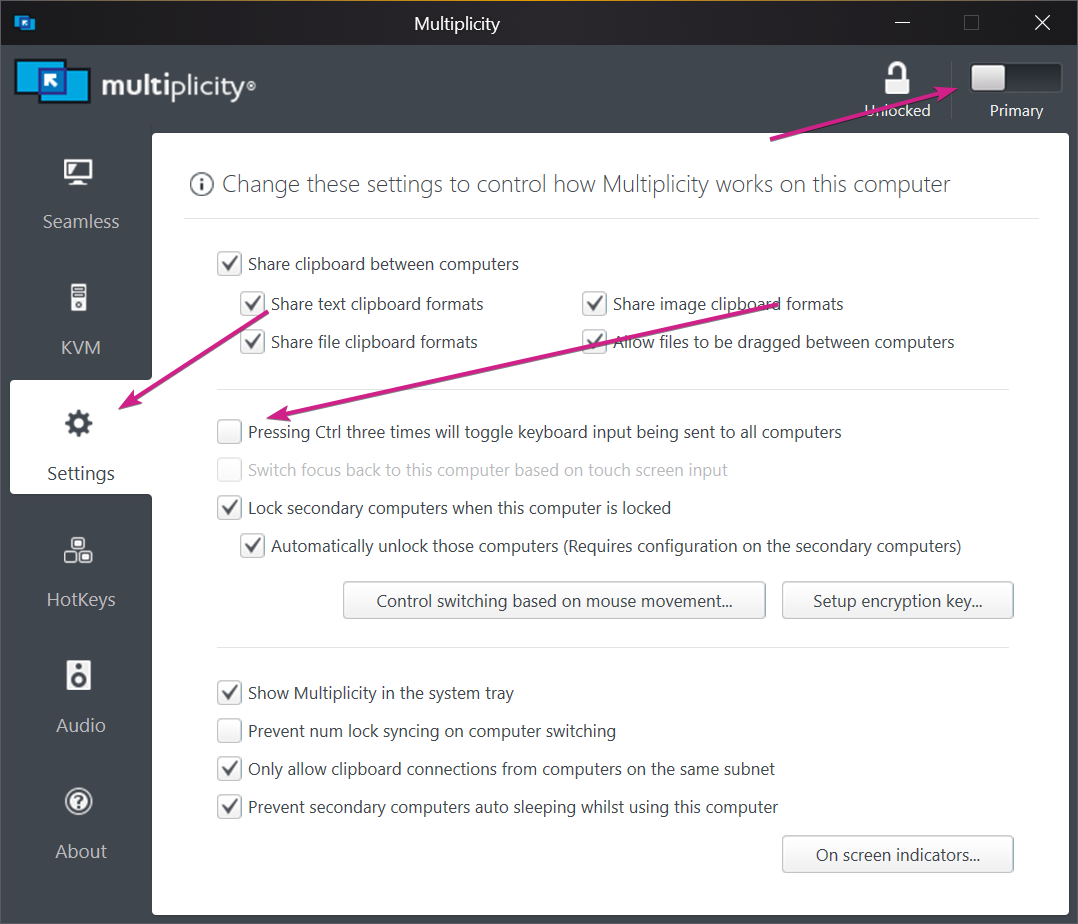
Seems you may be talking about this option:

Sean Drohan
Stardock Support Manager

Reply #4 Top

Quoting Echospawn, reply 3

omg is there a way to remove the keybind force to that feature to where its active all the time?
End of Echospawn's quote

Once it is active, after using the Ctrl 3 times, it remains so until you Ctrl 3 times again.  There is an audible tone when invoked. 

Sean Drohan
Stardock Support Manager

Reply #5 Top

I understand that ctrl pressed 3 times turns it off and on. Can I change that keybind or activate it presently all the time? I would be hitting ctrl alot so I would end up turning it off and on all the time. Unless its only like 3 quick ctrls? but still my original question would be prefered.

Reply #6 Top

Quoting Echospawn, reply 5

Can I change that keybind or activate it presently all the time?
End of Echospawn's quote

Not currently, no.

Sean Drohan
Stardock Support Manager

Reply #7 Top

Hello, I've been super busy and multiplicity has been working great since my last message here but I am still hopeful for a solution to this keybind issue. Do you think its realistic for you guys to add the option to either change the keybind or make it a selectable toggle soon? If not, do you think there is a way for me to modify the software myself to do that?

Reply #8 Top

Quoting Echospawn, reply 7

. Do you think its realistic for you guys to add the option to either change the keybind or make it a selectable toggle soon?
End of Echospawn's quote

It is highly unlikely to be done in version 3.  If its incorporated at all, it would be in a future version.

Sean Drohan
Stardock Support Manager