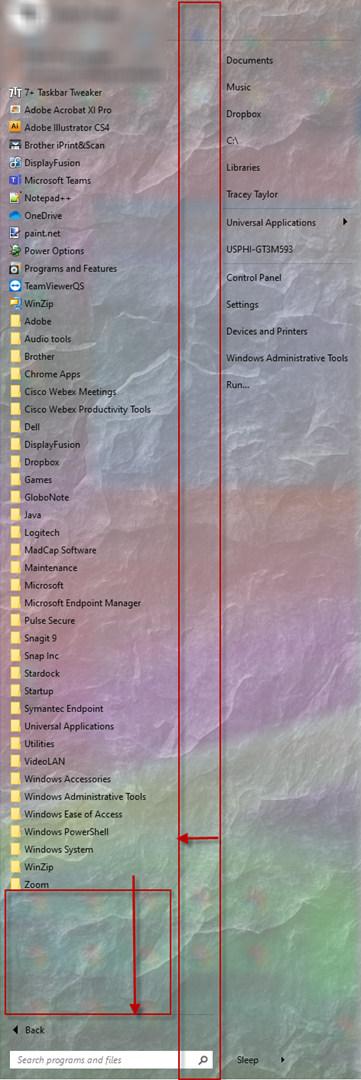
Vertical alignment of icons/folders; width of whole menu
from  Stardock Forums
Stardock Forums
Hoping to find configuration for two areas:
- I'd like to vertically align my Start menu icons at the bottom rather than the default, at the top. Apologies if I've missed an obvious setting, but can anyone point me to where I control that?
- The width of the start menu is a bit wide, and it's set to show 2 columns (the minimum). Is there a way to decrease the blank area in between the 2 columns?
Thanks to all who can help!
-TT