Screen of secondary PC on screen of primary screen
Hello ,
how do I get the Screen of secondary PC on screen of the primairy screen? My secondary PC is in another room.
kr
Hello ,
how do I get the Screen of secondary PC on screen of the primairy screen? My secondary PC is in another room.
kr
Hello,
Please refer to Multiplicity user manual here : https://www.stardock.com/products/multiplicity/v3/manual/ . Do let us know if you still need our assistance.
Thank you,
Basj,
Stardock Community Assistant
wow, you just made me read the entire manual searching for a way to screenshare. I think I found it?
https://www.stardock.com/products/multiplicity/v3/manual/
Is this the way? I'll try this asap.
If so why did you not just copy this link for me or explain it ?
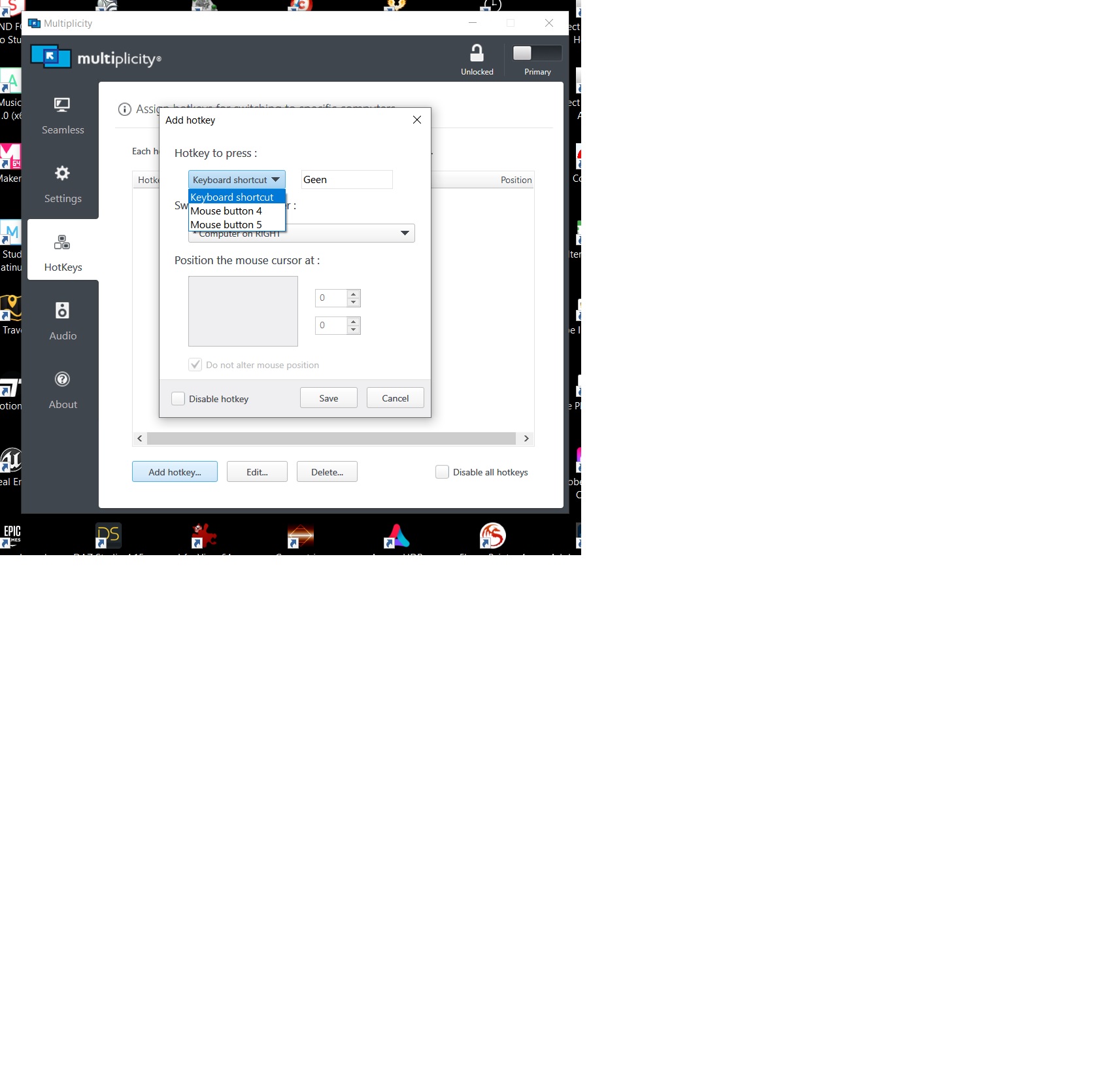
Cannot get it to work. Where or how can I find 'switch' or 'button' I can click on so the 2nd pc 's screen is on my primairy screen??? With a Hotkey? If so then wtheck is 'mousebutton 4 or 5'? I clicked all butons on my mouse but nothing happens!! Besides, I do not have have KVM options visible on my primary pc multi-window but on my 2ndary pc. 

Hello,
I have forward your problem/question to Stardock Support Team for their assistance. Please keep an eye on this thread for any updates. We appreciate your feedback and patience.
Basj,
Stardock Community Assistant
Well , I tried that first but They only give support for businesses! I got this message , they redirected me to this forum and I made clear I do not like this. That is no support.
So I created the topic above on January 21, 2021 10:00:48 AM.
On 20-01-2021,
'SSN-2849 Scherm van secundaire pc naar scerm van primaire pc'
We do not do support through tickets unless its a business product as detailed in my prior response.
If you do not find an answer in the FAQ
threads already in the forums, please create your own thread.
I promise you will be helped there.
Cheers,
Sean Drohan
Stardock Support Manager
'

As I have mentioned above, I have forward your issue to Support Team. Support will be done here, in forums, on technical issues. Since it is currently on weekend, support will be slow. Appreciate your patience.
Thank you,
Basj,
Stardock Community Assistant
Ohw , so Stardock has a 'support team' here on the forum? That sounds good.
It looks like you own the KM version and not KVM. KM would be 'Seamless' connections only. You would need at least the KVM version for remote access (what you are asking for):
https://www.stardock.com/products/multiplicity/
Sean Drohan
Stardock Support Manager
no, it clearly has the KVM options . see attachement above , but seemingly not on my primairy. What now?
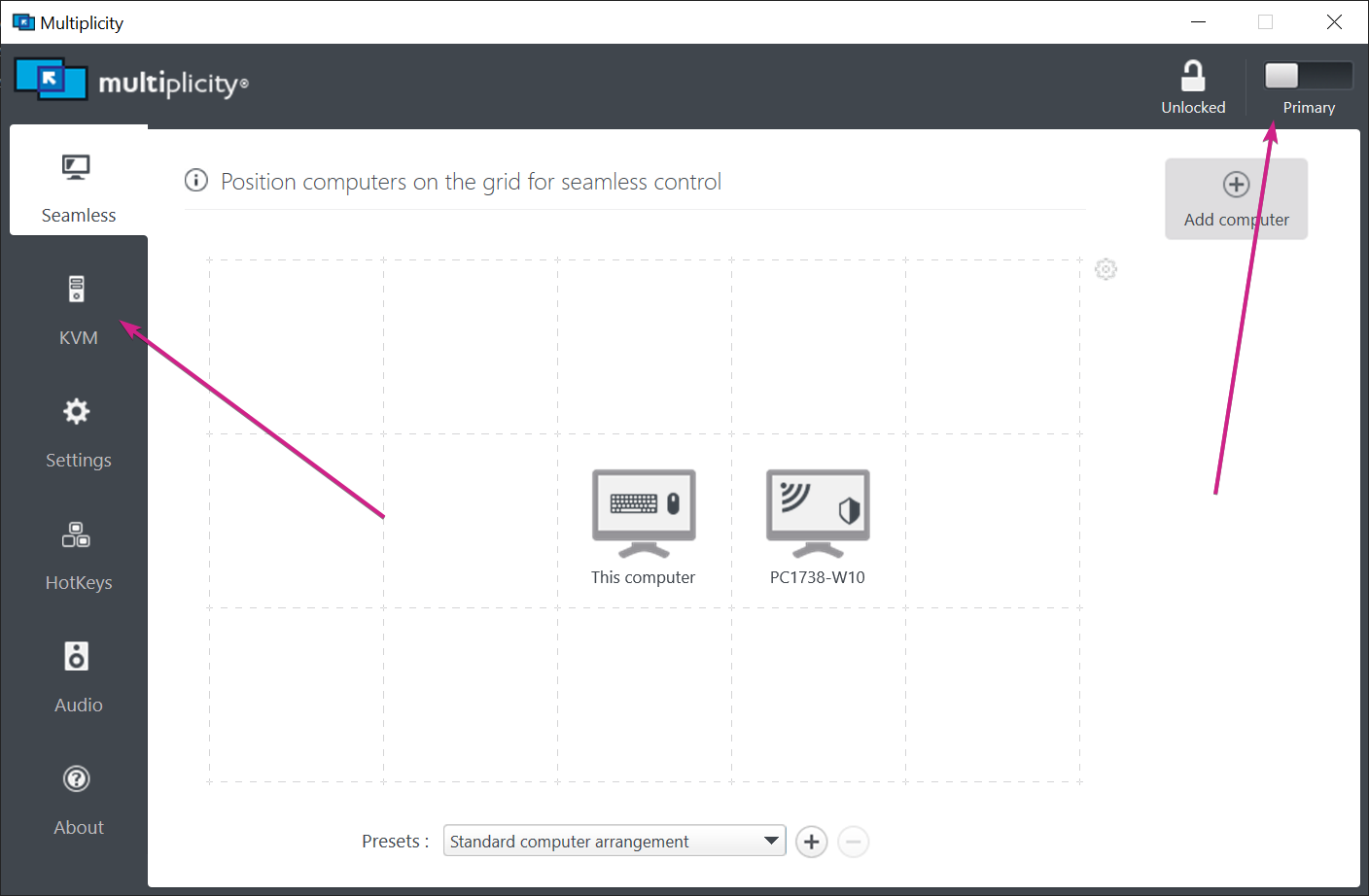
The 'Primary' is the licensed product, not any Secondary. If you had a KVM \ KVM Pro licesne, your Primary UI config would have a KVM tab like mine:

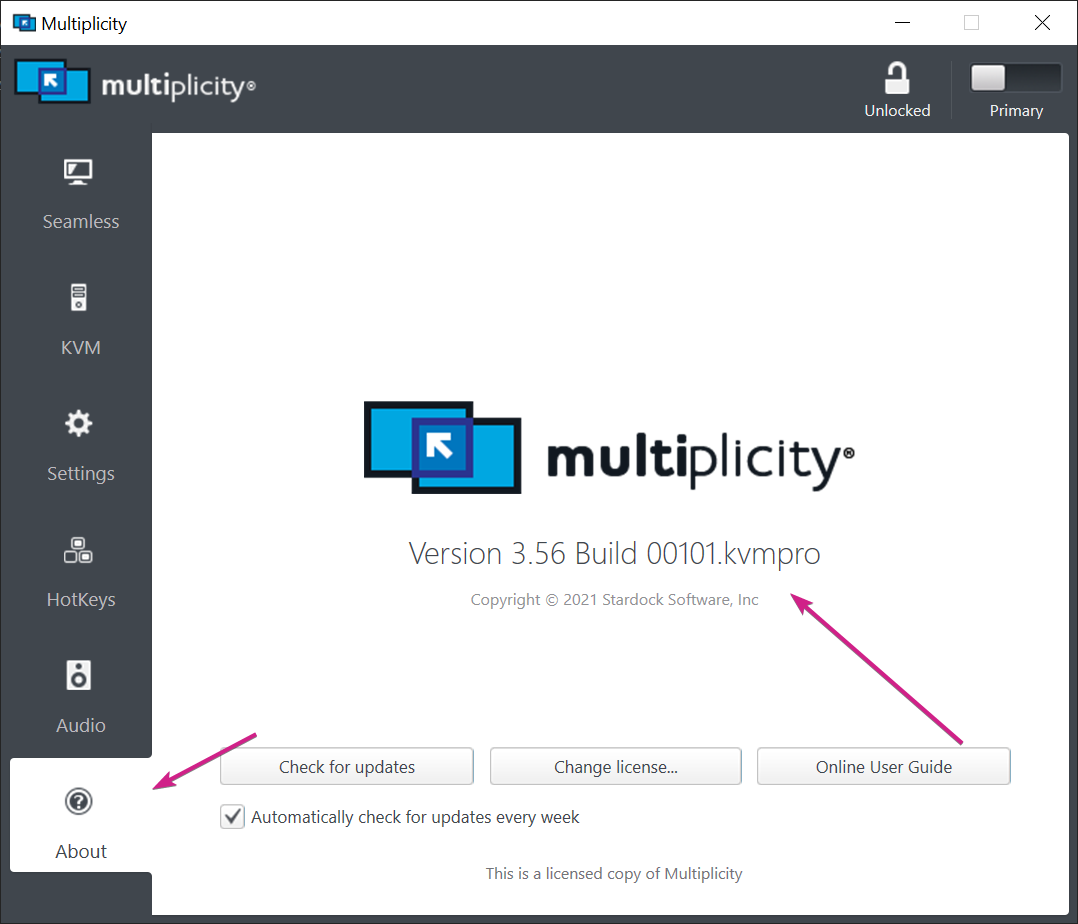
And would show as such on the 'About' tab:

Sean Drohan
Stardock Support Manager
This sucks. What will an upgrade cost?
How can I get an upgrade?
Click on link , then scroll to bottom for upgrade https://www.stardock.com/products/multiplicity/
AzDude
Stardock Community Assistant
Welcome Guest! Please take the time to register with us.