Task bar is white, no text contrast in upper right

Greetings,

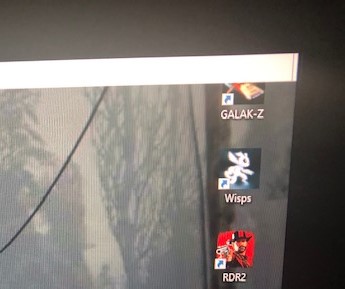
I'm having some trouble getting the color of the taskbar correct on my new laptop in Start 10 after I turn on dark theme in Windows settings under personalization/color. It's white, and unfortunately this causes the text in the upper right (network, date and time, running programs, etc) to become obscured as it doesn't turn black to provide contrast:
If I turn off dark theme for Explorer, it returns to normal:
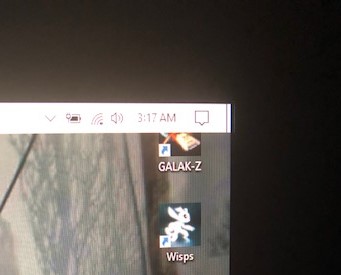
This is my desktop, how I want it to appear:

This is also with Explorer dark theme enabled. I've gone through the settings on Start 10 for both PCs side by side and they are exact, yet I can't get my laptop taskbar to be black (nor provide contrast no matter the color) no matter what I try. I have to work with Explorer on dark theme for my eye's sake, and while not being able to see the text is workable after a bit getting used to where the icons are located, it's still  a pain.

Anyone know what the problem may be?

Appreciate the help.


1,682 views 3 replies
Reply #1 Top

Hello,
Sorry to hear you are having issues. Need to know more on your system.

  1. Windows version, please use Winver.exe to get to full Windows version numbers.
  2. Start10 version.
  3. How do you manage to turn your taskbar white while you in Dark Mode? Are you using program such as Stardock's Windowblinds or Curtains? Or any other 3rd party program.
  4. Any other information which might be relevant to your issue.

Thanks
Basj,
Stardock Community Assistant.

Reply #2 Top

Windows Version: 1909 (OS Build 18363.1256), Start 10 Version 1.95, latest build.

I don't know how I managed to get my taskbar the way it was. It was originally for some reason transparent so I had to find a texture that had the left side opaque and the right solid so I could see the black text, as my DT background is dark and the text is black. This worked, until I changed it to the dark theme. Then the text turned white. Unfortunately I don't remember exactly what I did. I've been messing around in the personalization settings but it doesn't change the color of the taskbar. It remains white no matter what.

I'm going to try to uninstall and reinstall Start 10 to see if it will fix it.

EDIT: that did it, it's working. Strange, I couldn't change the taskbar color in Start 10 prior, for some reason a clean install fixed something. Thanks for the help.

Reply #3 Top

Hello,

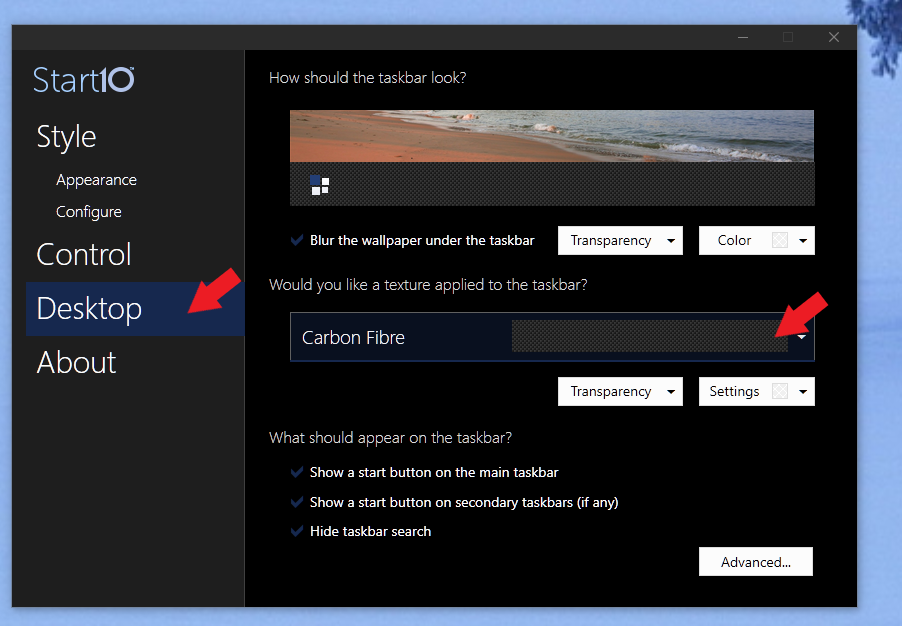
You can change your taskbar to any color or style by applying background graphics to it. Please refer to screenshot below.


Thank you,

Basj,
Stardock Community Assistant