

Multiplicity Setup Failure

Encryption key not changeagle


I just upgraded to the Object Desktop suite and installed Multiplicity KM (Version 3.5 Build 00096.km).   I have the Primary and Secondary installed, but they will not communicate because I continuously get a notification message that the encryption key is incorrect.
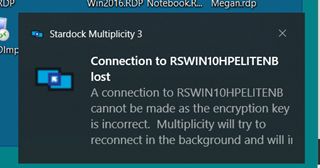


In the Primary settings I get the following message when I change anything on the Secondary linkage.
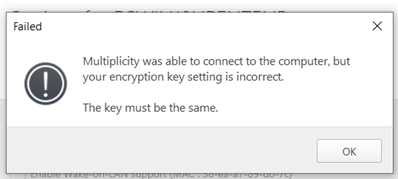


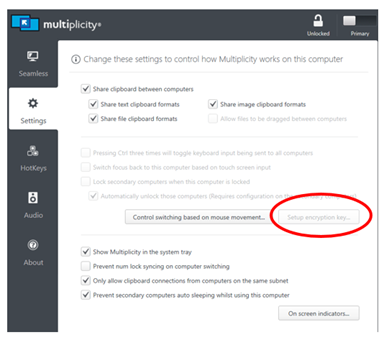
In the Primary, I cannot setup an encryption key as this option is not available:
 

 I can change the encryption key in the Secondary without issue, but I cannot remove it.


 Please advise.

4,401 views 4 replies
Reply #1 Top

Hello,
I have forward your problem/question to Stardock Support Team for their assistance. Please keep an eye on this thread for any updates. We appreciate your feedback and patience.

Basj,
Stardock Community Assistant

Reply #2 Top

Hello,

Sorry to hear you are having trouble.

I don't know how this was missed but my apologies for it.

 I can change the encryption key in the Secondary without issue, but I cannot remove it.
End of quote

But DID you change it?  If so, and instead of trying to change it back, burn it and reinstall on the Secondary:

https://forums.stardock.com/486104/multiplicity-support-faq#reinstalling

If you still have the issue, is either PC you are installing on NOT under a Windows Administrator account?  If so, and if possible, at least for the install, do so under an admin account.

Again, sorry for the delay.

Sean Drohan
Stardock Support Manager

Reply #3 Top

The default encryption key is CHANGEME

Also ensure you have not set the option on the secondary that only allows an encrypted connection.  The lowest level version of MP doesn't do encryption so will no longer be able to connect.