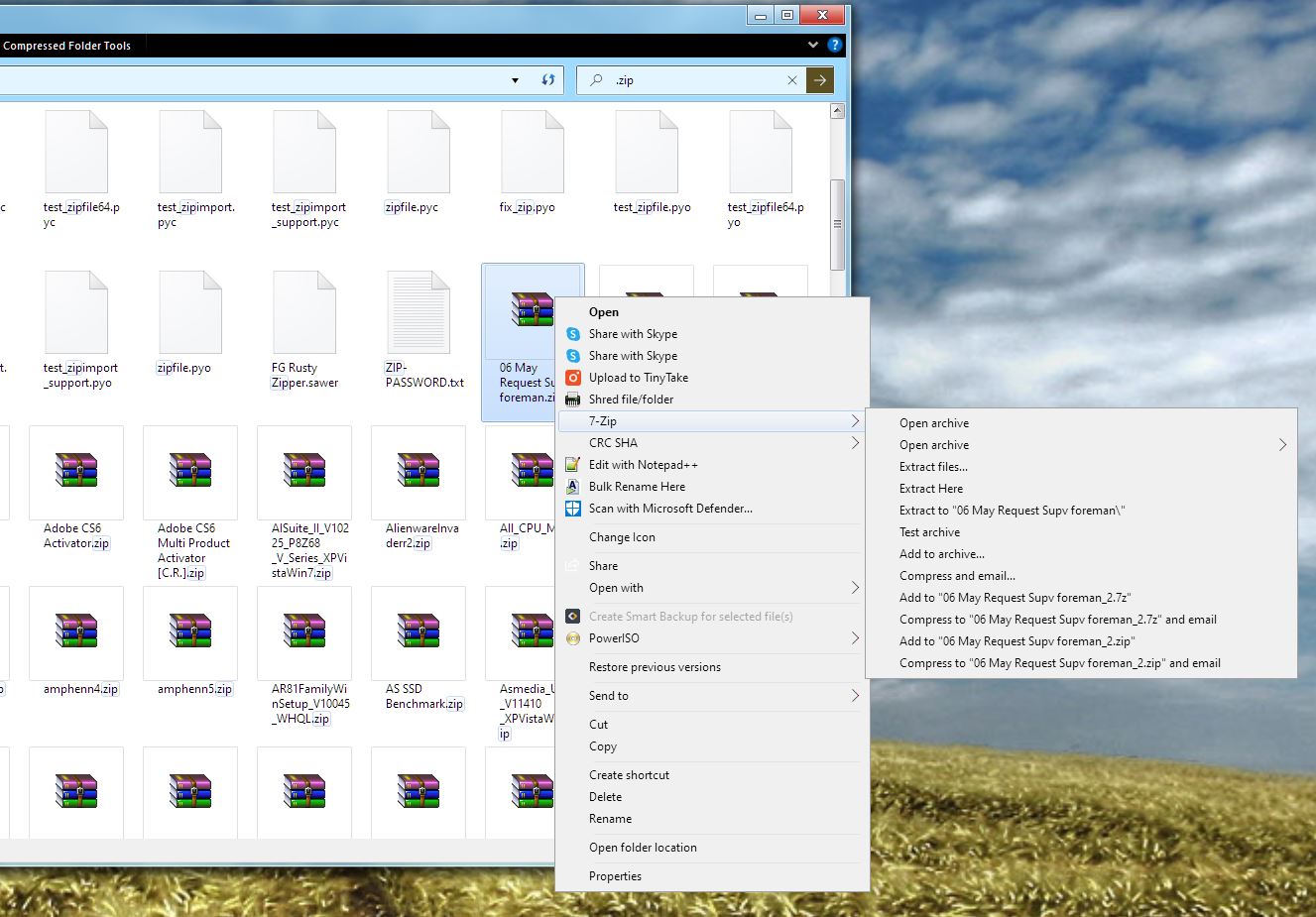
Context menu issue

I tried this program out earlier, however soon after installing I noticed that the 7-Zip option on my context menu no longer appeared. The option was enabled within 7-Zip itself, but despite reinstalling 7-Zip, as well as uninstalling WindowBlinds through the control panel, the option would not reappear. I don't know if this is an issue with WindowBlinds, but if anybody has any ideas it would be greatly appreciated. 

4,588 views 5 replies
Reply #1 Top

Hello,
Sorry to hear you are having issues. Need to know more on your issue.

  1. Windows version, please use Winver.exe for full Windows version.
  2. Windowblinds version.
  3. Theme that use to applied when testing.
  4. Is the issue only on 7-Zips application? and a link to the application so I can download and try it on my end.

Thanks
Basj,
Stardock Community Assistant.

Reply #2 Top
  1. Windows version was 1909 (OS build 18363.1237) at the time of installation, although before uninstalling I updated to the latest 20H2 (OS build 19042.630) in the hopes it would resolve the issue.
  2. I'm not sure what exact version of WindowBlinds it was, but it was the latest available from the website.
  3. I believe the theme was Windows 8 (Vista), or something like that. I set it back to the default theme before uninstalling.
  4. It does seem to prevent any program from appearing on the context menu, as Malwarebytes is gone as well. 7-Zip may be downloaded here, version 19.00, 64-bit at the top of the page.

Thank you

Reply #3 Top

Hello,

I can't reproduce your issue on my system. 7Zip context menu still appear as normal.

Thank you,

Basj,
Stardock Community Assistant

Reply #4 Top

I'll try reinstalling WindowBlinds when it gets updated for 20H2 and see if that does something. In the meantime, do you know if there have historically been any issues with the program uninstalling incorrectly? And is it normally supposed to affect the context menu?

Reply #5 Top

From what I know, WindowBlinds do not change context menu except its change it appearance(GUI).

Thank you,

Basj,
Stardock Community Assistant