
Clicking Glitch

I have installed multiplicity on two computers on the same network space with no firewalls in play. When I click the mouse on the secondary pc it moves significantly. For example if I try to click on an icon it will shift the cursor to the left on a click and again on a release moving the mouse away from the icon. This makes the software completely unusable. I have uninstalled and reinstalled on both machines and tried swapping the primary and secondary computers and nothing fixed the issue. Is there any fix to this issue?
3,506 views 6 replies
Reply #1 Top

Hello,
I have forward your problem/question to Stardock Support Team for their assistance. Please keep an eye on this thread for any updates. We appreciate your feedback and patience.

Basj,
Stardock Community Assistant

Reply #2 Top

What screen scaling factor is applied on the primary and secondary computers?

Reply #6 Top

Quoting kendallmoreland, reply 5

It's about half a screen for each press and depress of the mouse.
End of kendallmoreland's quote

Would like to see a video of this if possible. 

Does this happen under a clean boot?

https://forums.stardock.com/486104/multiplicity-support-faq#cleanboot

If so, could we get a save a dxdiag.exe on the PC it is happening - you can PM it to me if you are not good with posting a public shared link.

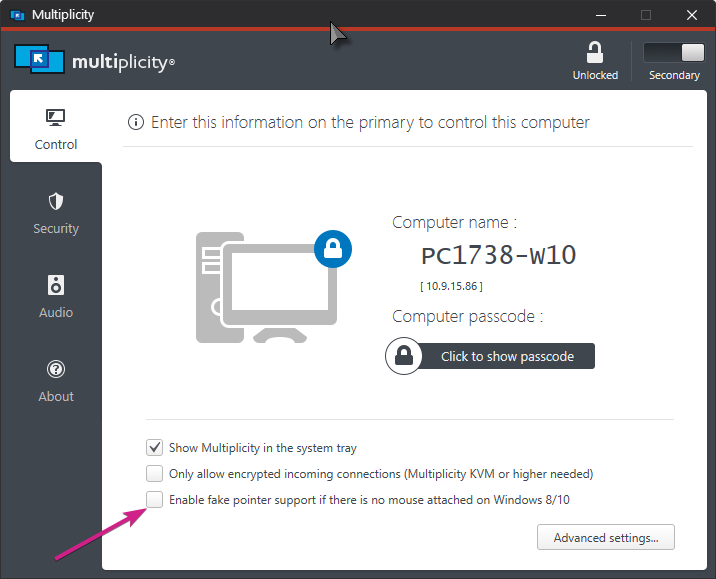
Also, are you using the 'Fake pointer' option on the Secondary:

If so, and if you disable it, does it then work as expected?

Sean Drohan
Stardock Support Manager