Start10 MenuShowDelay time

slow response to hovering over menu

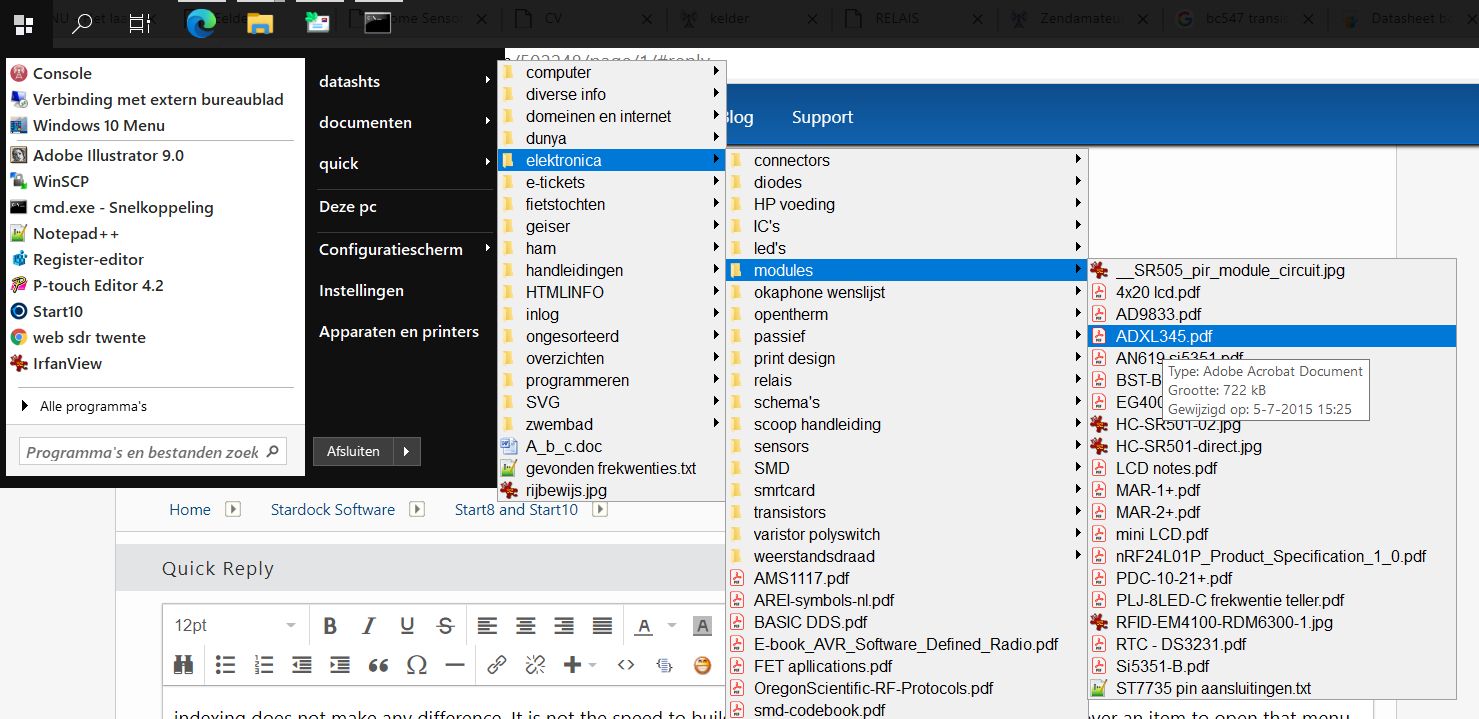
I've added some personal folders to the righthand list in start10, and set them to 'show as menu'.
I've also edited the registry item "MenuShowDelay"="100" to speed up things.

However, start10 menu's are still slow to respond. Once, opened subsequent menu's ( the windows realm .. ) are as per setting.

In start8/W8 i did not encounter this.

Where, if anywhere ( start10 has surprising little options ), do i make a change to have start10 respond faster to hovering over menu's.
3,080 views 6 replies
Reply #1 Top

Hello,
Sorry to hear you are having issues. I can't reproduce you issue on my system. Start10 right menu respond snappy for me without needed to edit any registry item. We need more information about your system and issue:

  1. Windows version, please use Microsoft's Winver.exe to get full Windows version numbers.
  2. Start10 version installed.
  3. Personal Folders is on Local machine or on a network?
  4. Please post a video of this issue so we can understand your issue better.
  5. Any other relevant information.

Thanks
Basj,
Stardock Community Assistant.

Reply #2 Top

Hi Basj,

First let's define 'snappy'... I edit the "MenuShowDelay" value on any machine I work on.. The original value is 400 ms, I generally set it to 100 ms or less. I disable all animations, as far is this is possible and any other delay introduced by the UI.

winver: 2004 19041.572 w10 enterprise

start10: 1.95 , licenced

folders: local ssd, indexing off, folders set to general files

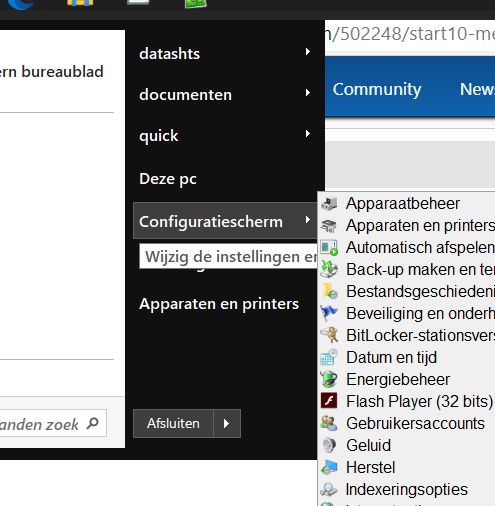
I didn't make a video but the image shows the mouse over 'Configuration panel' with the tooltip showing up before the actual menu.
Windows uses 100 ms here, but start10 takes about 500 ms to respond to the mouse hovering over a menu.

menu response


So it seems Start10 has it's own delay-value? 


Regards

Henk

Reply #3 Top

Hello,
I have forward your problem/question to Stardock Support Team for their assistance. Please keep an eye on this thread for any updates. We appreciate your feedback and patience.

Basj,
Stardock Community Assistant

Reply #5 Top

Quoting henk30195, reply 2

folders: local ssd, indexing off, folders set to general files
End of henk30195's quote

And if you have the default indexing on (that could take some time to see results)?

Sean Drohan
Stardock Support Manager

Reply #6 Top

indexing does not make any difference. It is not the speed to build the menu, but the time it takes to hover over an item to open that menu.

Like I mentioned: I have this delay set to 100 ms in W10, but start10 seems to ignore this setting and waits about 500 ms after hovering over an item to open the menu. 

It's no big deal.

( It's the way I work. I have the taskbar at the top. I click start10 and in one fluient movement slide through my files. See attached pic. In start8 the time it took to open my link was the speed I defined in windows. In start10 I have this small delay. I can live with it / am getting  used to it )

expanded meu