Unable to activate a 2nd secondary computer with Multiplicity 3 KVM
Never mind, I found the answer. This SW is too expensive for the use I have
Hello,
I have forward your problem/question to Stardock Support Team for their assistance. Please keep an eye on this thread for any updates. We appreciate your feedback and patience.
Basj,
Stardock Community Assistant
Secondaries do not require activation at all. When prompted, selecting 'Secondary' would bypass any activation.
Sean Drohan
Stardock Support Manager
My response with a copy of the error I get is missing now.
I saw it for a bit but not now. There was a copy of the error that is displayed on my screen in graphics format so you could see exactly what I see.
Nothing was removed.
Please post an image of what you are seeing on your secondary computer - a video of the whole process would be even more helpful.
Sean Drohan
Stardock Support Manager
My post with the image I left yesterday is gone again.
Something is very wrong.
Post a link to the image or PM me the actual image.
Sean Drohan
Stardock Support Manager
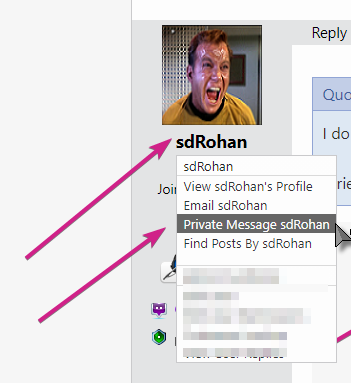
I don't see PM option - I'm blind I guess. ![]()
I tried the email option but it indicated you have chosen not to receive emails.

Sean Drohan
Stardock Support Manager
done ...
If it doesn't show up let me know.
You would get this:

If you tried to add a second KVM connection and only had KVM (1 concurrently configured KVM connection) and not KVM Pro (up to 8 concurrently configured connections):

Not Seamless where with KVM you can have 8 configured on the grid:
If you need more concurrently configured KVM connections, you would need KVM Pro.
Sean Drohan
Stardock Support Manager
Well it seems I had misunderstanding of what KVM was capable of. I though it would handle multiple secondary PC's.
In that case the Pro version isn't cost effective for me. I'm just using it on my personal PC's to make managing them more convenient.
It seems a bit pricey but in a business environment is probably fine. I guess I'll just set the systems up with Windows remote access. I liked the idea of you software as it simplifies things a bit and is nicer to use.
Thank you for your time and effort and I apologize for my lack of understanding. If my posts would have remained intact it would have been easier for us. I'm not sure what caused that, I've never experienced it before but with computers anything can happen.
Have a great week and thanks again.

You are most welcome.
Sean Drohan
Stardock Support Manager
Welcome Guest! Please take the time to register with us.