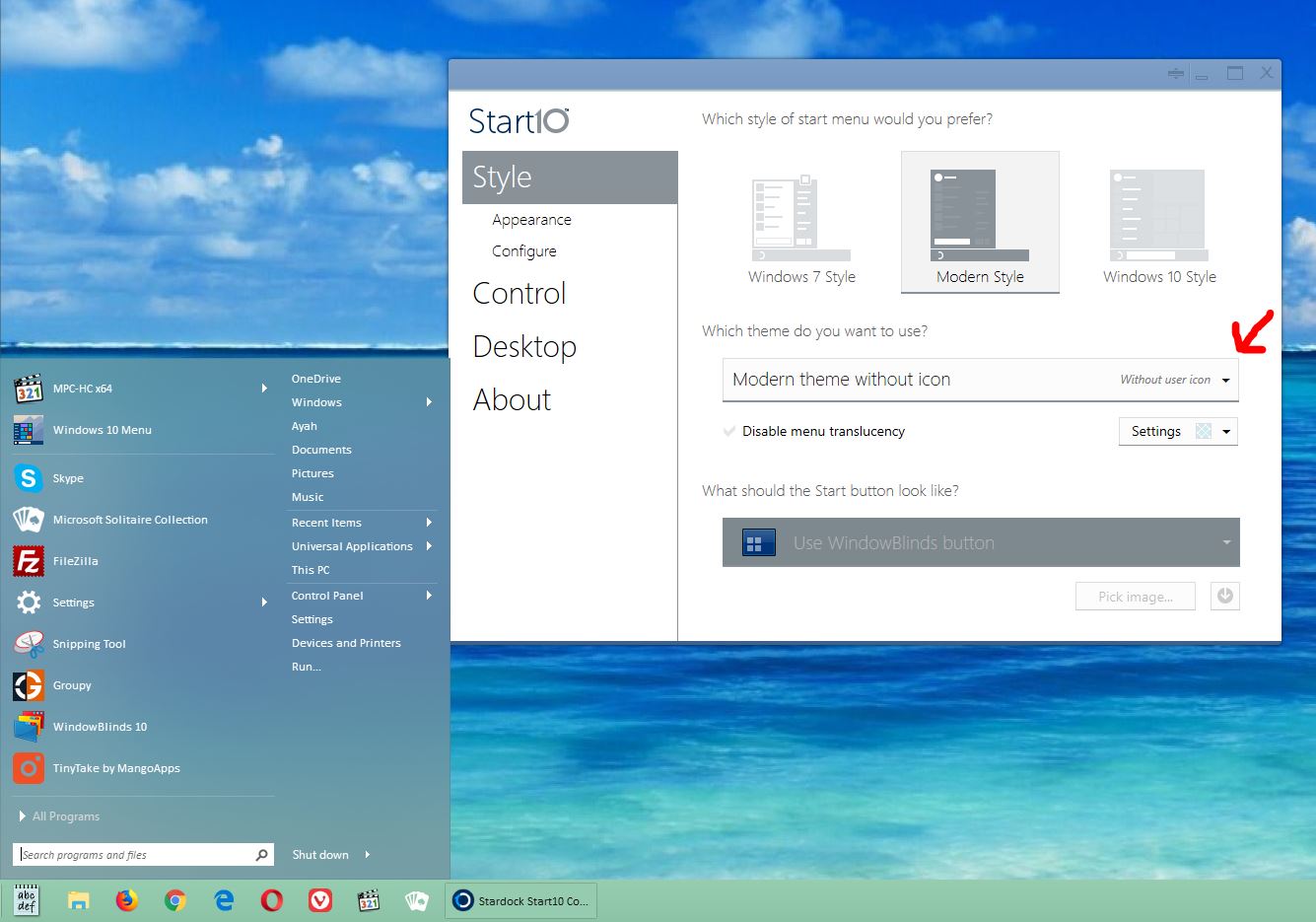
Question / Suggestion / Bug

Hey,

1. After I customize my Start10, which registry key shall I use to restore later when I reinstall my Windows?

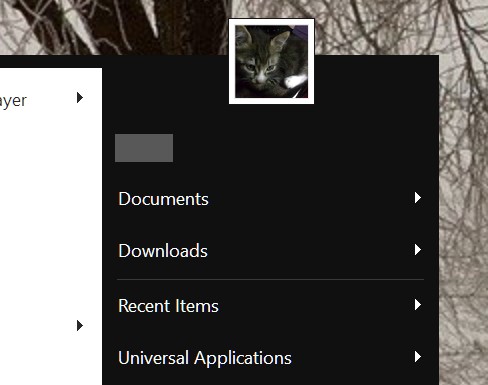
2. Bug? When I click on user icons on Start10 menu, "Control Panel\User Accounts\User Accounts" is opened, I have set a user icon which is shown there, but NOT on the Start10 menu, when I was using StartIsBack is was shown there!

3. How to set pointer to Windows default rather than a pointing finger when on the start menu items?

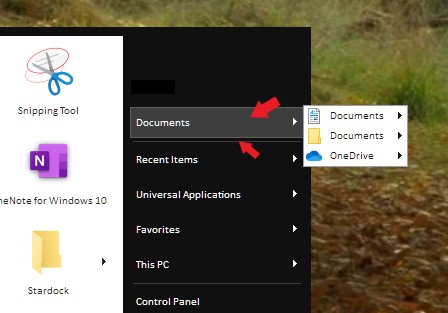
4. A very minor visual bug in latest version 1.95: there's a separate line between Documents & Downloads which is drawn when I hover mouse up and is hidden when I hover mouse pointer down from top of it, see snapshot:

https://imgur.com/e8NTxBs

https://imgur.com/e8NTxBs

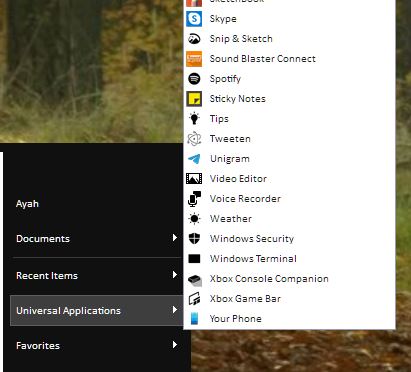
5. Suggestion 2: Universal Applications popup menu looks ugly, simple with no style, does not match the Start menu style!

Peace :)

3,579 views 8 replies
Reply #1 Top

Hello,

  1. Not really sure on that, I have forward your problem/question to Stardock Support Team for their assistance.
  2. Did you set it to show up?
  3. Not really sure on this one. A screen shot might help.
  4. Another screenshot please.
  5. Which part are you looking at? another screenshot to point it out. please.


Thanks

Basj,
Stardock Community Assistant


Reply #2 Top

Thanks for help :)

3. Google "finger point icon", when mouse hover on Start10 items, this finger icon is shown, rather than normal "mouse pointer icon"!

4. Please see the uploaded snapshot, make your Start10 like the picture and move mouse pointer from top to button and vise versa to see the extra line drawn!

5. Start10 > Universal Applications > see the context menu shown!

Best.

Reply #3 Top

3. That is not seen on my system. My mouse pointer showing it normal state while hovering items on Start10.

4. Not seeing it. Here what I get when I press down left mouse button on "Documents" that line still appear below that button.

5. Not seeing any different, just longer.

Thank you,

Basj,
Stardock Community Assistant

Reply #4 Top

What is your monitor scaling set to in Windows?  100%, 125%, 150%?

Reply #5 Top

On this one

1. After I customize my Start10, which registry key shall I use to restore later when I reinstall my Windows?
End of quote

Computer\HKEY_CURRENT_USER\SOFTWARE\Stardock\Start8

Reply #7 Top

Hey @ll

2. User Picture does not show up regardless of your settings, see this SNAPSHOT

3. Click on "All Programs", now mouse pointer is shown as finger point icon when hovering on all items!

4. To see the bug: a. Add Documents+Downloads as a link, then set the style to the Default Style, now move the mouse from button to top and vise versa on Downloads/Documents: SNAPSHOT

5. Do you think the style of context menu drawn from "Universal Applications" does match the style of Start10 itself?

* Another problem is: Try to remove some folder from Start10 > All Programs, like Administrative Tools, which is empty for me. You'll get 3 Delete Confirmations! I think 2 by Windows which cannot be avoided, but the question is why Start10 is asking that when Windows will do it once or twice?!

* According to Microsoft Guidelines for developers, since Windows 10, minimum number of reboots are allowed (for HW drivers, system SW etc) and the fact that some apps like Start10 needs to restart after uninstalling, while can easily do such tasks by closing/re-opening Explorer is a disaster :)

Thanks.

Reply #8 Top

2. It show up on mine.

3. As mentioned before The mouse pointer don't change on my system.

4. That line don't show up on my system. Please refer to above screenshot. BTW, I was also on 4K 150% for this screenshot.

5. It match as shown on my previous screenshot.

* & * can't answer you on those, I have forward this questions to Stardock Support Team for their assistance. Please keep an eye on this thread for any updates. We appreciate your feedback and patience.

Please try purge and reinstall steps as mentioned here : https://forums.stardock.com/486022/start10-support-faq#reinstalling Just make sure to redownload the latest version from your account. Reboot after the purged. Reinstall, and Reboot again after the installation. Retest it. Report back here.

Basj,
Stardock Community Assistant