Having small problems with Window blind.

I downloaded Windowblinds software to make my desktop looking nice and neat i found some bit of my problems with that software

1. problems clicking the close button, or other buttons from windows 10 styled title bar.


2. Curtains, do actually skinned default Windows 10 title bar but except the Windows blinds.


3. opening some software it becomes glitchy with using windows blinds.

Some software like Paintdotnet becomes glitchy when I maximize the titlebar it flickers and distorted.
5,368 views 5 replies
Reply #1 Top

Hello,
Sorry to hear you are having issues. Not really sure on your situations. Are you running Curtains or Windowblinds when you capturing that video. Curtains and Windowblinds can be installed into one system, but it can't run together at one time. You either in Curtains or Windowblinds but never both at the same time.

1. If you changing from Curtains to Windowblinds back and forth . Sometimes its best to reboot to get a stable system. And do that test again.

2. Don't really get what you mean on this question.

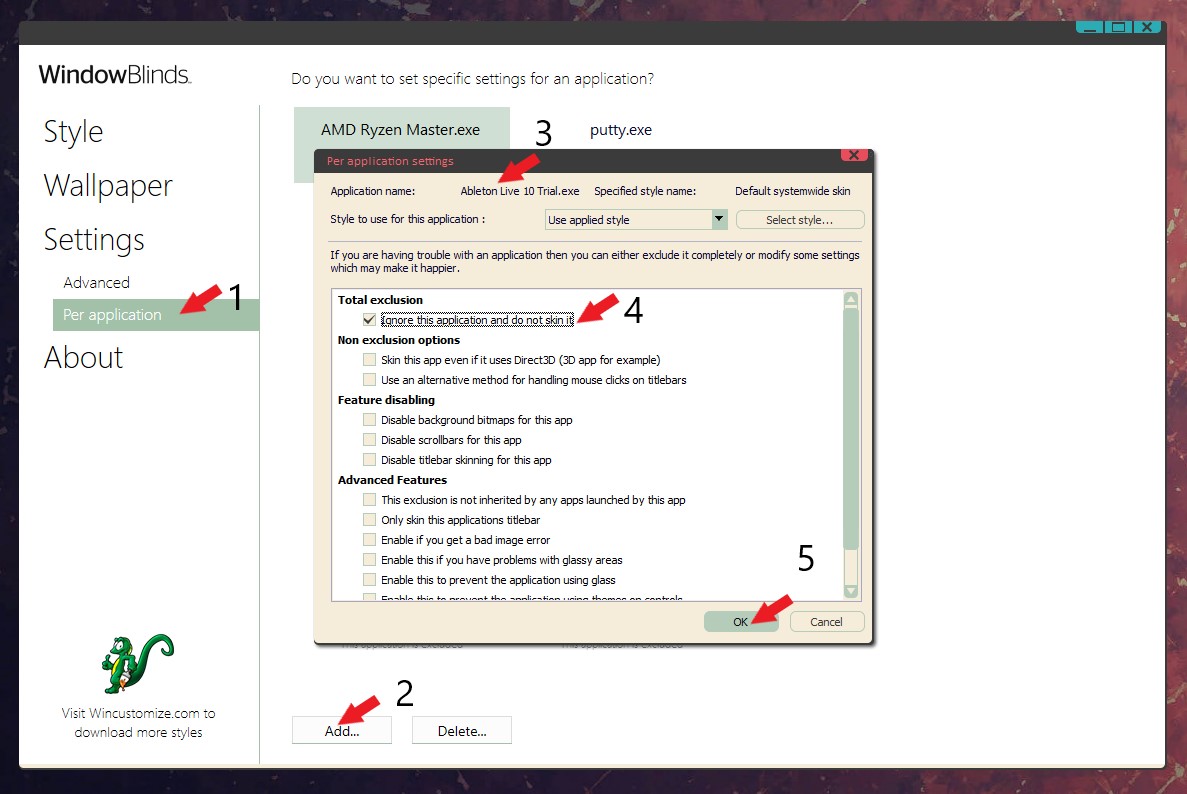
3. If you have some application that does not compatible with Windowblinds, you should exclude it from Windowblinds.


Basj,
Stardock Community Assistant.

Reply #2 Top

number 2. I mean the Curtains software did fully skinned the titlebar.

expect Windows blind software it didn't fully skin some programs titlebar.

example right here.

Reply #3 Top

Hello,
Need to know more on your system.

1. Windows version. Please use Winver.exe for full Windows version numbers.

2. Windowblinds version.

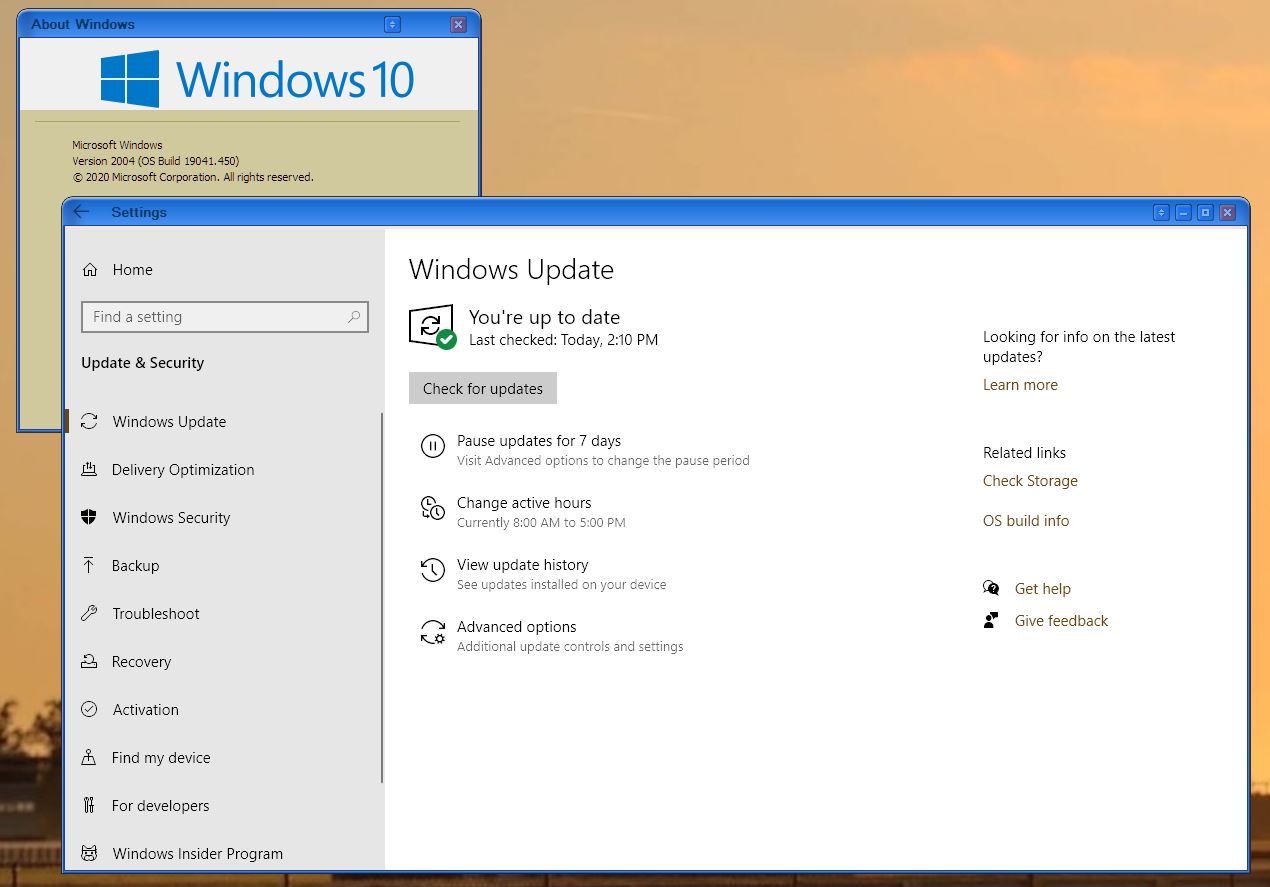
As you can see from my screenshot below. Windows setting get skin great on Windowblinds on Windows 10 v2004


Basj,
Stardock Community Assistant.

Reply #4 Top

Sorry, I'm having problems redownloading this program from Object desktop software.

when I download it its always shows an error said "Windowsblinds - Problem code 5"

*Edit* I already fixed it by removing the Windowblind file from Stardock folder its finally reinstalled. now it's working like new.

Reply #5 Top

Quoting Rudteko, reply 4

*Edit* I already fixed it by removing the Windowblind file from Stardock folder its finally reinstalled. now it's working like new.
End of Rudteko's quote

Great, glad you fixed it.

Thank you,

Basj,
Stardock Community Assistant