

Lock/Unlock not working on Secondary

Are there any known causes I could troubleshoot for a secondary computer not locking on Win-L or unlocking when I have the correct password entered on the secondary In Automatic Unlocking and it's enabled? I've used Multiplicity without issue on a Primary/Secondary in KM mode here before but moved the Secondary to a different computer and now neither function works. Same subdomain, and I just updated both clients to the new update the other day. Both running Win10 1909
2,881 views 3 replies
Reply #1 Top

Hello,

I have forwarded your report to the Stardock support team for their review and recommendations.

Please keep an eye on this thread for any updates.

We really do appreciate your feedback, thanks.


AzDude
Stardock Community Assistant

Reply #2 Top

Hello,

Sorry to hear you are having trouble.

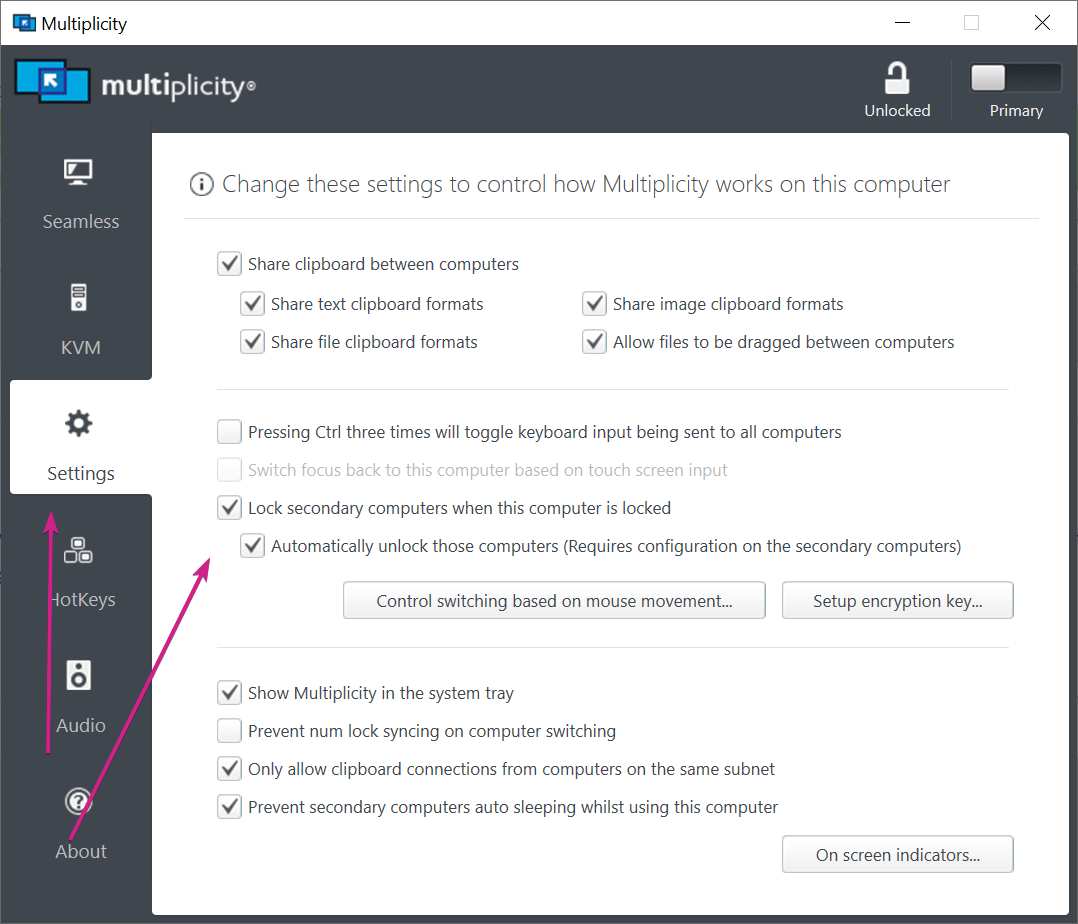
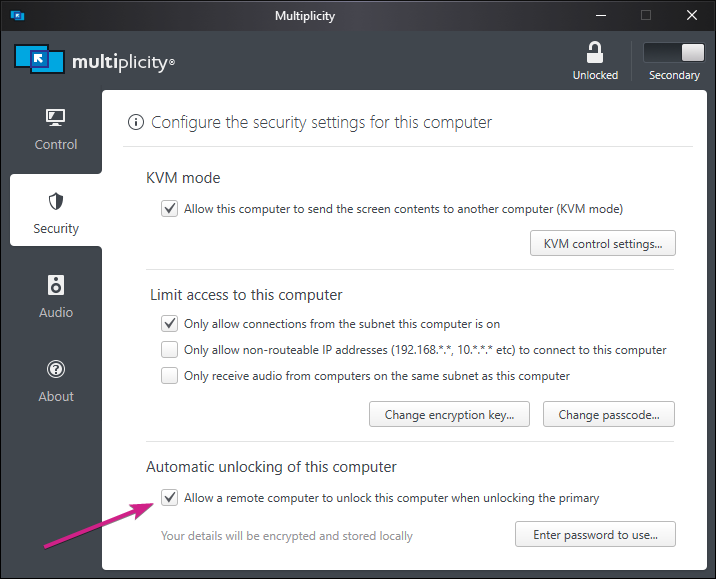
Of course, the options need to be enabled on each:

Primary:

Secondary:

The Secondary 'Enter password to use' needs to be the Windows account password.

If that still fails, try purging on each PC and reinstalling:

https://forums.stardock.com/486104/multiplicity-support-faq#reinstalling

Sean Drohan
Stardock Support Manager