
Problem with Sound Packager

I can't download the packages

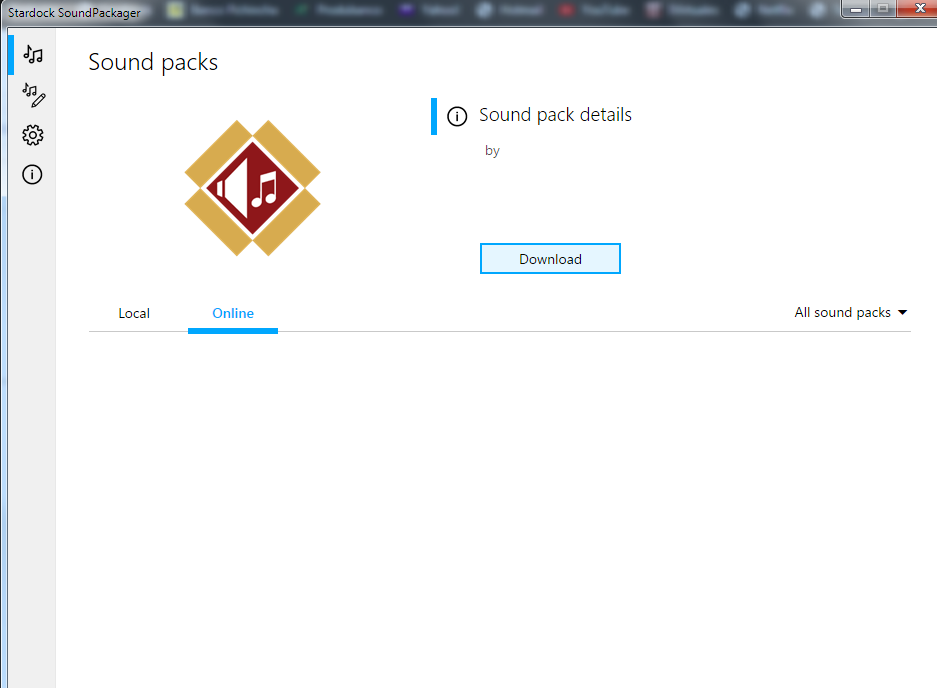
I bought the program “Sound Packager”  at this time ... I installed it without problems, but when I want to download sound packages, nothing happens, the window remains blank, without being able to view any package.
2,440 views 5 replies
Reply #1 Top

Sorry your having issues.

Sounds like a bad install try uninstall

and reinstall from your account page.

test and report back.

AzDude

Reply #2 Top

Thank you, I removed the program but it keeps the same problem, it does not give me the option to choose sound packages online....

Reply #3 Top

Try clicking on the word ONLINE and see if the sounds appear .

are you LOCAL sounds there ?

Also what version of Windows are you running 

type in run ... winver.exe ... to get that info .

can you also show a screenshot of your Local sound pks.

Reply #4 Top

Hello,

Sorry to hear you are having trouble.

The 'Online' ones are just that, the ones located at Wincustomize.com. It could be a firewall \ AV issue that is not allowing the app to get to them.

Are you able to get here in a browser:

https://www.wincustomize.com/explore/sound_schemes

If you leave the Online tab open, and alternate the filter here, does it eventually list them:

Sean Drohan
Stardock Support Manager

Reply #5 Top

Thanks for your comment, I tell you that it is not possible for sound packages to be downloaded online, I checked my firewall and applied all permissions.

Meanwhile I am downloading sounds directly from the page as you recommended.

Thank you