
Spacemonger Glitch

Spacemonger Window Blank/Not appearing

Hi Everyone,

I am new to the forum so let me know if I need to move/update this post.

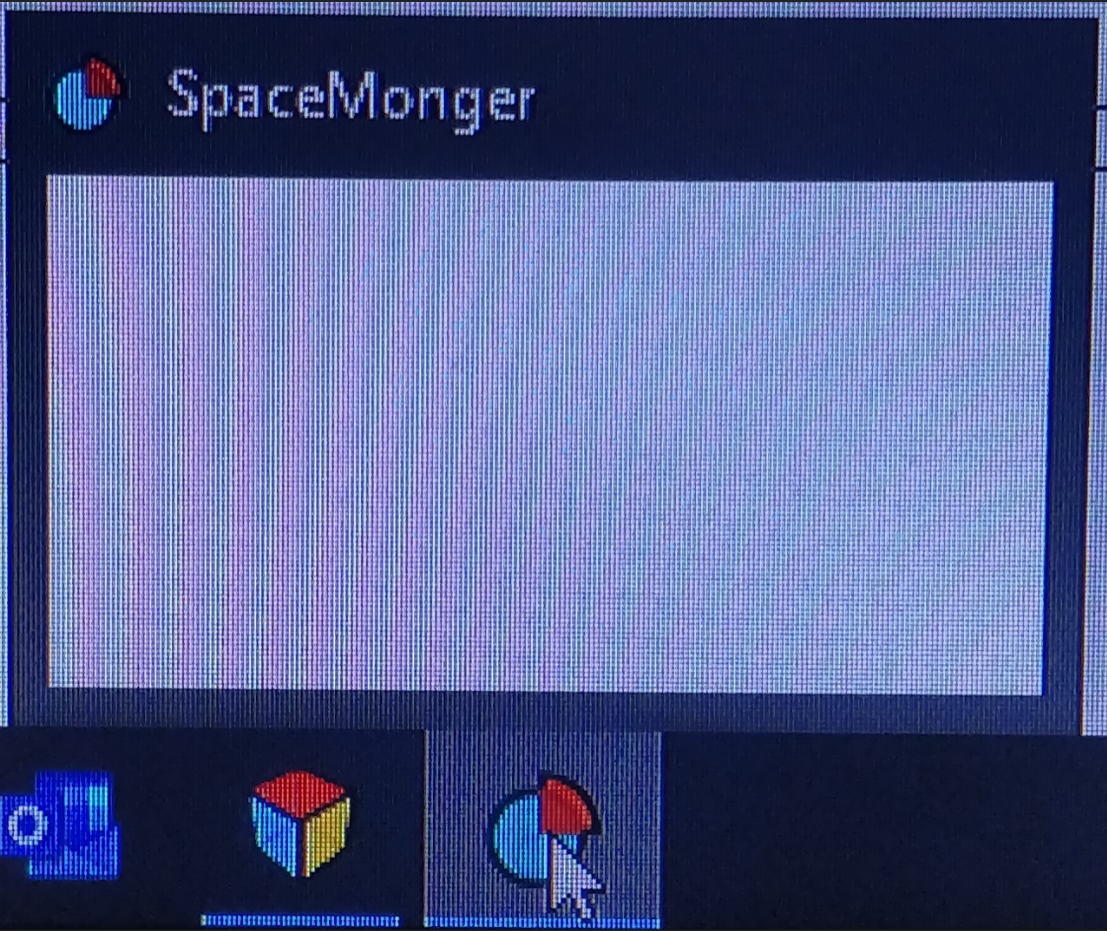
Recently Spacemonger (3.0 and 3.3) will not load into a window properly in Windows 10. The app will launch but then the window just shows up blank in the preview. I cant even technically click to load the window as it doesn't show anything. The taskbar loads the icon like it is running the app but when I hover over the preview the window is blank and un-clickable.

I tried uninstalling and reinstalling through Object Desktop, windows Programs and Revo uninstaller without being able to fix it. ive tried 3.0 and 3.3 versions as well.

Also when I go to uninstall the app I get the following error before proceeding.

Anyone have ideas on what might be happening?



2,874 views 7 replies
Reply #1 Top

Hello,
Sorry to hear you are having issues. Not really sure where you get the v3.3. The latest avaialbe for me in v3.0.

Need more information.

1) Windows version. Please use Winver.exe for full Windows version numbers.

2) Screenshot of that Blank SpaceMonger

Thanks

Basj,
Stardock Community Assistant.

Reply #2 Top

Windows 10 Home version 1909 build 18363.836. 

As far as the screenshot goes I can't pull off a native screen capture from windows because the window actually doesn't load. The window does appear in the windows 10 preview as blank however I cant seem to screenshot the windows preview.

The icon does appear in the task bar however but when I click on it nothing happens.

--Icon in taskbar opens but the window does not load.
 

Reply #3 Top

Hello,
I have forwarded your questions/problems to the Stardock Support team for their assistance. Please keep an eye on this thread for any updates. We appreciate your feedback and patience.

Thank You,
Basj
Stardock Community Assistant.

Reply #4 Top

Thank you. Here is a picture of what I see when I try to launch the program. No window opens and the preview is blank.

Reply #5 Top

Hello,

Sorry to hear you are having trouble.

Do you have a License.sig file here:

C:\ProgramData\EdgeRunner\SpaceMonger

If so, and if you delete it, open SM, are you prompted to activate it?

Sean Drohan
Stardock Support Manager

Reply #6 Top

I have the same problem as above. I deleted the License.sig file and it does prompt for activation. After entering product key and email it goes back to being the white box shown above. 

Reply #7 Top

Quoting Jasonpete, reply 6

I have the same problem as above. I deleted the License.sig file and it does prompt for activation. After entering product key and email it goes back to being the white box shown above. 
End of Jasonpete's quote

Please see:

https://forums.stardock.com/486311/accounts-and-activation-support-faq#activatecommandprompt

Sean Drohan
Stardock Support Manager