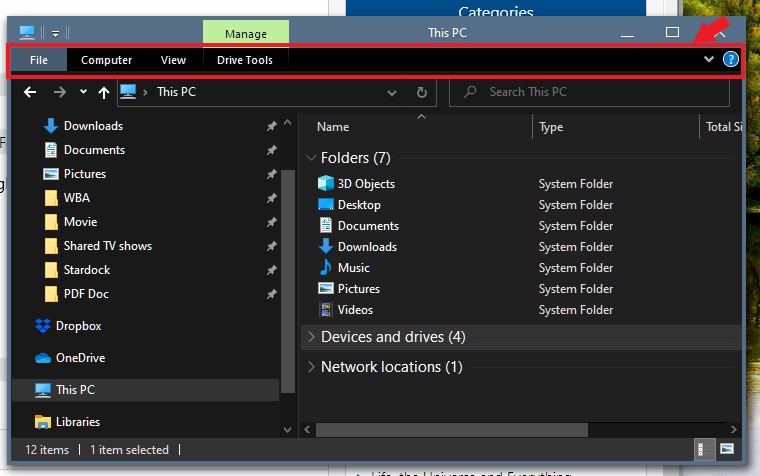
Desktop folders

Transparent at the top of the folder

Does anyone know how I remove the transparency at the very top of my desktop folders? That's the only place it does this. 

2,492 views 4 replies
Reply #1 Top

Hello,
Sorry to hear you are having issues. But, really not sure which area your are referring too. Please post a screenshot.

Thanks

Basj,
Stardock Community Assistant.

Reply #2 Top

Sorry, I don't know how to do that.But it runs right through file, home, share and view at the top of the folder. And that's the only place that has it.

Reply #3 Top

Is this you're referring?

If it is, please let us know which Windowblinds style you applied to have it turn transparent.

Thank you,

Basj
Stardock Community Assistant.

Reply #4 Top

Problem solved! I just had to reset the transparent setting in the very first Windowblind I loaded. I think I was fooling around with the settings and never changed back. How did it do it to all the ones I've loaded so far? Thanks for your help.