Win 10 start menu autohides
from  Stardock Forums
Stardock Forums
Hi
I am relatively new to Stardock Start10
Anyway I have it installed on 2 computers, both with Win 10 on them
The thing is on one of them I installed it, gave an error after execution, uninstalled then reinstalled back.
I have my style menu set to Windows 10 style
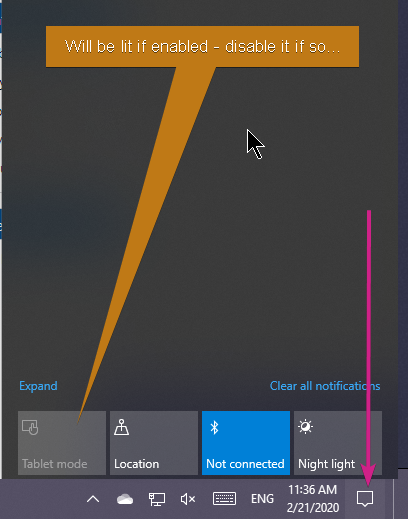
Problem is when I click on start button it displays a weird menu: it is full screen not half screen as usual and it only contains few apps. Furthermore when it starts its autohidden somehow on the left.
So the question is how can I get it back to the way Win 10 traditionally displays it.
I have tried uninstalling Stardock Start 10 but the start menu remains the same even after that!