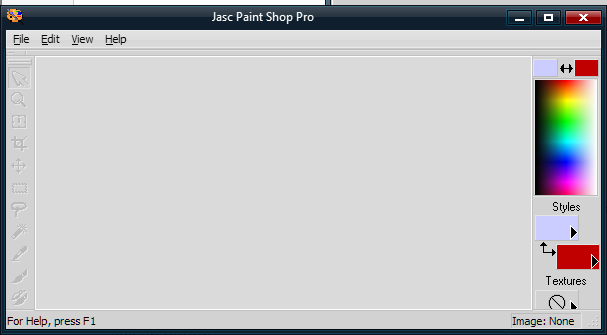
Menu of a program does not work when WindowBlinds is active

[A few moments ago I posted what appears in the following paragraphs.  This has been going on for days.  Now, literally fewer than ten minutes after the post, all of that has stopped, and have no idea why.  So for the moment things are fine.  If the problem comes back I will ask for help again -- it has been going on across boots and logons and logoffs -- but right now it is gone.  I apologize  for the inconvenience,.  It is nice that this forum has a magic Submit button that fixes all things.]

When WindowBlinds is active, the menu of PaintShopPro gets truncated, and only four of 10 or 11 items get shown (the first three and the last).  This menu truncation occurs using various unchanged themes such as Precision, Acrylic, and Corporate (have not tried others).  Additionally, although the standard min-max-close buttons are drawn in the correct place, clicking on the left part of the close button actually causes the max action to occur.  So this makes PSP unusable with WB enabled.

It is interesting that if PSP is selected as the image editor in SkinStudio then, when editing images in SkinStudion, PSP comes up with the truncated menu, but when a menu item is clicked and then the mouse is run over the places where the additional menu items should be drawn on the menu bar then they appear.

Any suggestions?  I need PSP working outside of the skin editor but it does not at the moment.  I can live with the anomaly inside SkinStudio.

8,905 views 7 replies
Reply #1 Top

Hello,
Sorry to hear you are having issues. Need to know more.

1) Windows version. Please use Winver.exe for full version numbers.

2) PaintShopPro version.

3) Windowblinds version.

Thanks

Basj,
Stardock Community Assistant.

Reply #2 Top

Basj, I think you replied before my edit to the original post got sent (ten minutes after the original post).  Since the problem has vanished for the nonce, I will defer a reply.  If it returns, then I will supply the additional info you request, as well has try to do additional isolation before asking for help.  Happy holidays,

Reply #3 Top

Great to hear and Happy holidays to you too.. Stay safe..

Thank you,

Basj
Stardock Community Assistant.

Reply #4 Top

Winver reports Version 1903 (OS Build 18362.418).  Paint Shop Pro is Version 7.04.  WindowBlinds is 10.84 (059 - Windows 10 Edition) - 64 bit OS.

There are many problems with PSP and WindowBlinds.  For all of this I uninstalled WB, wiping it completely, reinstalled it, set up to use Precision XP skin, and then did the following.  If I load PSP I get a nice window.

If I then resize it, the window is redrawn very badly, with only partial title bar contents. 

If I reload PSP, minimize it, and restore it, the window is drawn with no titlebar information at all -- just black, not even a graphic. 

If I reload PSP and move the mouse over the minimize-maximize-close buttons, there are not hot-icon actions (glow and so on).  If I press down on the right-hand part of the close button but move the mouse off screen before releasing it, a small X appears where WB apparently things the close button really is (not where it is drawn).  If I do this two more times, once on the middle of the close button and once on the left of the close button, I get two more icons, miniature maximize and minimize respectively, which also are where WB thinks the buttons are but not where Precision has drawn them.  If I click any of these miniature buttons (all inside the Precision close image) then the appropriate corresponding action occurs.

Hope the pictures help.

Reply #5 Top

I’m surprised that PSP 7 works on 10, having said that you can go into the WB settings and exclude it from skinning PSP. It might be a conflict between an old program and WB.

Reply #6 Top

Yes, exclusion is effective as a work-around, but my reason for posting was to hope to find a pointer to a fix.  By the way, when I exclude the program from skinning, it gets shown with a decent-looking skin.  But that skin is not part of SkinStudio, and SkinStudio's start-a-new-skin option produces something different ("Diamond").  Any idea how I could get the excluded program skin to show up for a base for a new skin in SkinStucio?

Reply #7 Top

And . . . here is the fix.  The psp.exe module had a properties-dialog compatibility setting applied to it -- run in compatibility mode for Windows XP SP 3.  Remove that setting, and the program runs under WindowBlinds skinned without problem.  So I think this whole topic is now resolved (except for the extraneous, and not essential, question about how to get the unskinned skin for skinning).  Thanks all who read and replied.