Broken Download Link After Purchase

Individual Application Missing

I purchased Object Desktop today and i was presented a page with my product key and a link to object desktop manager and the rest of the applications.

I used the individual links to the applications to download the applications because i have no intention of using object desktop manger. Unfortunately when i tried to download (Multiplicity-fs-setup_sd.exe) i was lead to a 404 page.

Im disappointed as multiplicity was one of the main reasons i purchased Object Desktop for.

I searched the forums and found a link to the product and key retrieval page. Unfortunately that just emails you a link to Object desktop manager which i have no intention of using.

I tried to email support at [email protected] but i was instantly sent and automated message stating if the support inquiry is not about the items below then i need to make a forum post.

-Refunds \ Incorrect Orders
-Potential Fraud
-Email Changes \ Account Merges
-Corp Sales Where Support Was Purchased
-Object Desktop Subscriptions (support is included)
-Media / Partnership Inquiries


Does anyone have an updated link to Multiplicity-fs-setup_sd.exe. Im not sure why the CDN link was broken. 


Thanks in advance,

Yonas9 


5,633 views 7 replies
Reply #1 Top

Hello,
Sorry to hear you are having issues. I have just tried the default link as in my account. And it work as normal. Would suggest that you tried any other browser.

Try it and report back.

Thanks.

Basj,
Stardock Community Assistant.

Reply #2 Top

Hey Basj,


Thanks for the reply.. I actually still have the "thank you" page i was redirected to after paying open. like i mentioned .. I managed to download all the other applications just fine but the multiplicity link is not working. I tried pasting the link into other browsers and a download manager as well but no joy.


I purchased on stardock.com and my thank you page looks like the url below..                                                               

https://stardock.onfastspring.com/session/xxxxxxxxxxxxxxxxxxxxx-xxx/complete


On that "thank you page" it has links to all the individual applications that are part of object desktop as well as my product key.

Looks like this!

https://i.imgur.com/ljOx91O.png


I created this account to access the forums "after" i purchased cause i couldn't get the link to multiplicity to work but is there some other account im supposed to have?? 


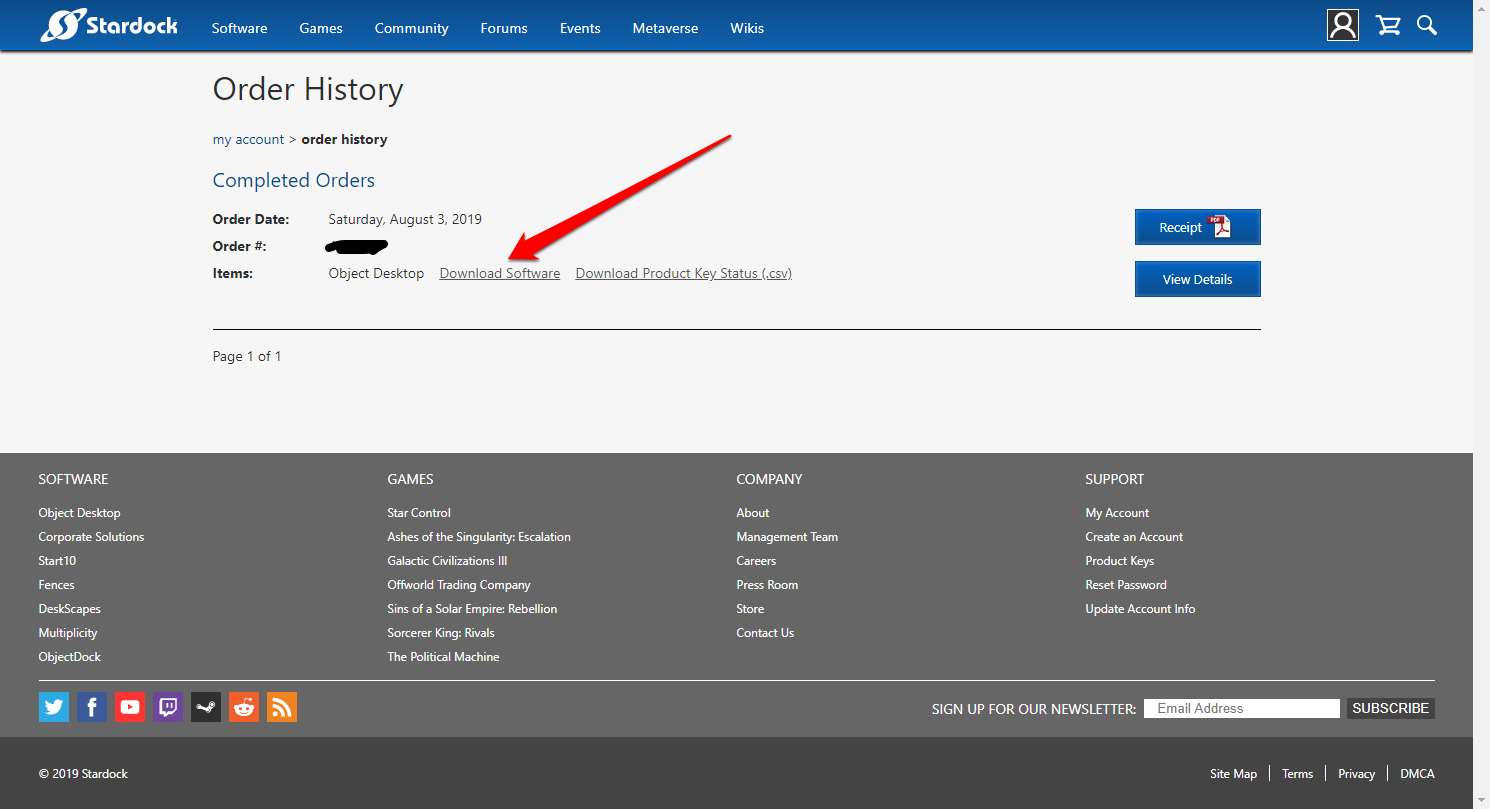
When i go to this link below ( order history ) i see my order there along with my order date and order number and below that there is a single link to object ObjectDockPlus_v201_setup_sd.exe as well as a csv file with my product key.

https://store.stardock.com/myaccount/orders

Looks like this!

https://i.imgur.com/OFsYQaf.jpg


As you can see there is no link to Multiplicity. The only links that i have to the individual software is on the thank you page which i still have open. I was redirected to that page after purchase. 

If i would have closed that page i would have no access to the individual programs i paid for unless you are telling me there is another location or url or website where im supposed to go to download the individual apps??

Im not sure the links to the individual apps are supposed to be public? Shall i post the link to the cdn that is not working for Multiplicity? Again all the other links to the other applications worked fine. 

( This is what i see after clicking ) --> https://i.imgur.com/Nf73G0J.png

When you say you have tried the default link as in my account.. is there somewhere im supposed to see a list of the individual apps that came along with object desktop in my account? 


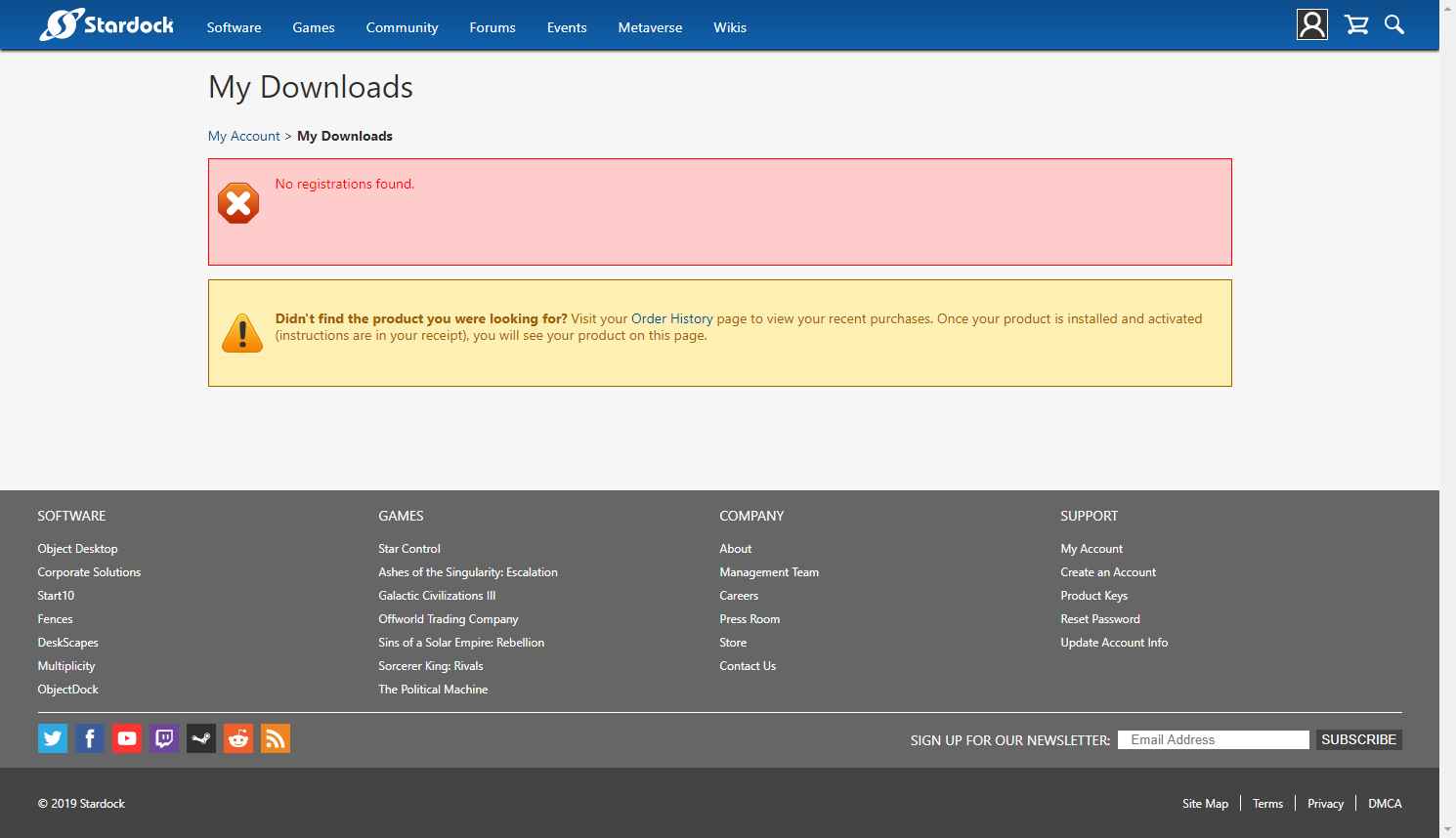
Ive clicked the My downloads link and there is nothing on that page ( no registrations it says )

Ive clicked on the order history page and there is no links to the individual apps i paid for.


Is there something im missing??? I dont think ive ever been so frustrated with a software purchase and i haven't even installed anything.


Hopefully you can guide me in the right direction.


Best Regard

Yonas9


Reply #3 Top

Hello,

If you have stardock account. You should be able to download direct using this link.

https://store.stardock.com/myaccount/ 

and if you click on the My download button should take you to : https://store.stardock.com/myaccount/products

Which you should be able to download directly from there

Thank you,

Basj
Stardock Community Assistant.

Reply #4 Top

Hi,

Thanks for your patience,

When i got to my downloads it looks like this.

My downloads


When i click the order history link on the my downloads page it looks like this.


Order History


You see what i mean about the individual applications not being listed? Under what circumstances would this happen?

Clearly i have a stardock account. Clearly i paid for the application yesterday on aug 3 as you can see from my order history page. Im just confused as to why your screenshot looks the way it does and my downloads page looks empty and states no registration found.

If i am missing something obvious then forgive me but im simply not seeing what you are seeing on your account page. Maybe you can fill me on why this maybe happening?

Am i dealing with a bug on the stardock site or .. i dunno. Im not sure what to think??


Best Regard,

Yonas9

Reply #6 Top

Hello,

Sorry to hear you are having trouble.

The multiplicity link for Object Desktop, in our new cart, was indeed broken but I have now fixed it.

https://cdn.stardock.us/downloads/public/software/multiplicity/Multiplicity3-fs-setup_sd.exe

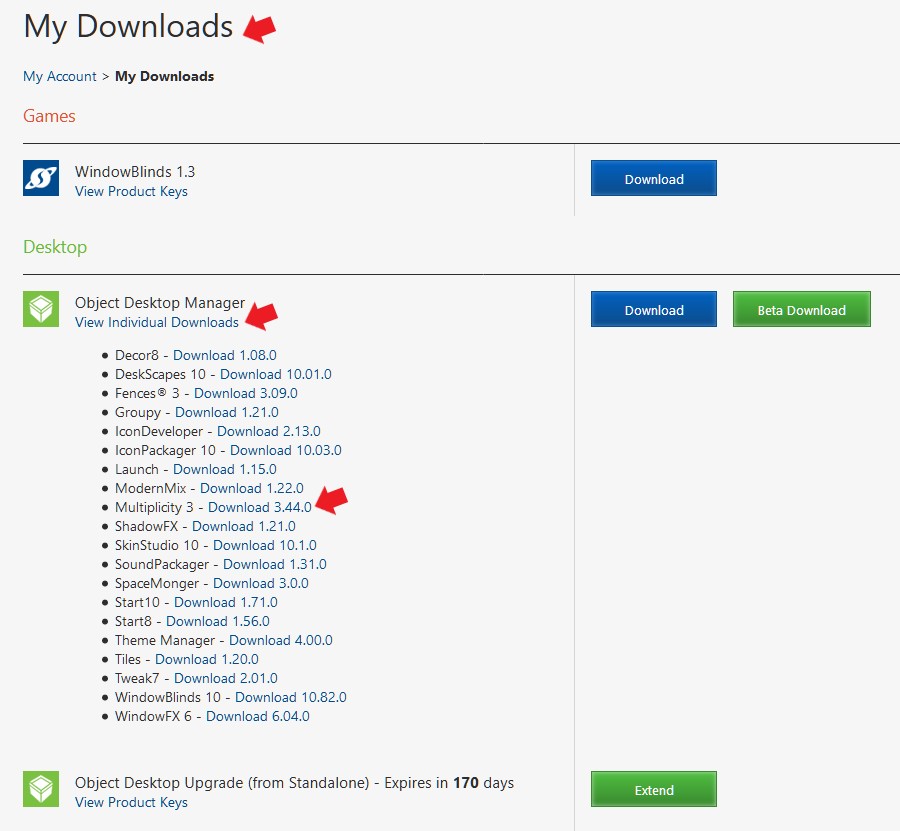
That said, once you activate any member app from your OD sub, Multiplicity for example, you will see all the apps on your account as AZDude has illustrated.

Sean Drohan
Stardock Support Manager

Reply #7 Top

Thanks for the updated link sdRohan, I didnt realize i had to activate the apps for them to show up in my account. Since i hadn't even installed the applications yet.. it now makes sense why they were not showing up in my account. I thought the purchase was enough to register them in my account.

Thanks to AzDude and basj as well. I appreciate the assistance and patience. I look forward to exploring object desktop.

Best Regard,

Yonas9