
SpaceMonger3 Will Not Install

I just purchased the Object Desktop.  Everything seems to work except SpaceMonger3


When I download it through the Object Desktop Manager, it downloads and runs, but it does not seem to do an install.  If I want to run it again later, I have to download it again through the Desktop.


I am running on Windows 10 Pro 64-Bit.  
1,877 views 4 replies
Reply #1 Top

Hello,

Sorry to hear you are having issues. Please try using Stardock Object Desktop manager V4.0 (Beta1), you should be able to download it direct from your account. https://store.stardock.com/myaccount/products

And use that to manage your Stardock Object Desktop product. It should list Spacemonger as installed and you can launch it from there.


Basj,

Stardock Community Assistant.

Reply #2 Top

That is certainly a solution to something...but I'm not sure what.  Maybe the download issue?

However it does not seem to result in SpaceMonger being installed.  Or at least, there is no icon in the Start menu to run it. Is that going to get fixed?


Reply #3 Top

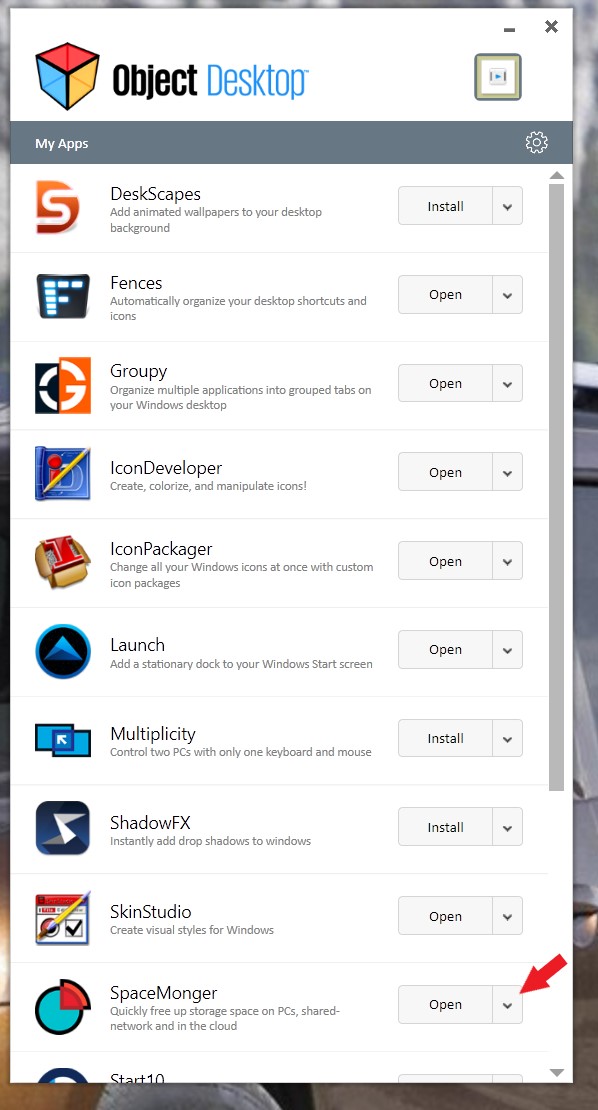
That is strange. In the ODM do you see SpaceMonger listed? And if it is listed and that button to the right of it. Will says "install" if its is not install and "open" if it is installed. You should be able to use that button to start SpaceMonger.

BTW you should be able to find SpaceMonger in here  "C:\Program Files (x86)\EdgeRunner\SpaceMonger"

and in Start10 Menu under "EdgeRunner" Folder

Thank you,


Basj,

Stardock Community Assistant

Reply #4 Top

Yes I see it in the Object Manager Download tool. 


I'm wondering why I don't see an icon in my Start menu in Windows under Stardock?  Why would you install that under another folder?


Mat