
Search Feature Doesn't Work

I can't figure it out, and this used to work, but 80% of the programs i enter in the search field gets no results. Sometimes, if i am lucky, i will get results if i spell out the full program name without spelling errors. Any ideas?
888 views 1 replies
Reply #1 Top

Hello,

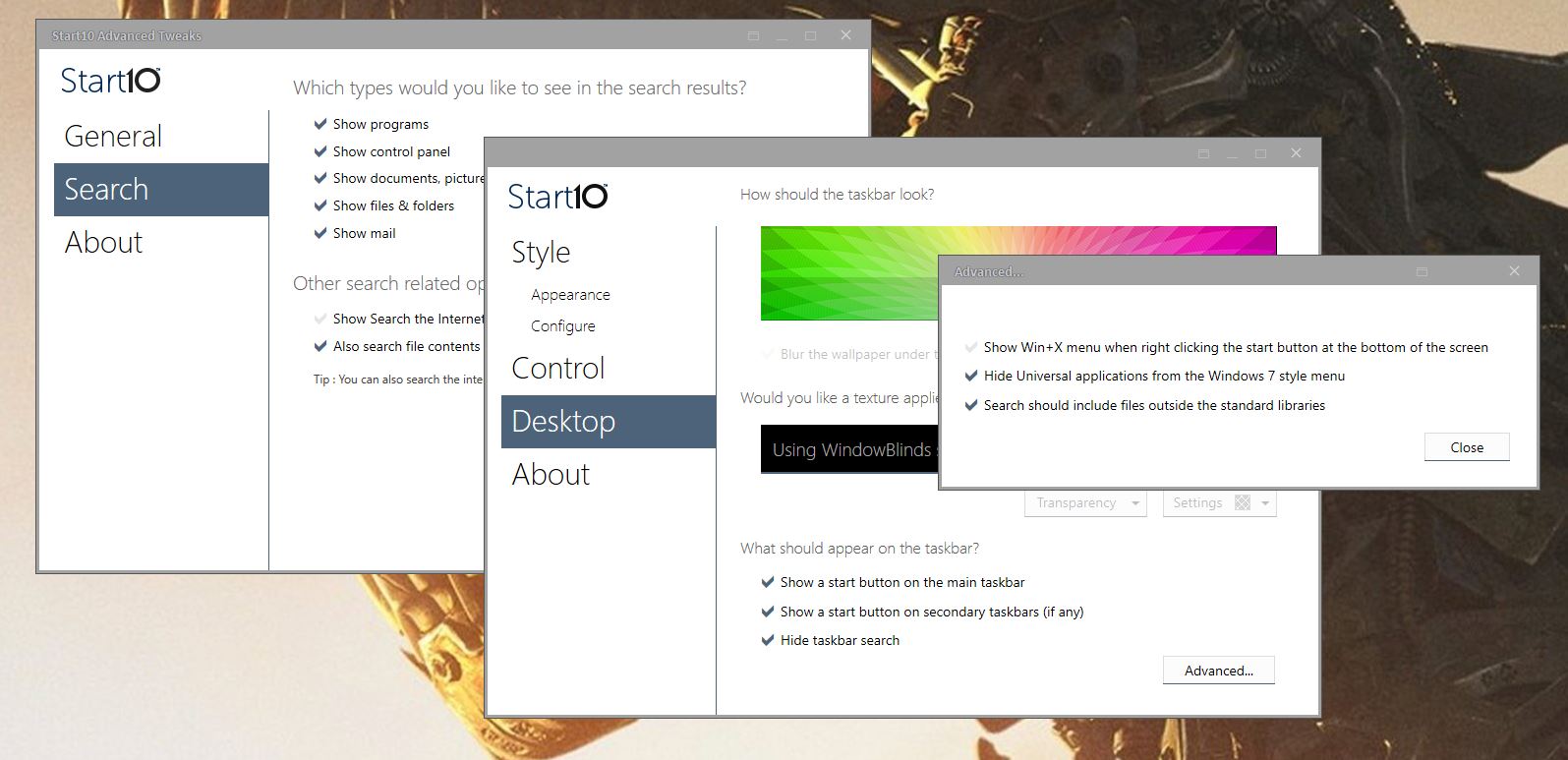
Sorry to hear you are having issues. There is two location you can change Start10 option to help improve start10.

1) Start10 Configuration windows -> Desktop -> Advanced -> select "Search shoud include Files outside the standard libraries.

2) Start10tweaks.exe (usually located in "C\Program Files (x86)\Stardock\Start10") -> Search -> there are few option that you can turn on or off.

Thanks

Basj,

Stardock Community Assistant.