
WinVer 1803 / SkinStudio 10.1

Dear Stardock team,

Except for a few little quirks, like sometimes messed up Z indexing of windows (sometimes for example the explorer just stays on the top of other windows), it generally works on my system with the delivered themes. I am however trying to create my own WindowBlinds basic skin theme with SkinStudio and have been ripping my hair out since I bought this program a week ago.

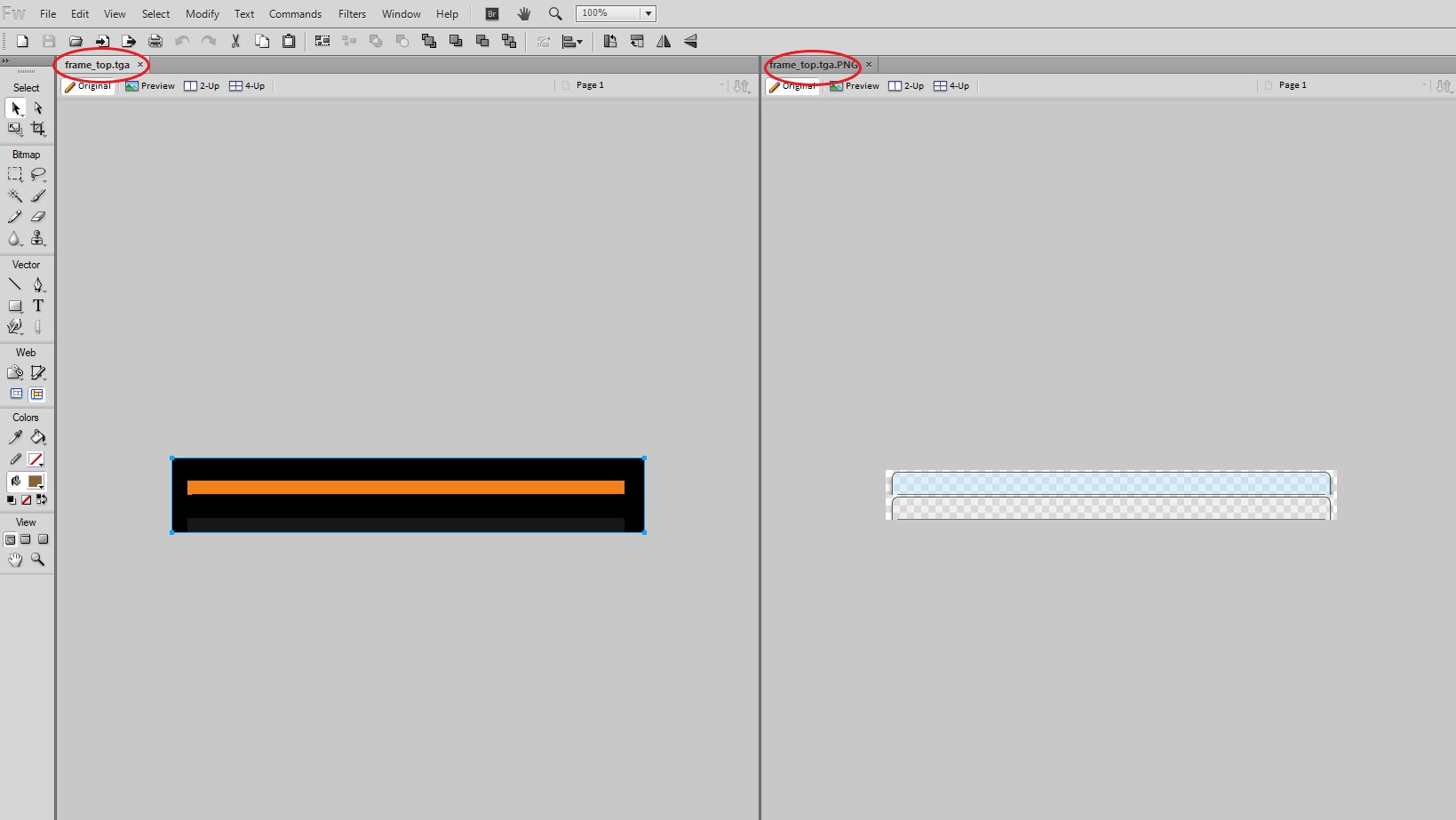
For testing purposes, I tried to reskin only the title bar. I even went so far as to directly editing the .tga from the folder, without clicking on the "edit image" button within SkinStudio. I even edited the extra alpha channel. I tested out and found that WindowBlinds need it to be 32bit. And in the editor it shows up fine (albeit having a strange small gap underneath the top frame), but please see the attached image on how my windows get destroyed when I apply the skin. I cannot resize, nor move or even close the windows anymore. What am I doing wrong?

As I said, I am running Windows Version 1803, which was released in April, half a year ago. I'm sure this shouldnt be a problem, right?



7,366 views 6 replies
Reply #1 Top

Hello,

Sorry to hear you are having issues. But, can't help much just by looking at that. If you want, you can share the wba file and we can have a look at it and see what is wrong with it.

Basj,

Stardock Community Assistant.

Reply #3 Top

Okay,

Have look at it. I am not sure how you do your design. But for me I did mine in PNG format. And Skinstudios can import pngs and it will internally convert it tga. But when you click edit it will export it back to png so in program like fireworks or most probably photoshops too you still see the transparent area.

see what happened when I click edit on yours compare to original from Diamond. With Diamond I still can see where the active and inactive section. On yours the inactive state is lost.

Just looking at yours. I can say that the border from the actual top to your real top is too big. That is why your title bar way too small/too short. If you intentionally trying to make your titlebar to be that short. You will need to adjust a lot off things. But I do not recommend anybody new with skinstudios to do that.. I would rather you follow the diamond original dimension and change it accordingly. Something like below.

BTW, there is known bug in skinstudios(that I know off), try set the "this image has frames stacked vertically" to "on" when you want to set the painting margin. You will be surprise. but once you done adjusting you will need to unselect that part again.

Basj,

Stardock Community Assistant

Reply #4 Top

Okay, it seems that Photoshop has problems with alpha channels and .tgas. I did not experience this bug in the 15+ years I use PS now.
However, this has nothing to do with my problem, because then I would see a big fat black border around the window or I should be able to see the buttons entirely (depending if the alpha channel is just approximated to pure black or pure white).

Also, how does that correlate with me not being able to resize windows in the lower right corner, for example, where I did not change anything?

The same behaviour occurs when I save my design as png and import it. Yes, this workflow eliminates the alpha channel error, but it does not in any way correspond to my problems.

The two things why I bought WindowBlinds are a dark background in the file explorer and less distracting window frames. So please dont tell me that its not possible to just alpha out more of the top bar? The image behind it should not affect the behaviour. The dimensions are the same. If it would look ugly, okay, my fault, but this makes windows unusable... :(

Reply #5 Top

I tried to help. But i guess I am not knowledgeable enough compare to your 15+ years of experience. Hopefully someone with more knowledge could come along and help you out.

Thank you,


Basj,

Stardock Community Assistant
