How to achive these things in ObjectDock & WindowBlinds?
 Stardock Forums
I decided to try making my Windows box look as close as possible to MacOS. I'm liking what I have so far and I'm using ObjectDock & WindowBlinds10. I would like to make some changes to my dock and was curious if I can do the following:
1. Add a separator on the dock to have recycle bin etc. separated.
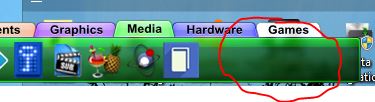
2. There is a Blur effect option and I have that selected with it fully transparent but it isn't working. I thought it would be like the blur effect in WB and Start10. https://imgur.com/a/wSKZxTo
3. How can I make it to where the dock stays at the bottom while a window is maximized? For example if I maximize Firefox it stays on top of the dock. Similar to this: https://rocketdock.com/addon/misc/10809?p=3
4. Lastly how can I move the minimize, maximize, and exit buttons to the left for "The Captain" WindowBlinds theme?