Ikons stay on desktop

After working for a short time on the desktop, all fences seems to be emptied. When I roll up fences, all the ikons stay on the desktop. After a restart of the computer, everything seems to be OK, but after a while, the same happens again. I have tried to perform automatic layout and other changes in the settings, but nothing works.

ankerh2

8,757 views 8 replies
Reply #2 Top

Nope. I had tried to reinstall Fences 3 before. After your advice, I purged it first and then reinstalled.
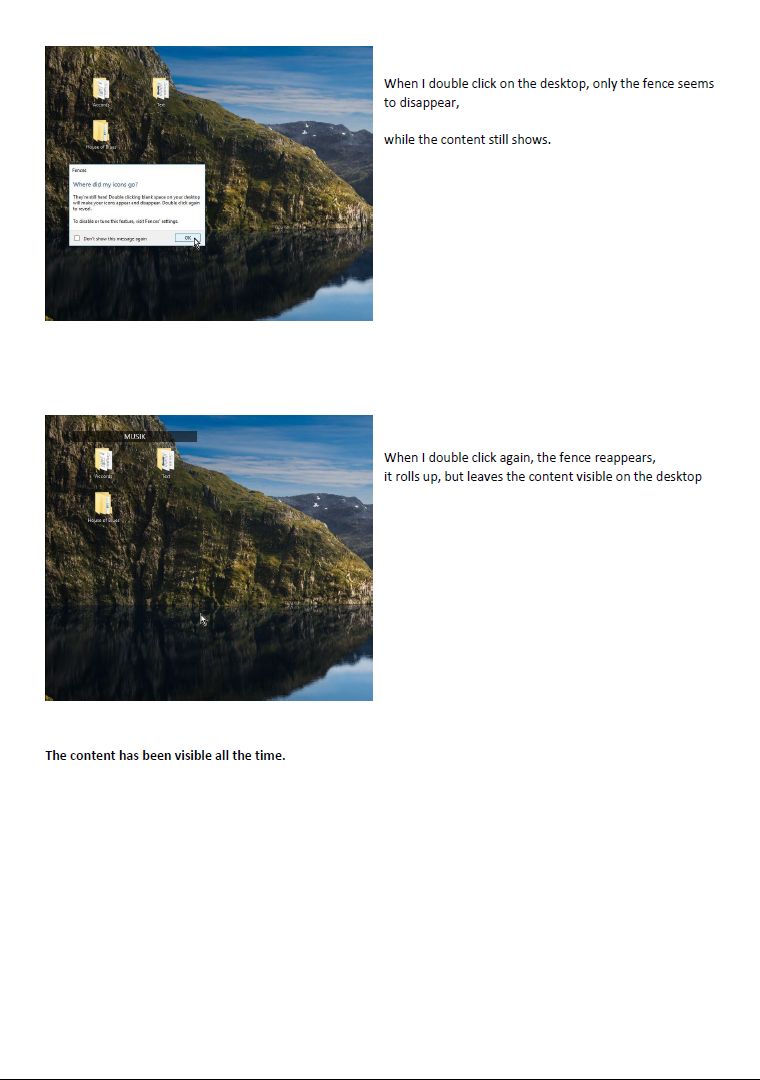
I made new fences, but after a while, the icons are shown on the desktop, even if the fence are rolled up, and I can't open the folders. When I try, I get the message "Where did my icons go" followed by the instruction on how to doubleclick on the desktop. This happens even if I uncheck the roll up function.

Reply #3 Top


After working for a short time on the desktop, all fences seems to be emptied. When I roll up fences, all the ikons stay on the desktop. After a restart of the computer, everything seems to be OK, but after a while, the same happens again. I have tried to perform automatic layout and other changes in the settings, but nothing works.

ankerh2
End of quote

I do not get it. You said all the fences seems emptied? And yet when you roll up the fences all the icons appear on the desktop? So your icons are in the fence or on the desktop? Maybe you can have a screen grab (video) so that we can understand your problem. Thanks

Reply #4 Top

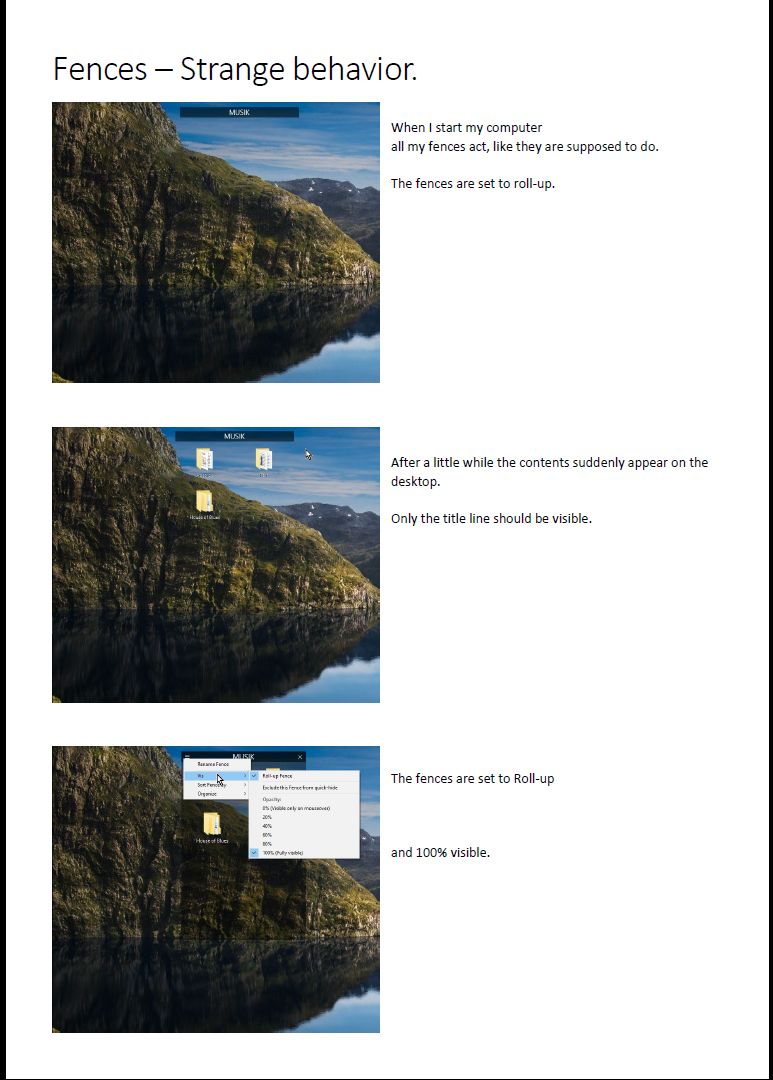
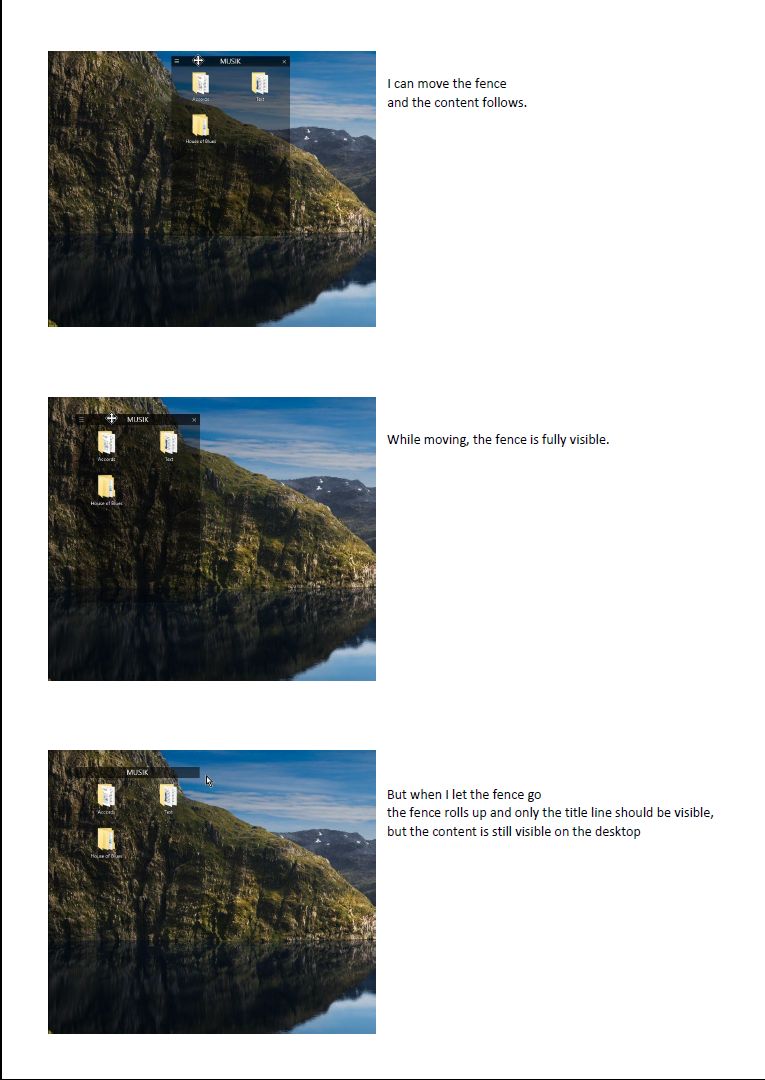
It seemed like the fences were empty, because the icons were still visible on the desktop, when the fences rolled up.

Meanwhile I have solved my problem. It was my own fault. After having installed a tuneup program, I found out, that some programs were set to hibernate, when I opened more demanding programs like Photoshop. I removed Fences from the list over programs, that could be set to hibernate, and now it works OK again.
Thank you for your time.

Reply #5 Top

Hey. Glad to know you solved it. Thanks for reporting back. :thumbsup:  :grin:  

Reply #6 Top

It seems, I did not solve my problem after all. It came back after a while. 

I have attached screenshots of a pdf I made with screenshots , this way, I can post notes as well. :grin:  

Explanation 1

Explanation 2

Explanation 3

Does anyone have an explanation?

Reply #8 Top

I have followed the instructions, and the new user account has (so far) no problems with fences.

I found out, that the problem occurs, when I right click on the desktop using my own account.
It seems, that my own profile is defect. I will try to make a new profile, but that will take some time. I will report back, when I know more.

Thank you.