Fences is not visible on the Desktop
Fences version 3.10 on Windows 10
I just installed Fences 3.10 on my Windows 10 laptop. I still see the Windows layout on the Desktop and not Fences. What do I need to do to start using and customizing Fences?
Stardock will be closed for the week starting on Monday, June 29th and we will be returning on Monday, July 6th. We will be monitoring support tickets and forums during this time but expect delays in responses during this time.
Fences version 3.10 on Windows 10
I just installed Fences 3.10 on my Windows 10 laptop. I still see the Windows layout on the Desktop and not Fences. What do I need to do to start using and customizing Fences?
The current Fences version is 3.08.
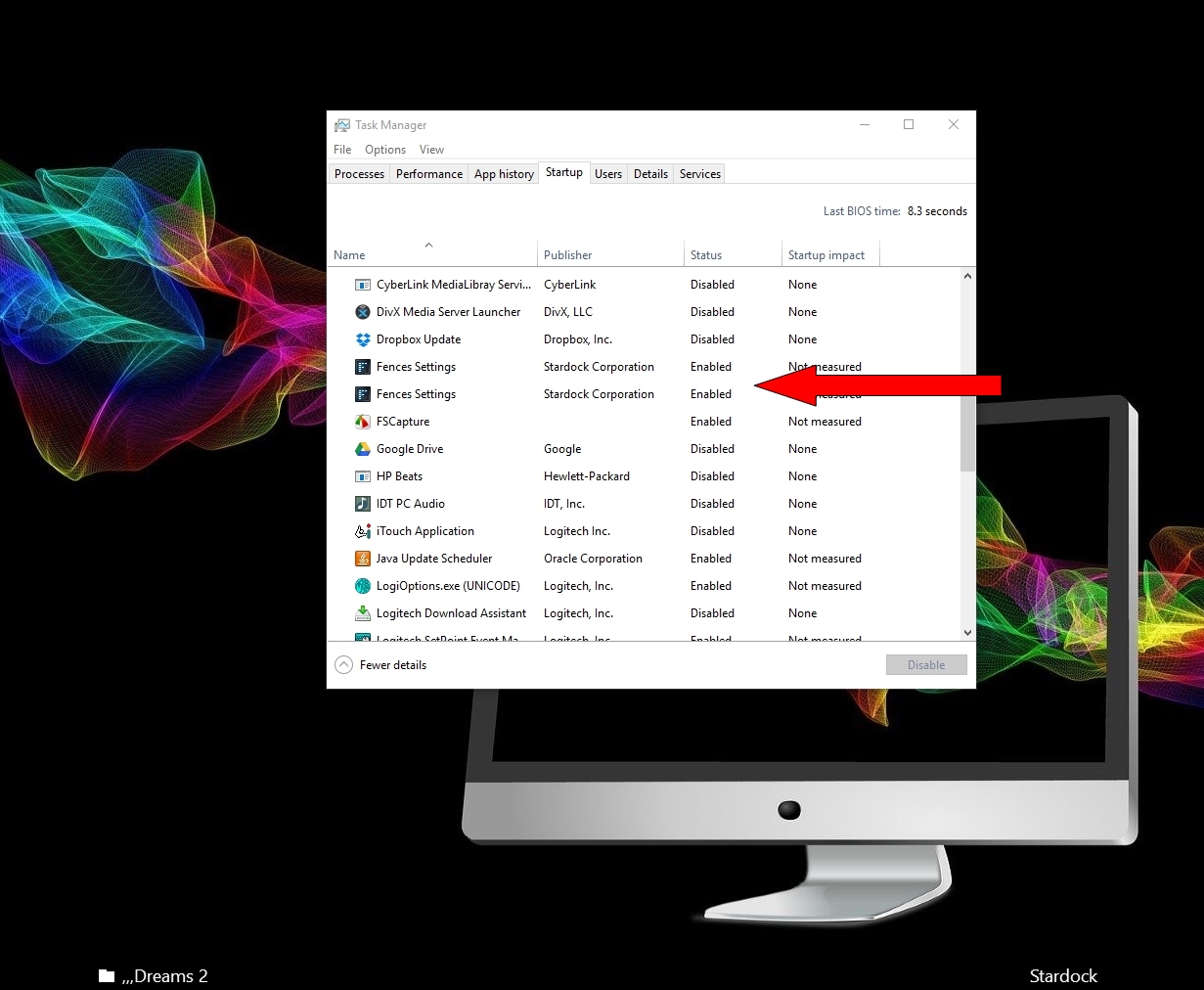
Make certain that Fences is enabled:

Also see:
I verified that Fences is enabled. Yet Fences does not show up. Occasionally I get a glimpse of it and quickly disappears. I am thinking of completely uninstalling it and start afresh.
Hello have you try to see if you set the Quick-hide to "immediately"? Try to disable that and see if it appears.. or you can set to a longer delay.
In Task Manager in Start up Make sure both Fences are enabled

Please see:
https://forums.stardock.com/486084/fences-support-faq#reinstalling
Welcome Guest! Please take the time to register with us.