
Help with Theme Manager/OD in general

Almost none of my WindowBlinds Themes work right anymore. Ive managed to lose the navigation buttons on explorer windows (ie. minimize,maximize,close).
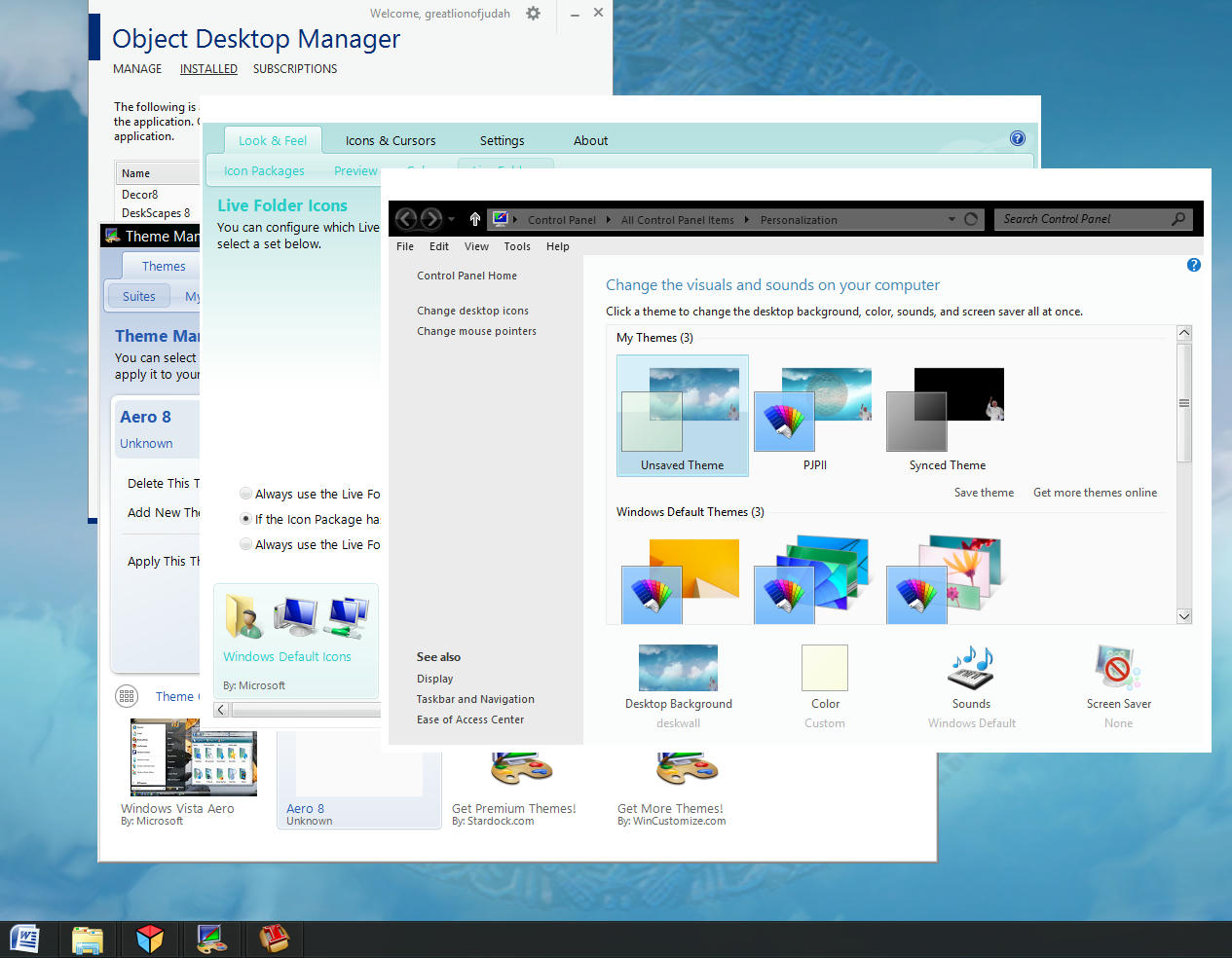
Therefore many themes do not install, or do not install correctly.

I tried re downloading the themes editor from my orders page as I saw documented in earlier posts, but it did not solve my problem either.

Also, my live folders are stuck on Mint green from a theme which did not work and I've removed.

I unistalled everything and reinstalled yesterday with no success. My prefs appear to be corrupted.

How/What do I need to do? Help please, I feel I've wasted 50 dollars.

4,239 views 3 replies
Reply #1 Top

Uninstall the version of Windowblinds again the run a cleaner like CCleaner if you didn't do that already, reboot and download a freh install. Keep the installer package as a back up. Re-install windowblinds and reboot. Open the config window and click on rebuild list. Then change the them and see if it persists. If it does send an email to [email protected]. Wait for an actual reply, don't reply to the automatic one. Doing so will send your rquest to the end of the line. You'll probably get an answer after the weekend. When you do post a link to this thread. Hope this helps.

EDIT: What OS are you running and what version of Windowblinds.

Reply #2 Top

If you have a System Restore point for before you ran Theme Manager, that would be easiest.., restore back and try again without using ThemeManager or any MC Suites.

 It sounds like you are running the MyColors version of WB's, which is a much older build. I don't recommend running any MyColors Themes on Windows8.

Try this:

First, use Theme Manager to apply Windows defaults. (WB skin and Icons)

Reboot.

Open WindowBlinds. Use it to apply skins in the future, not Theme Manager, which has been a problem for years.

Use all the other OD Apps with their own UI's in the future for more reliable results.

 Let us know how it goes.

Reply #3 Top

Can't get this stupid second picture to post, sorry here is a long tag http://www.mediafire.com/view/wcklwy5z55myuuo/Almost.png

anyway in answer to your questions regarding OS and software versions;

Windows 8.1 (I believe it's pro, I know it is on my almost repaired desktop)

Object Desktop (bought it Monday)

 On Intel 4700 i7m 8GB RAM with GeForce GFX750m

 Displaying (As secondary monitor...support for up to 5) on native 2nit laptop screen 1366x768

 Primary Display in this configuration 39" LED Class LCD 1080 12up 0MHz 1920x1080

Please, if you've time, look at my pitiful missing piece and see if you can't conjure up a "how do I correct that?"

Thank You in advance. I'm planning on fixing little stuff now like the tab close arrows, and docking my buttons similar to "Lantana" Theme, getting less transparent and more

transparent versions. Perhaps a glass version with no folder backgrounds.

Don't know yet, have even toyed with the idea of a left side(r) theme or auto collapsing explorer bars which pull down like old fashion roll up Window Shades. Anyway everythings

new. Haven't tried your re-download (on a metered connection, try it Monday at dialysis) re-install re-boot solution yet. Will if need be. Live folder now stuck on another theme!!