Start8 v0.90 Beta Released

Stardock has released the Start8 v0.90 Beta today. Created for Windows 8, Start8 gives users the ability to bring back the Start menu missing in Windows 8, along with many other useful features to take the Win8 desktop experience up another notch.

New in v0.90 beta:

  • Adds a classic styled "Start" menu to the Windows 8 taskbar. Including support for: View and launch installed applications (including Metro/Modern), All Programs menu, quick links to commonly accessed folders (Documents, Music, Photos, Computer, and more!).
  • Adds searchable Start menu options for Windows desktop applications, Metro/Modern applications, and documents.

Other top features Start8 includes:

  • A "Start" button to the Windows 8 taskbar.
  • An option for WinKey to show fullscreen Metro desktop.
  • Optionally access Metro/Modern start screen in a configurable window without leaving the Explorer desktop. The new start menu also adds a shortcut to switch to the new Windows 8 menu.
  • Optionally disable Windows 8 desktop hotspots via right-click menu.
  • Support for "jump lists"/recent documents for recently accessed programs.
  • and more!

The Start8 beta is a FREE download, and can be found at: www.stardock.com/products/start8/

Windows 8-2012-08-29-12-48-19

12,652 views 16 replies
Reply #1 Top

Do we need to uninstall the old version?

Reply #2 Top

It should work if installed over the old version, though I believe it will require a reboot.

Reply #3 Top

You know, yall are gonna fool around and make me start liking Win8.     :annoyed:

Reply #4 Top

Quoting RedneckDude, reply 3
You know, yall are gonna fool around and make me start liking Win8.
End of RedneckDude's quote

We're doing it specifically to annoy you.  The fact that it's good business is just a happy side effect.  :P

Reply #5 Top

All I need now is windowblinds for windows 8 to give me transparent title bars again and I'm in.


Awaiting descscape port too for that extra UI warm and fuzzy feeling but that's second on my list.

Reply #6 Top

 will try this tonight glad that you inserted the changes in the description currently still using CS but if this puppy works like it looks in the Screen.S

im all over it, only one question remains open will it work with the RP or only RTM ?   

Reply #7 Top

Quoting Rosco_P, reply 2
It should work if installed over the old version, though I believe it will require a reboot.
End of Rosco_P's quote

Yes...did for me...;)

Reply #8 Top

Quoting Roloccolor, reply 6
only one question remains open will it work with the RP or only RTM ?
End of Roloccolor's quote

Works on build 8250 [consumer preview]

Reply #9 Top

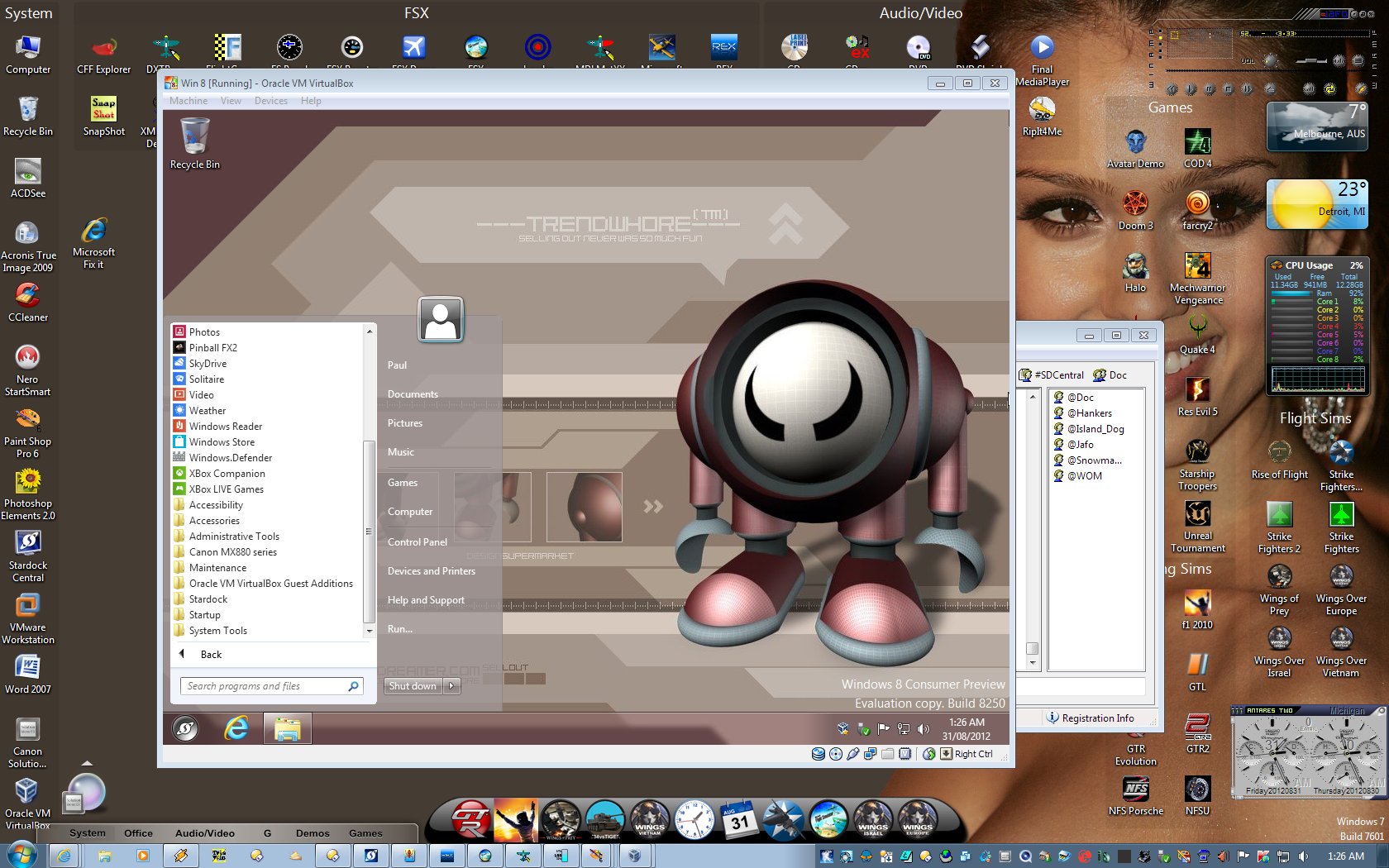
Win8 Eval Copy 8250 running in a Virtual Box in Win7 Ult 64....with the current ver of Start8.

Some of you may know the wall ....[no, not Jessica Alba - the one in the VM]...Trendwhore by Deaddreamer [Misery] ..... just seemed kinda 'apt'....;)


Note the ram use..... that's cos the VM isn't 'all' that's running....;)

Reply #10 Top

Hell Jafo, I'm still trying to get past the precise placement of the right edge of the dock. BRILLIANT!

Reply #11 Top

Jafo : What version of VBox is that ? The guest additions didn't play nice with my Win 8 at all. Had to uninstall them.

Reply #12 Top

Carl ...it's 4.1.8.r75467 ....  Since installing it reminds me of updates but I haven't bothered yet as it's working fine with 8 which was what it was for...;)

Reply #13 Top

thank you Jafo currently testing it indeed better than before

Reply #14 Top

A wonderful app that will help a lot of people to "live" with Windows 8

Reply #15 Top

I'll 'live' without w8. Saves me  alot of headache. Wake me up when it's cleaned up, i.e. the kindergarten gui has been dumped.

Reply #16 Top

ok after testing start8 for a whole day i have to say i no longer need cs you did a good job... start 8 is great and it gives you a nice windows 7 feeling - still i would like to see it a bit polished startmenu graphics (edges) could be rounded up a bit for a free program this is absolutely nice
You can even make your own startbutton for it... :yes:  I dont know if that was possible in the previous version
k5