
ObjectDock setting screen acting wierd.

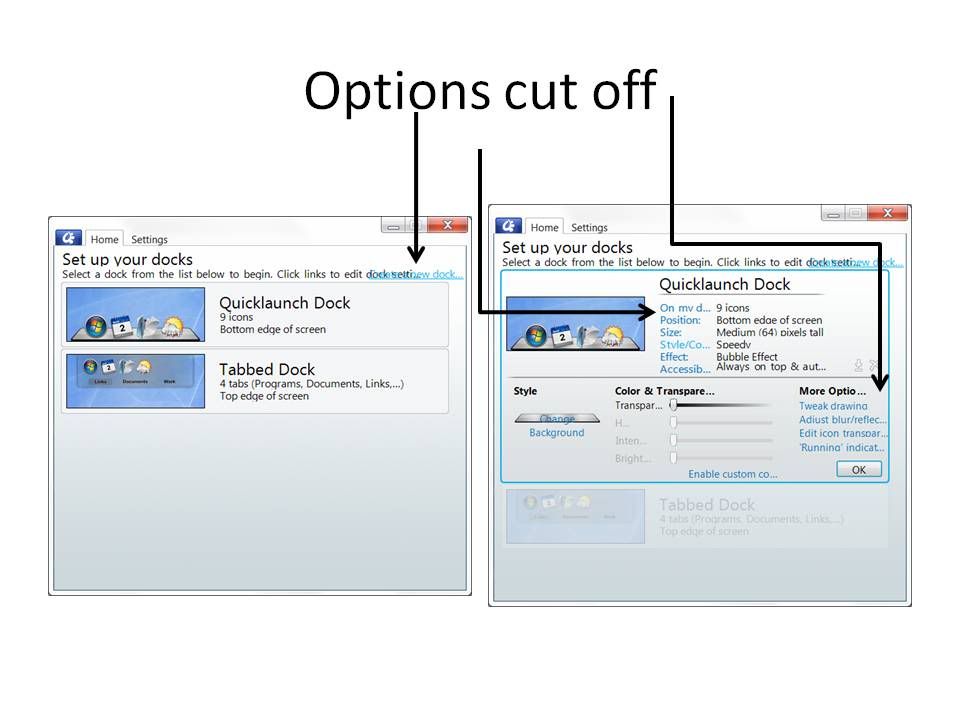
When I open the setting screen for object dock it looks like the picture below.  It's hard to read what the options are and from a video I saw the options screen was very different from this.  I installed this today and this is how it looked from the initial install.  If you can't see the picture very well here is the link to photobucket so you can see it better.

http://i1114.photobucket.com/albums/k537/mcvargas/Optionscutoff.jpg

Any suggestions would be greatly appreciated.
2,436 views 5 replies
Reply #2 Top

No I have the paid version.  If you can see in the picture its a little faded but I have the default tabbed dock that I have not messed with yet.

Ok here is an update.  I ran this today on my desktop and everything works fine.  On my laptop it seems to act strange even though its the same operating system(Windows 7).  I installed it through the impulse downloader after I got the purchase email from stardock.  If you need any more info I will try and get whatever is needed to fix this on my laptop.  I'll also continue to search the forums.

Reply #3 Top

Do you have the DPI set to something other than 96?

Reply #4 Top

Quoting Philly0381, reply 3
Do you have the DPI set to something other than 96?
End of Philly0381's quote


That did it.  DPI was set on medium.  when I put it on low(96 DPI) it works fine.  Thank you all for the help.

Reply #5 Top

There are a couple of configuration screens that just don't like high DPI.  Glad that fixed it for you.  :sun: