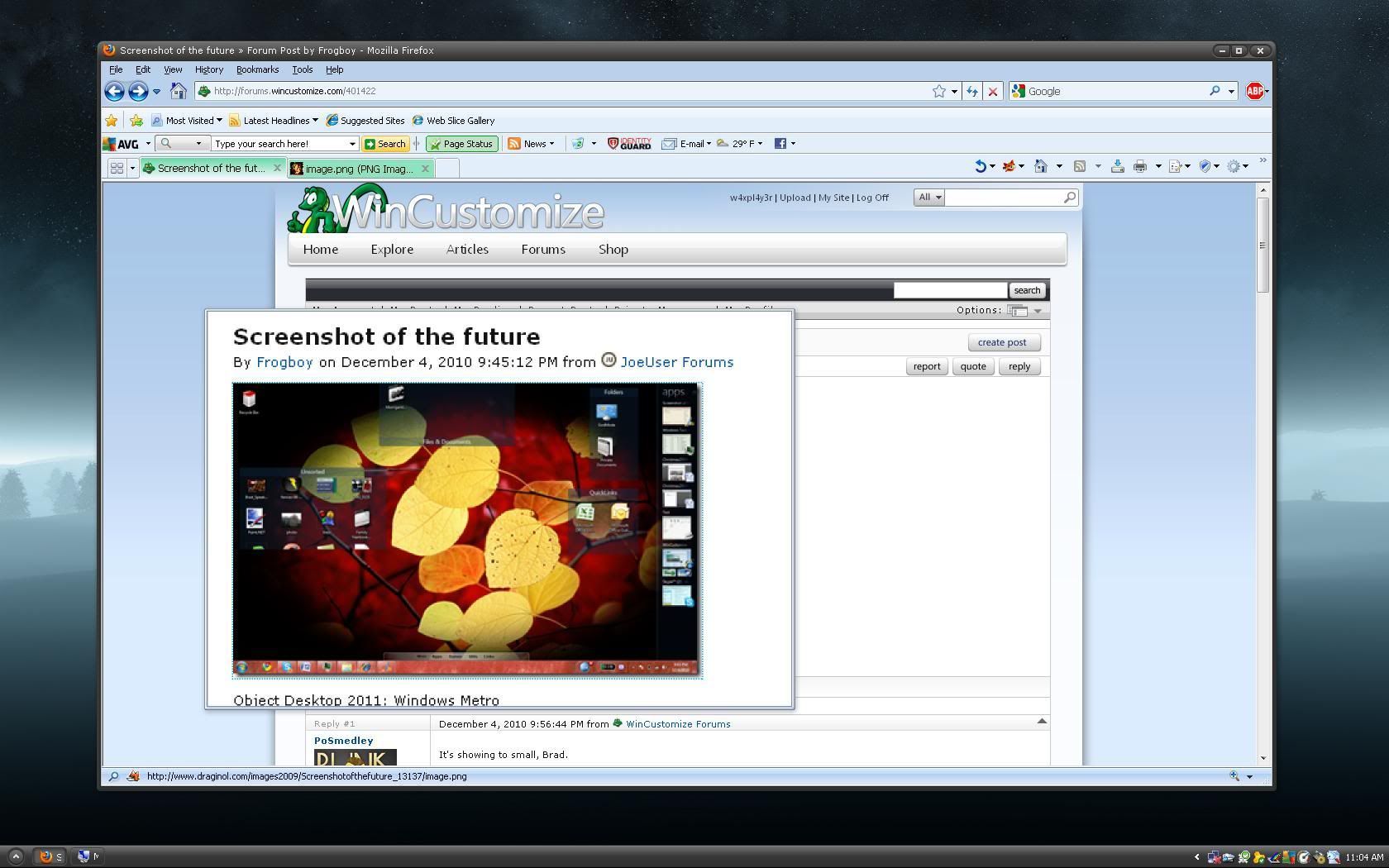
Screenshot of the future
from  JoeUser Forums
JoeUser Forums

Object Desktop 2011: Windows Metro



Object Desktop 2011 is being ported to handheld smart devices? Only a 2"x3" screenie, thx?? 
I see fences...a windows 7 taskbar...and what looks like a dock on the left of 'open windows' ?
This is interesting too...lol.
So the future is microscreen technology?  I'm sure that Remington guy will claim it's old news.
Okay, so we need Frogboy to come back and explain a little bit about what he is showing us. 
Look closer at the right part of the screen. I can't show much yet.
Can see that but clicking on the screenshot only shows us a small preview. Can you give us a larger one? 
Side bar? A second taskbar or "over taskbar" .... the view you get in 7 with mouseover open apps, with task grouping (WinCustomize app/browser shows 3 windows with the active being the largest).
I bet it expands as a 'flyout' and you can switch between views.
/me gets out his magnifying glass and sees a second taskbar, only much bigger......... I don't even like the normal taskbar showing........B[]
Hmmm, maybe the 'younger' folks like the idea of a 'tease' about what's going to be new with Object Desktop 2011, not so much us 'older' folks. 
Well, all I see is a sidebar with window previews. We can do that already.
I only see one taskbar, and a dock. Fences, and a sidebar, with window previews. I don't get it.
It says 'APPS' at the top of the sidebar.
looks like the sidebar containes running tasks with the abilty to fast click the specific window to work with for an example you have 3 explorers or webpages opened up they would show of each as a single pic with the content thats actually on the site or if you use PS and you work with several sorces you also see each and can now fast navigate thanks to that.Personaly i have like 13 webpages opened zbrush PS and some other tools i work with so this would be sweet. Kinda cool i think ( if thats correct ) iam working with 3 monitors so for me that isnt the problem but still it would make things much easier. especially for a single monitor user
Yeah, you're right.
Me either, just looks like a sidebar with windows previews, much like a dock or second taskbar, whats the big deal? 
Are we talking ObjectDesktop working on 'TABLETS'????????


So, this is the future, eh? I just got a widescreen and now you tell me all the fun is going to be happening on a phone no bigger than a deck of cards. Wake me up when they get the technology to put in all on a chip in my head so I can truly appreciate it because it will fill my entire vision, including the periphery (Object Desktop for Omni IMAX theater).
Welcome Guest! Please take the time to register with us.
Select a reason for giving karma:
You're about to visit an external site:
Sign up here to get the latest news, updates, and special offers delivered directly to your inbox.
 WinCustomize Forums
 HG made a funny!
 Times have changed.
 Stardock Forums