
Modifying unit icons

I'm trying to modify the unit icons. I've found \Sins of a Solar Empire\Textures\Unit_Infocard.tga, which seems to be all the unit icons in the game. I can't get any changes I make to show up in game. I don't want to do it as a seperately loaded mod, as I want it to work on my end even if other players don't have my mod.

2,589 views 7 replies
Reply #1 Top

If all you're doing is modifying the graphics, you should be alright setting it as a mod. If i am correct, graphics mods do not affect multiplayer gameplay. :-) You could make all of your galaxy animations around your star for example dissapear ... and you can still play with people that don't have that graphics mod enabled or downloaded.

Reply #2 Top

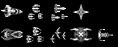
Make sure your changing the Alpha (channel layer too!) otherwise they won't show up.

RGB Layer

Alpha layer in channels

You need to do both ... the alpha highlights the area you can see and only that area (white).

Reply #3 Top

Sorry, I didn't phrase my problem very well. I meant that I'm trying to replace the unit icons and have modified Unit_Infocard.tga, but when I start playing a new map I still see the old icons. How do I get my changes into the game?

Reply #4 Top

Sorry, I didn't phrase my problem very well. I meant that I'm trying to replace the unit icons and have modified Unit_Infocard.tga, but when I start playing a new map I still see the old icons. How do I get my changes into the game?
End of quote


Try putting your edited file in a mod folder (in a texture folder) enable the mod ... files in the mod folders overide vanila ones.

eg: B5 Mod (folder) - Texture (folder) - Unit_Infocard.tga (modified)


Make sure you've altered the correct Unit_Infocard.tga, there are ones in vanila/Entrench/diplomacy edit the latest AND save it into a mod folder DON'T save it over the vanila ones!


Reply #5 Top

Tried it just now. No change.

Am I going about this the right way? Are all the unit icons that appear in the empire view and when you zoom out far enough stored in Unit_Infocard.tga? That's the effect I'm trying to get and that's what I'm editing...

Reply #7 Top

There is one more file to edit:

B5_Unit_Main.tga