Reply #1 Top
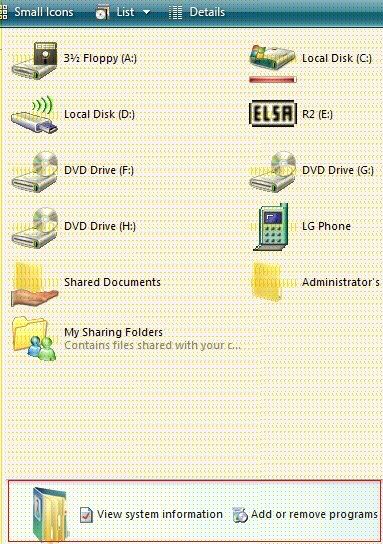
BTW I heard that this part was called explorer info pane.. I opened a theme, that has that pane, in Skinstudio but it says no image is defined for that part wth??
Reply #2 Top
BTW I heard that this part was called explorer info pane.. I opened a theme, that has that pane, in Skinstudio but it says no image is defined for that part wth??
End of quote


Yes, that is the section to edit.  If it says "no image defined", that would usually mean the author just used the default Windows image.

Just create your image and import it into that section.

:)


Reply #3 Top
Er how do I create it?

EDIT: I'm using Skinstudio 6.
Reply #4 Top
You'll use a paint program to create it.  I use paint.net
Reply #5 Top

You'll use a paint program to create it.  I use paint.net

End of quote


Yeah but it will just be a static image won't it? I mean, you won't be able to click on the links in the info pane because it's just a picture.. and the picture won't change if I access another folder.. sorry I'm new to this paint.net stuff and I don't know how to make it working..
Reply #6 Top
I' m gonna take a guess here. You're on xp and are using a skin that emulates vista, right?


BTW: You don't have to start a new thread for every question. You can use this one for several questions ;)
Reply #7 Top
Yes I'm using XP with a wba skin that looks like Vista..
And yes I still don't know the answer to my question
And no I can't ask a new question in this thread because they will think the thread is old and if they look at it, they will only look at the problem in the first post so they will think I'm only having 1 question to ask
new question = new thread
Reply #8 Top
OK I took the tga image from another theme folder

how do I apply it to another theme though??