If you downloaded through SDC and had teh auto-archive set, you should be able to restore to the previouse version.
If you need help with any of the new features or the interface, post them here. I am sure someone can help you.
I'd start a seperate thread for the OD problem. Usually your dock files can be found int
If there is something about the newer interface you dislike please let us know. Right now only the 5.5 beta has the new UI. Anything older will have the older UI.
I updated another computer myself and it still has the old interface! I don't now what I did differently between the two.
And yes there is something should let you scroll left or right does not exist. I have to pick a skin by clicking on it and "arrow" left or right to move around. This has been the case no matter what skin I apply. Any ideas as to how I can make it visible?? If this can be fixed I won't need to try to put back the old one.
Thanks again for your help!
| I updated another computer myself and it still has the old interface! I don't now what I did differently between the two. |
As Neil said the 5.5 beta has the new UI. If you are installing Windowblinds with Stardock Central than it sounds like to me one PC might have the pre-release box checked, and one doesn't.
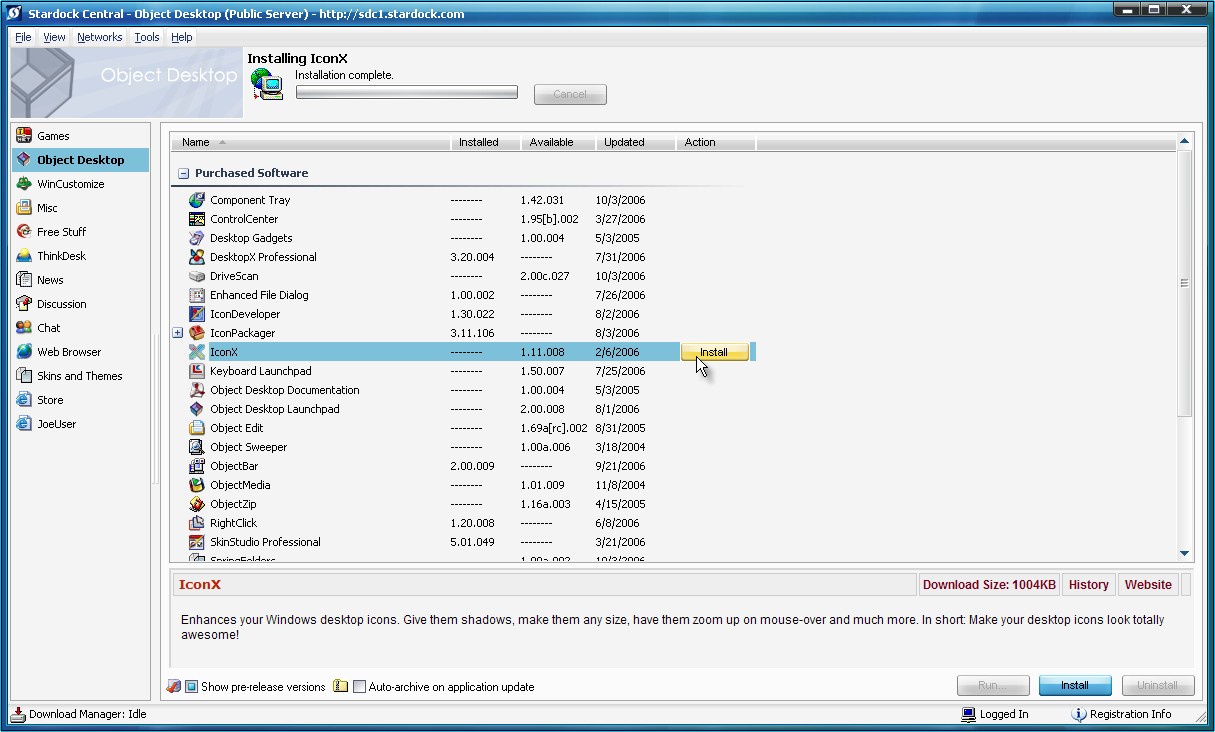
Open Stardock Central and make sure the "show pre-release versions" button is not checked. It's in the bottom near the left in the screenshot below.
It sounds like your dialog is being cut off as there is a scrollbar in the new one just as there is with the old one.
Did you replace your system dialog font at any point?
Also what resolution are you running?
Again thanks for the help! I did have the pre-release box checked. I didn't realize it until I looked closely. I unchecked it and reinstalled Objectdock Plus to get back to the prior interface. As you suggested the bottom is cut of since at one point I could just see a small part of the two ends. I have not changed any system fonts and my resolution 1920 x 1200. Maybe the problem occurs on higher resolution monitors. Hopefully it will get fixed while still in beta.
Welcome Guest! Please take the time to register with us.
- Richer content, access to many features that are disabled for guests like commenting and posting on the forums.
- Access to a great community, with a massive database of many, many areas of interest.
- Access to contests & subscription offers like exclusive emails.
- It's simple, and FREE!