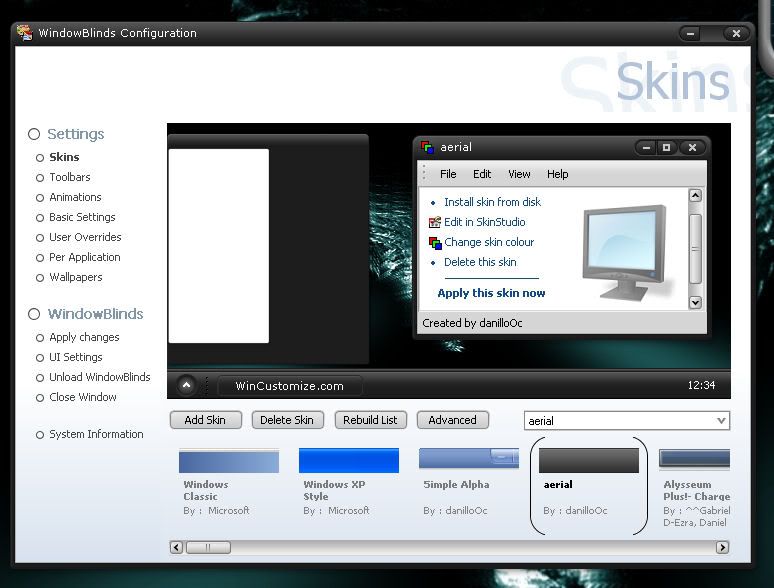
A Problem with WindowBlinds

Can't see all of window

WindowBlinds opened all right when I clicked 'configure,'
but I can't seem to scroll or maximize to see all of the window.
How should I solve this?
2,567 views 5 replies
Reply #1 Top
which window, the configure window?
Reply #2 Top
Config window does not maximize, the scroll bar is to scroll list of installed skins.
If window looks like image below you have no problem.

Reply #4 Top
Have you applied any skins, I have seen a no scroll bar issue when have applied a skin that has larger title bar than skin that was in use. Closing then reopening config fixes it. Are there any skins showing in list, if so enough that a scroll would be needed, try clicking the rebuild list buttton to refresh skins list.
Reply #5 Top

Have you changed your system font in the registry?