
Include Windows from an App that has been Excluded

No way to include windows again

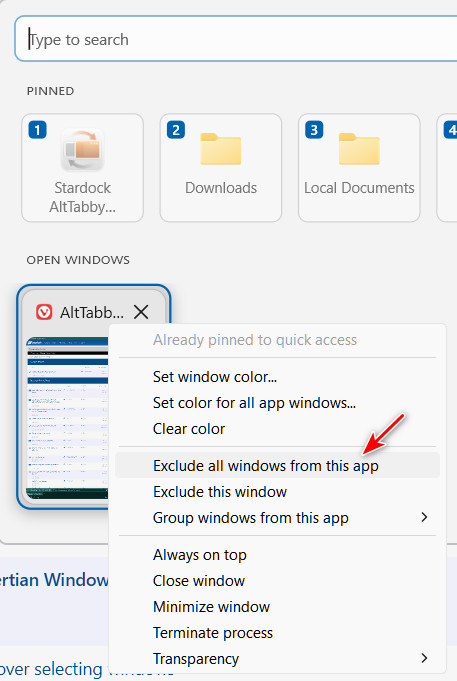
There doesn't seem to be a way to include windows from an app once it has been excluded.
89 views 2 replies
Reply #1 Top

There is no include entry on that menu, but the exclusion list itself is editable from a different screen. Click the settings cog on the switcher and pick "Manage exclusions and grouping". The app you excluded should be listed in there.

That screen is worth knowing about generally. When a window goes missing from the switcher with no obvious cause, an accidental entry in that list turns out to be the reason more often than a bug does.

+1 Loading…
Reply #2 Top

Okay, good to know. I missed that, but was able to include the app again by deleting the entry in the ExcludedApps folder in the Registry, which I assume is what the "Manage exclusion" function does.