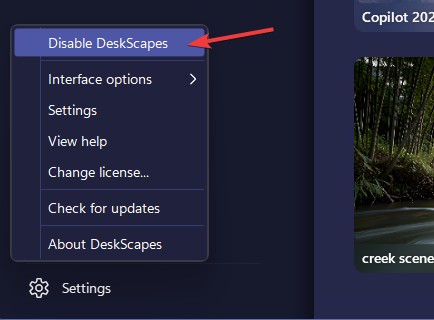
In app way to quit Deskscapes 2026?
And also playlists keep going blank after a while.
 Stardock Forums
This is kind of a multi part post that's both bug report and a question, so bear with me please.
I recently upgraded from Deskscapes 11 to Deskscapes 2026, and used one of the activations for my newer PC. I moved over my background playlist from my old PC, and on my new PC it'll play for a bit, but eventually it just stops transitioning and goes blank.
Now, i actually had this exact same problem with my old PC with Deskscapes 11. Restarting the PC didn't help, nor force quitting Deskscapes, or just changing the background to something else and then switching back. Now they would restart the playlist, but it would eventually go blank again. Eventually i discovered the "quit Deskscapes" button with the settings drop down button in Deskscapes 11. I used that, and i haven't had that problem on my old PC since, even after I switched my old PC to also use DS 2026. My new PC didn't have DS11, so it hasn't had that same treatment, but it seems like there's something about the app shutting itself down that helps it restart correctly the next time, and it can't be replicated by force quitting through task manager.
So all this to say, is there an option to quit DS2026 from inside the program itself and I'm missing it somewhere? Or, if it has been removed entirely, can it be added back? It seemingly helped solve a very annoying issue previously.