Upgrade options
from  Stardock Forums
Stardock Forums
I have Fences 3 - how can I contact you to discuss upgrade options?
Thanks
Kai



 Stardock Forums
I have Fences 3 - how can I contact you to discuss upgrade options?
Thanks
Kai
Stardock Forums
Top
Hello,
If you wish to purchase Fences 6, you can click this page. https://www.stardock.com/products/fences/, scroll down and click on the "Upgrade" button. Enter your email address that link to your Fences 3 account. Click on "Check Eligibility" this will show if you eligible for discount.
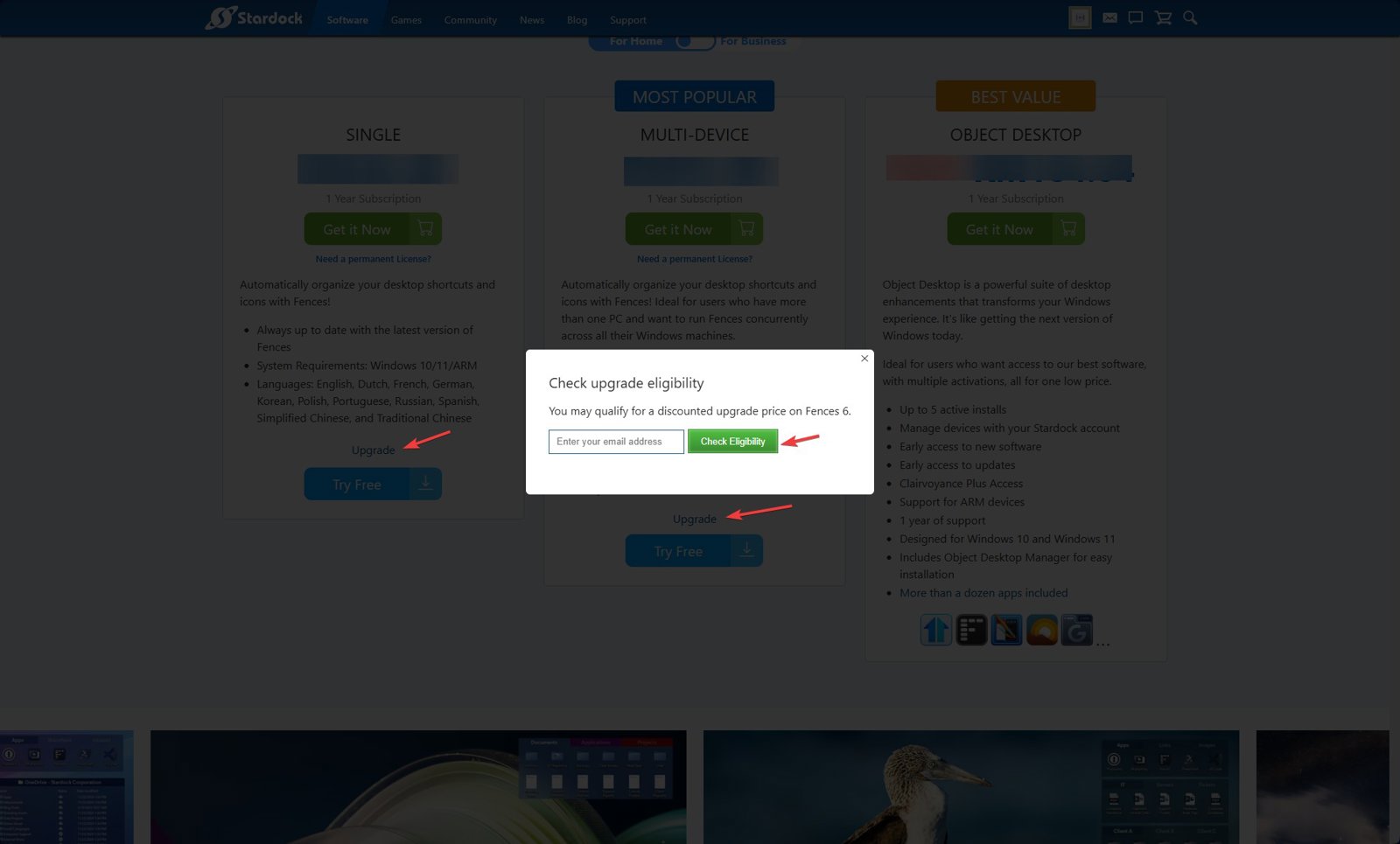
Thank you,
Basj,
Stardock Community Assistant.
Stardock Forums
Top
Your Fences 3 licence qualifies. The eligibility check accepts any registered prior Fences product, regardless of permanent, subscription, single or multi-device status.
The choice it puts in front of you is permanent versus subscription. A permanent licence gets in-version updates (6.1, 6.2, 6.3 and so on) but not the next major version. A subscription includes all future major versions for as long as it stays active. The offers are labelled, so anything with "Subscription" in the wording is the subscription option, and anything with "5 Pack" is the multi-device one for up to five activations.
One thing to watch before you click through. The upgrade check only confirms that you own a prior version, it does not look at how many activations that version had. If your Fences 3 was a multi-device licence, the default single-device upgrade will not carry that across, so choose the 5 Pack deliberately rather than expecting it to follow you.
On contacting us, the forums are the right place for this. Direct email is limited to account management, returns and enterprise contracts, and everything else is handled here.
 Stardock Forums
Top
Stardock Forums
Top
Thanks for your quick and helpful reply!
Stardock Forums
Top
Thanks very much for your kind assistance.
Welcome Guest! Please take the time to register with us.