Start11 Display Artifact - Black Horizontal Line on Monitor

For the past several months (6+) Start11 intermittently leaves a thin horizontal line on my display (on both laptop and connected external monitor).

Clicking Restart Explorer on the Start11 Taskbar screen corrects the issue.


Current versions:

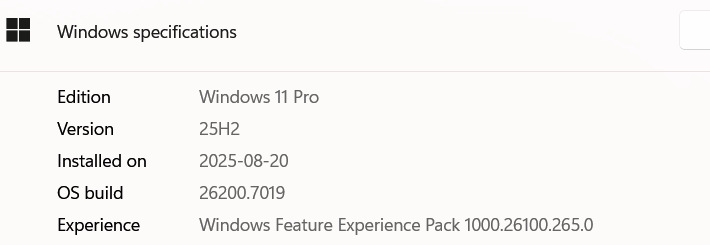
Windows 11 25H2

Start11 v.2.56

Laptop: ASUS ROG Zephyrus G16 

CPU: AMD Ryzen AI 9 H 370

Nvidia GeForce RTX 4070 Laptop GPU driver v.581.80

AMD Radeon 890M driver v.25.10.2

External monitor is an HDMI connected LG CI TV


3,506 views 31 replies
Reply #1 Top

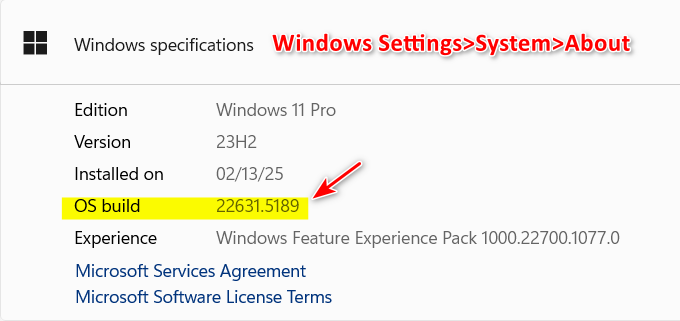
Which OS build of 25H2?

Reply #3 Top

Hello,
Sorry to hear you are having issues. Need to know few things.

  1. Does the height of the black line the same height of your horizontal taskbar?
  2. Your taskbar is set to auto hide?
  3. If possible, explain as when the line appear, appear every time you boot up? appear after some times or after specific application run? Anything that might hint something about it.
  4. Do you have animated wallpaper on your system.
  5. The line appear at the same location and at the same height on both monitors at the same time?

Thank you,
Basj,
Stardock Community Assistant.

Reply #4 Top

Many thanks for the quick response:


1. On the external monitor the line is 6 or 7 inches above the horizontal taskbar, and extends across just over half the width of the display. On the laptop screen the line height varies from less than an inch above the taskbar to 3 or 4 inches - and the line stretches across the entire width of the display.

2. Auto-hide was selected.

3. The line seems to appear intermittently - but relatively frequently (every few hours). It most commonly occurs when the laptop wakes from sleep mode and windows on the external monitor reposition as the displays and laptop itself wake up. Start11 also seems to briefly open several windows as it wakes up or does some kind of internal processing.  Makes me suspect the issue has to do with window resizing/positioning and Start11.

4. No animated wallpaper.

5. Variable, as above.


Reply #5 Top

First, to make sure Start11 get install properly, please try, uninstall Start11, reboot immediately (important), download latest version available in your account product download page: https://store.stardock.com/myaccount/products.  Install it, reboot immediately again. Retest it and report back.

Thank you,

Basj,
Stardock Community Assistant

Reply #6 Top

Ah, forgot to mention that I tried this already.


And the issue only arises when Start11 is installed. No Start11, no issue.

Reply #7 Top

have you tried purge and reinstalled? 

Please try purge and reinstall steps as mention here : [Link]. Just make sure to redownload the latest version from your account page. Reboot after the purge. Reinstall and reboot again after the installation. Retest and report back here.

Thank you,
Basj,
Stardock Community Assistant.

Reply #9 Top

After purge and reinstall the issue didn't reoccur for about a week. It now has, with the line reappearing with less frequency than before, but still an issue.

Reply #10 Top

Quoting poorboy2001, reply 4

2. Auto-hide was selected.

3. The line seems to appear intermittently - but relatively frequently (every few hours). It most commonly occurs when the laptop wakes from sleep mode and windows on the external monitor reposition as the displays and laptop itself wake up. Start11 also seems to briefly open several windows as it wakes up or does some kind of internal processing. Makes me suspect the issue has to do with window resizing/positioning and Start11.
End of poorboy2001's quote

Looking back at these.

  • Does the issue appear if you turn off auto hide? Also, do you have Windows auto hide turn on or just Start11 auto hide turn on?
  • Please post a video showing us the " Start11 also seems to briefly open several windows as it wakes up or does some kind of internal processing. Makes me suspect the issue has to do with window resizing/positioning and Start11." part so we can observe what actually happening.

Thank you,

Basj,
Stardock Community Assistant

Reply #11 Top

I've turned both Window and Start11 auto hide off and so far the issue hasn't reoccured (about 10 days now).


Reply #12 Top

Update: I have been using autohide with the taskbar at the top of the screen and the issue has not reoccured.

Reply #14 Top

I just got a 4k montior and I am having this issue

Reply #15 Top

Same here - still occurs intermittently (roughly every day or so) on both my laptop screen and connected monitor.

Reply #16 Top

The most useful thing in this thread is buried ten replies back and it is poorboy2001's own finding. With both the Windows autohide and the Start11 autohide turned off, the line stopped for about ten days. joeshades, that is worth trying before anything else, because it costs nothing and it is the only change in here that has ever moved the symptom.

Autohide showing up in a taskbar drawing problem is not a coincidence on our side either. The icon size, button width and height options carry the documented caveat that they only apply properly when you are not using OS autohide, and 1.43 added warnings that taskbar size changes need the enhanced taskbar and likewise for autohide. It is a special case in that path rather than an ordinary setting.

If autohide does turn out to be involved and you want it back, it is not all or nothing. 2.55 added a mode that only hides the taskbar when a window is actually over it, labelled since 2.72 as "Only hide when a window is maximized or overlapping the taskbar". That is the compromise worth testing rather than living without autohide.

One thing worth saying plainly about the driver theory from June. Two people are reporting it today, so a newer NVIDIA driver is not a general fix for this and nobody should stop looking there. The fact that Restart Explorer clears the line also fits a redraw problem more comfortably than a driver one.

poorboy2001, the detail in your earlier post about it turning up when the laptop wakes and windows reposition across displays is the part I would keep in front of anyone who picks this up. A display configuration change in the middle is a much more specific thing to chase than an intermittent artifact.

Reply #17 Top

I am not using the os auto hide, and i just turned on Only hide when a window is maximized or overlapping the taskbar. I have only had this monitor  a few days but it happens most when i go to lock screen, am away from the pc for a bit and come back, it did just appear though when using yesterday so it is not just when locking screen and coming back, i am going to step away for an hour and come back and see what happens

Reply #18 Top

I don't want to go through the trouble of sending this Montior back and hooking up my 1080p monitor again but getting a 4k monitor is not worth it, you have to scale to at least 175, many  apps still have issues even when fixing the DPI settings in the app, Windows is optimized for 1080 p monitors, maybe some day that will change but there is no benefit in going to 4k right now

Reply #19 Top

well black line is back

Reply #20 Top
Quoting joeshades, reply 4146455

well black line is back

End of joeshades's quote

Hello,

Sorry to hear you are having issues. Need few more details.

  1. Your Windows 11 full version and OS Build number. Use Winver.exe.
  2. Start11 full version number.
  3. Post screenshot of the issue. Since you mentioned that the taskbar should only hide if you have maximized Window or a Window overlapping taskbar.
  4. As a test, temporarily put the scale at 100% and see if the issue appear.
  5. Is the line appear always or after specific time or action on the desktop. Can you step it out so I can try to reproduce it.

Thank you,

Basj,

Stardock Community  Assistant


Basj,

Stardock Community  Assistant.

Reply #21 Top

windows 25h2  26200.9278

I have the latest start 11.

Reply #22 Top

I cant put it at 100%, that makes windows unusable 


no specific time

Reply #23 Top
Quoting joeshades, reply 4146461

windows 25h2  26200.9278

I have the latest start 11.

End of joeshades's quote

From your screenshot the background there is your wallpaper or a full screen video or picture? I am asking since you said you turn on "Only hide when there is maximized Windows exist?

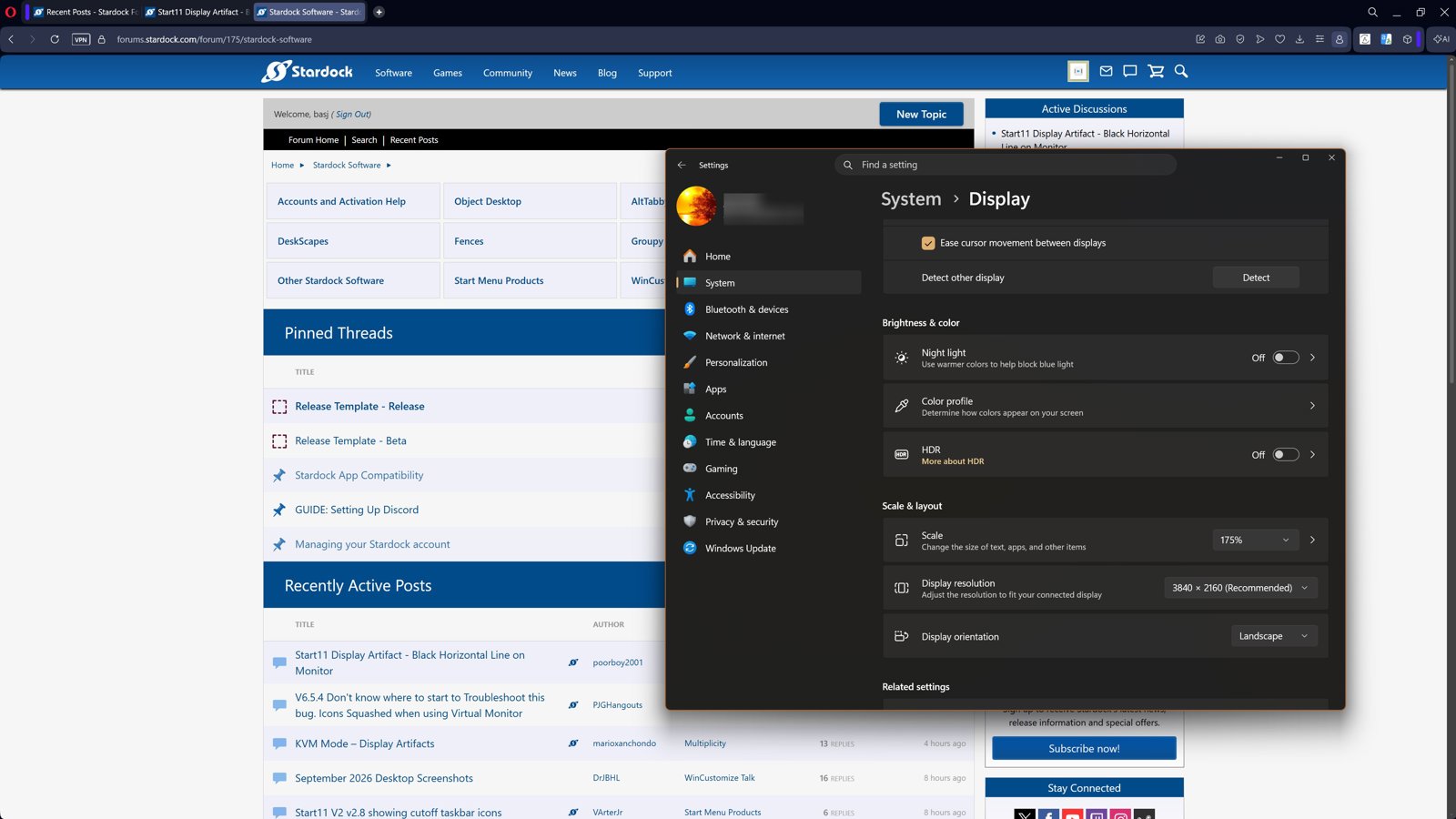
As a reference this is what I get on my 4K monitor with 175% scale. There is no black line. Refer to my screenshot below.

Screenshot above just as a reference, I am not saying the issue not there for you, just that perhaps, there is something else causing it. Would like to suggest trying Clean boot. Refer here for steps: https://support.stardock.com/space/SHC/1334935592/Start11+Clean+Boot. Do note that Clean boot need to be done with care. Try it and report back.

Thank you,

Basj,

Stardock Community  Assistant


Reply #24 Top

it was a wallpaper, I would show thew entire screen but the black line disappeared, but i am sure it will be back