Windows explorer ribbon

Windows 10 Pro 22H2 (19041.vb_release.191206-1406)

WindowBlinds 11.02 (017 - Windows 10 Edition) - 64 bit OS

Window titlebar blur features are enabled on this operating system

        Wblind.dll                2023/03/22 15:40:48

        Wblind64.dll              2023/03/22 15:40:27

        Wbsrv.dll                2023/03/22 15:40:33

        WB11Config.exe            2023/03/22 15:40:50

        Wbload.dll                2023/03/22 15:41:38

        Screen10.exe              2023/03/22 15:40:45


Hi,

I was using WB10.89 on windows 10 for a long time because of my WB11 copy couldn't install properly, even on a fresh W10 so after months I thought "why not trying again".

"Installing services" dialog took 5mns but it went past it.

The issue is windows ecplorer top ribbon : when skinned on WB10.89 whatever the used skin it is a black text on white backround under WB11 and it is a MAJOR issue for me (I've nearly lost eyesight these last years due to a bad glaucoma and I'm dazzled/blinded by white background areas.

1. Why the discrepency between WB10.89 & 11 ?

2. Is there a way to manage this ?

I was almost forgetting, I use WB & Dark mode (Vlad M), or windows 10 ultra dark (adni18) or Delta quadran (2of3)

3,738 views 8 replies
Reply #1 Top

Hello,
Sorry to hear you are having issues. Not sure you're referring to the same ribbon. But this is what I get on my system.

Thank you.
Basj,
Stardock Community Assistant.

Reply #2 Top

Yes it is : what is what I get, the green colors are pouff ...gone , replaced by this white.

I'm using only WB as customisation software, with W10 being in dark mode. I'm very surprised about the difference between WB10.89 & 11 results.

Reply #3 Top

Lurking a bit more in my system gave me the feeling that I'm back on Win7 with not skinned UI parts...

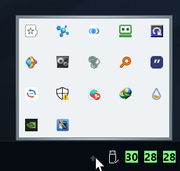
Even the tray displays a white background. Buttons have globally lost the green effect to become grey this then grey that with dark text.


When switching from 10.89 to 11, I've backuped the WB folder in users/public then paste it back, overwriting everything there. Is that why the skin doesn't show what it should ?

Reply #4 Top

Have you tried changing your Windows color to dark mode?

Thank you,

Basj,
Stardock Community Assistant

Reply #5 Top

Quoting charlene, reply 3

When switching from 10.89 to 11, I've backuped the WB folder in users/public then paste it back, overwriting everything there. Is that why the skin doesn't show what it should ?
End of charlene's quote

Actually, you don't need to do that. It should work if you just uninstall v10 reboot, install v11 reboot. Your WB10 themes/skins should still be there.

Thank you,

Basj,
Stardock Community Assistant

Reply #6 Top

That's the solution. In fact, half of it.

First, I've backuped MY skins folders, re installed WB on itself, rebooted, put skins back in public with no luck. So I went in colors...

I'm always in dark mode as I'm blinded by white backgrounds and I can't read the black text on it. But for a funny reason, when activating any skin in WB, the 2nd option in colors is set to "light". Selecting "dark" again solved the issue.

Thanks for your insight, both of you..

Reply #7 Top

Have you tried these setting? Instead of Auto, set it to Dark mode.

Thank you,

Basj,
Stardock Community Assistant

Reply #8 Top

I didn't had the curiosity to look into that popup box. Thanks for the tip !