

Fences 5 Keeps Notifying that My License Has Expired

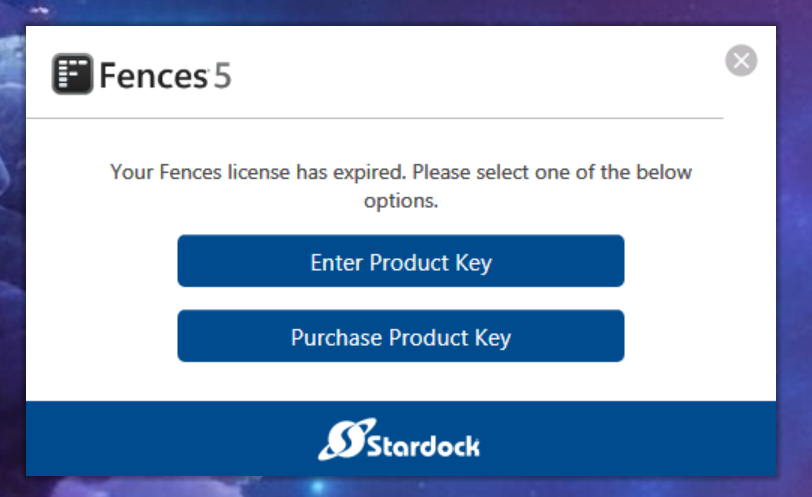
My Fences 5 license is good until January 2025. I'm getting notifications over and over that my license has expired. When I enter my activation code, it reports that Fences 5 has been activated. A couple of minutes later, the expiration notification reappears.

3,388 views 10 replies +2 Loading…
Reply #1 Top

Hello,
Sorry to hear you are having issues. Please review your activation using this guide: https://support.stardock.com/space/SHC/1260191763/How+to+review+your+current+activations then deactivate old activation to clear slot for new activation using this guide: https://support.stardock.com/space/SHC/1260585049/How+to+deactivate+Stardock+products

Thank you.
Basj,
Stardock Community Assistant.

Reply #2 Top

I deactivated and reactivated Fences 5.  Every time I create a new folder on the desktop, the same notification appears, that my subscription has expired. It hasn't expired and has 9 months left. I also redownloaded and reinstalled Fences 5. The notifications still reappear.

+1 Loading…
Reply #3 Top

Please try purge and reinstall steps as mention here : [Link]. Just make sure to redownload the latest version from your account page. Reboot after the purge. Reinstall and reboot again after the installation. Retest and report back here.

Thank you,
Basj,
Stardock Community Assistant.

Reply #5 Top

Great, glad to hear that.

Thank you,

Basj,
Stardock Community Assistant

Reply #6 Top

i'm having the exact same issue as of this week.i don't use AVG AV but am using Bitdefender. i also tried deactivating and reactivating the licence which works for about 5 minutes. Any ideas that can help resolve this would be appreciated.

Reply #7 Top

Quoting Ghetto_Studio_ACT, reply 6

i'm having the exact same issue as of this week.i don't use AVG AV but am using Bitdefender. i also tried deactivating and reactivating the licence which works for about 5 minutes. Any ideas that can help resolve this would be appreciated.
End of Ghetto_Studio_ACT's quote

Hello,
Sorry to hear you are having issues. Your issue is on license expired or just simply asking for re-activation?

Thanks
Basj,
Stardock Community Assistant.

Reply #8 Top

What finally worked for me was a complete uninstall, a shutdown, a restart, download most recent version of Fences 5 and reactivation. I did the uninstall using the Windows 10 Settings, opening  Control Panel, opening Programs and Features and uninstalling Stardock Fences 5. I'm not certain about all of these steps in Windows 11.

Reply #9 Top

it's telling me my license has expired and i need to either enter teh product key or purchase a new product key - it's only a recent purchase. Last the last 2 months, my Stardock account says it's all up to date. de-activated and reactivating doesn't seem to work either.

Reply #10 Top

Quoting Ghetto_Studio_ACT, reply 9

it's telling me my license has expired and i need to either enter teh product key or purchase a new product key - it's only a recent purchase. Last the last 2 months, my Stardock account says it's all up to date. de-activated and reactivating doesn't seem to work either.


End of Ghetto_Studio_ACT's quote

Please try purge and reinstall steps as mention here : [Link]. Just make sure to redownload the latest version from your account page. Reboot after the purge. Reinstall and reboot again after the installation. Retest and report back here.

Thank you,
Basj,
Stardock Community Assistant.